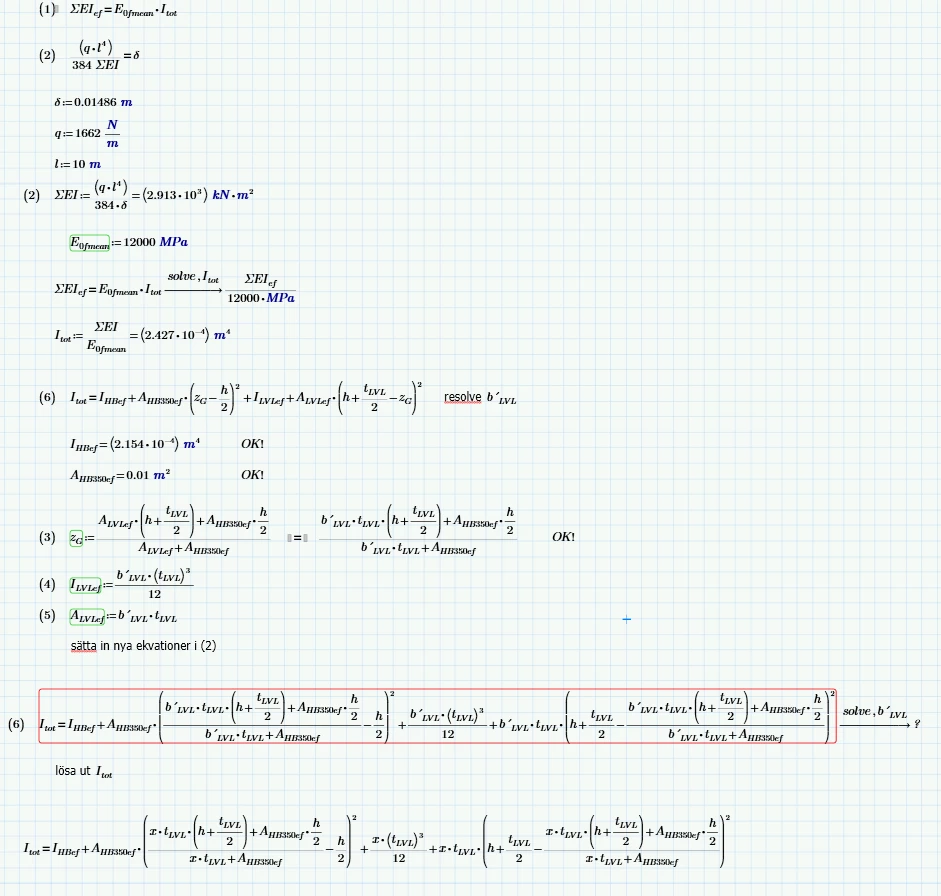
So it looks you get your answer anyway!? Whats the problem.
Primes symbolic unfortunately does not know anything about units and treats them as unknown variables - hence the ugly result. Sometimes it helps to turn on the calculation option to use units in the symbolics but it doesn't in case of your example.
Assign the result a variable and evaluate that variable numerically so you get the two result in a more meaningful display and if you are only interested in the positive (larger) result, you can use the "max" function to do the job:.
BTW, the "solve" above the shown region fails because the variable to solve for already was assigned a value. You can use "clear([variable name])" or "clear.sym([variable name])" to be able to use that variable name for solving.
As you are not looking for a symbolic result but rather a simple numeric one, you may also consider not to use the symbolics but rather numeric methods (either a solve block or the "root" function).
The precision of the result is dependent on the setting of the system variable TOL. Its default value is 10^-3. I set it to 10^-6 to get the same three decimals as with the symbolic solve. You may set the value for TOL either somewhere at the stop of the sheet or with the ribbon menu (Calculation - Worksheet Settings),