If you define a vector with 8 steps you will get a vector with 9 entries.
So the number of combinations from vectors with 8 steps, 6 steps and 12 steps would be 819, not 576 😉
I would suggest a different approach. Instead of creating these huge input vectors with repeated values I would leave them as we already had defined.
Its a good thing that you have turned all your calculations into function of the three inputs.
I think what you are interested in are the three forces and the maximum of each.
So why not separate definition and display of values.
Define your functions first without having the inputs already defined and without displaying numeric intermediate results like angles.
After all functions are defined, define the three input vectors and use a program to cycle through all values:
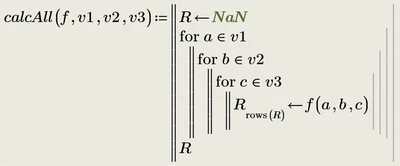
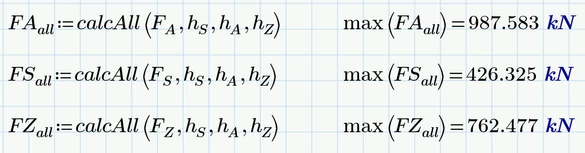
FAall, etc. are vectors with 819 elements (because I used your example of 8, 6 and 12 steps for the input vectors).
At the end of the attached Prime 10 sheet I also show a way to create a table of values, not sure if that would be of interest:
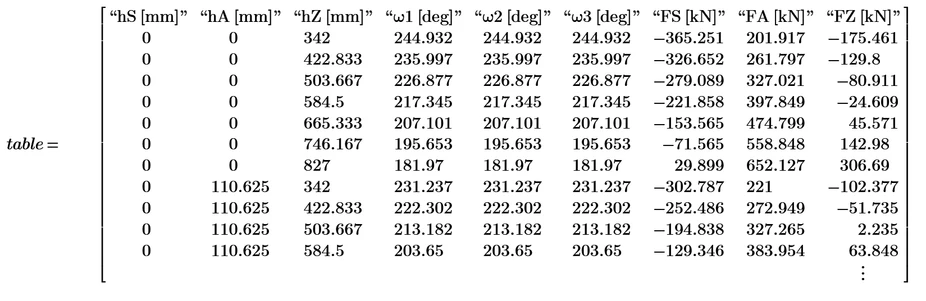
As a byproduct, you also are offered a way of creating the three input vectors with repeating elements that you have suggested. You can therefore continue with your approach and then decide which is more suitable for you.
Prime 10 sheet attached

