Chain solution
Caveats:
1. I made links an easy 1" long, not following any actual standard for ANY dimensions (so sue me).
2. I didn't bother to write a bunch of relations as to overall length by # of links, which won't work anyway - see below). Feel free to do....whatever.
3. I picked sprocket size by 2 different arbitrary # of teeth and used the 1" link length x teeth to determine pitch diameter, and used 34 links x 1" to determine the INITIAL perimeter length (which had to be slightly increased - see below).
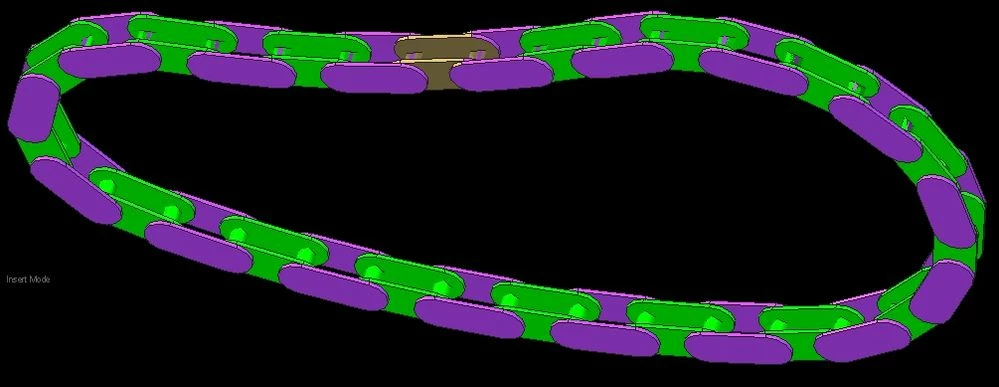
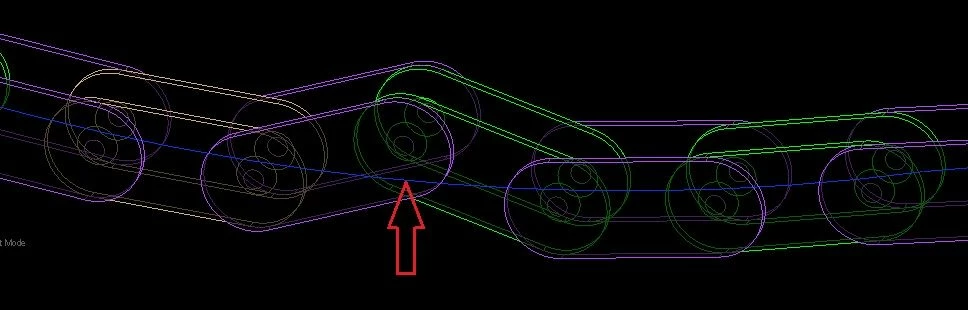
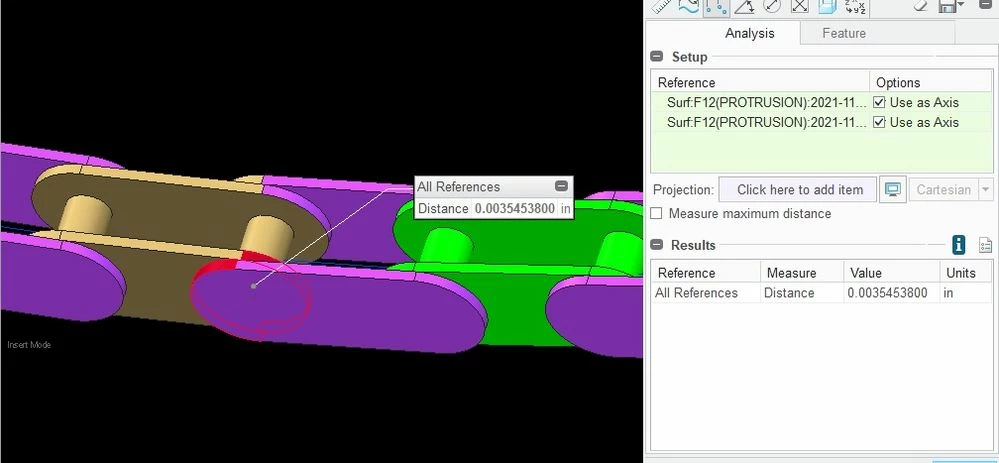
Ok, so, I was going to try and use a bunch of 1" lines moving along a spline to ACCURATELY determone the shape and length of the perimeter needed (the BIG problem is that it CHANGES depending on how many teeth are engaged per sprocket). And, well, splines S@CK, what PTC SHOULD have done was make it a POLYLINE which would allow you to constrain (point on entity etc.) these 1" link lines and be able to drag them around. Nope. So, back to simply using a perimeter dimension of 34" for the curve. Then I the first link (gold) with a "planar" and 2 "slot" constraints. Then I constrained all the next links to use a "planar constraint, a "cylinder" constraint to the previous link, and a "slot" link on the last constraint (far end). While you can't "pattern" these links, you CAN use the "Repeat" command for all the other links, and you just have to pick one axis for the cylindrical (middle "Add") constraint in the pop-up, so it actually goes really fast. So, now you can drag the entire chain around (Wheeee!), and every link drags all the others and follows the curve path....except that you notice that the chain is about .1" too long? What the...? Well, as you pull the links around, you ALWAYS have axis-to-axis (i.e. link) distances of 1", but since the sprockets are a continuous curve with an arc length GREATER than the combined engaged facets of the polygon a chain sprocket REALLY is, the chain ends up being too long. How much varies with the # of teeth on the sprockets. Someone a lot better at math could probably calculate all this to get a "correct length"...aannnd it would STILL be wrong because as I said it VARIES, but I took some measurements, got it to .0002" to .0035" worth of misalignment, and called it done. At first I let the last cylinder connection float, and got what was shown in the arrow. But that led my to changing the last 2 links constraints, and allowed me to understand mow much I need to lengthen the "slot" curve. I used a Skeleton model because I thought the spline feature would work, but that curve could simply be created at the assembly level without the need for a skeleton part at all. For visuals, I made the FIRST link gold, and for the axiis that have that slight mis-alignment at the last link, I changed the surface colors of those ends of the first and last links so you could measure things easily for yourself. It IS pretty neat dragging it along the trajectory, and take measurements of the distance between those misaligned axxis as you drag them to different parts of the trajectory. Anyways, if was kinda fun, not too crazy difficult in the end, took less than a day total, including the limitations in the software mentioned, but I'm satisfied it works for 99% of people, so I'm done. I even put some "Catenary" drooping for fun for my friends
Enjoy!