

Datum Feature Symbol "Duplicate Label" of Deleted Symbol 2D DRW mode
Think it is the same as old thread https://community.ptc.com/t5/3D-Part-Assembly-Design/Find-set-datum-tag-creo-4/td-p/657064
bug ? https://www.ptc.com/en/support/article/CS304721
I'm in CREO 7.0.3.0
Also Windchill 11.1 m020
Get Duplicate Label warning about datum symbols that have been deleted.
Can DRW file be cleansed of all deleted datum symbols to not get duplicate label warning?
How it happens: I save a copy of a model I want to make a similar part of/different version. The model and drw are saved to the new file. As is there are 2 datum feature symbols(A and B) made in the 2D drawing attached to dimension leaders. I edit the geometry of the model and that ends up deleting the dimension the datum feature symbols were attached to so the symbol is as deleted and not longer in the DRW tree when returning to the DRW. Now when I try to place the datum feature symbols A and B are still consumed somehow and I get "duplicate label". I can find no way to clean the old datum feature symbols from the file.
Tool I used to make the Datum symbols: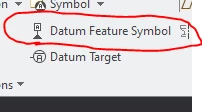
Original drawing
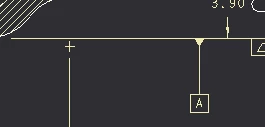
Save copy as + deleted dimension with datum A tag + try to add tag to new displayed dimension
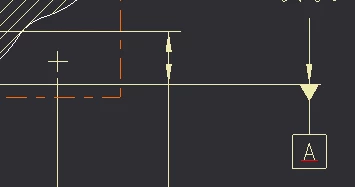
The suggested solution in CS304721 is new DRW file.... Which is a pain in Windchill right? Have to go offline create new with same name and import as modified to replace the Windchill file of the same name?
No way to clean the DRW file of deleted datum tags?