1-Visitor
July 10, 2022
Question

unwanted invisible lines in drawing which cannot be removed with "edge display" tool

  • July 10, 2022
  • 2 replies
  • 1999 views

MA_10356982_1-1657445813554.pngMA_10356982_2-1657445859988.png

Greetings,

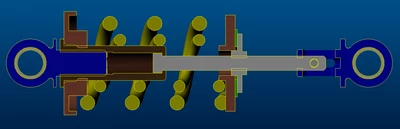
as the title suggests i keep getting these unwanted lines (marked with red) which arent supposed to be drawn in my sketch and cant remove them with the edge display tool. all parts that go into eachother have cosmetic threads which fit perfectly.

any help would be appreciated!

2 replies

22-Sapphire II
July 10, 2022

Without having the models to investigate I suspect that it is the cosmetic thread geometry that is causing this issue. Cosmetic threads create surfaces to represent the threads.


To test this select the cosmetic thread in the drawing view and erase it.

Erasing cosmetic threads in view

  1. select the ribbon Annotate
  2. selection filter must be on General ( in right-down corner )
  3. choose the thread feature in view (use pick from list to ensure you get the thread)
  4. right mouse button – Erase


If this works then you can use a layer to control display of all cosmetic threads in the drawing.

Try putting all of the cosmetic thread features on a layer and then hide that layer in the drawing. 

24-Ruby III
July 11, 2022

Hi,

if your models contains imported geometry then you can met reported problem.