1-Visitor
April 23, 2020
Question

Creo Simulate Live Not Showing Results

  • April 23, 2020
  • 2 replies
  • 2908 views

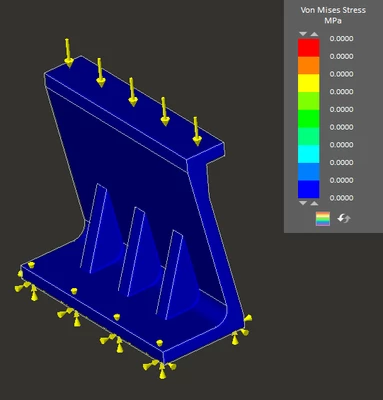
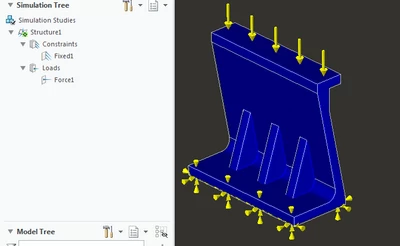
I have been trying to use Creo Simulate Live, just to see how it works, but when I start a simulation, I donโ€™t get any results (see picture below). I tried running the same setup in Creo Simulation and got it to display results in there. Am I missing something in Creo Simulate Live to show me the correct results?


I used a load of 25lbf down on the top, and fixed the bottom surface.
ghunsinger_0-1587657017248.png


ghunsinger_1-1587657017257.png


2 replies

kdirth
21-Topaz I
21-Topaz I
April 27, 2020

I had to add 2 folders on my computer to get it to work when I first used Simulate Live:

  •  Add MaterialLibrary folder to your working directory
  •  Add MaterialLibrary folder to the install directory
    • Here is where I found it - C:\Program Files\PTC\Creo 4.0\M090\Common Files\x86e_win64\simlive_home

I can't find the original documentation I received to add these folders, but as I remember, one of the folders is needed for it to work.

There is always more to learn.
kdirth
21-Topaz I
21-Topaz I
April 27, 2020

Here is the article referring to the issue I had - https://www.ptc.com/en/support/article/CS305968

(referred to in the article referred to by ghunsinger)


There is always more to learn.
17-Peridot
April 27, 2020

Hi @ghunsinger,


This is an known issue.

Please refer existing article https://www.ptc.com/en/support/article/CS311463 for troubleshooting steps.


Regards,

Rahul