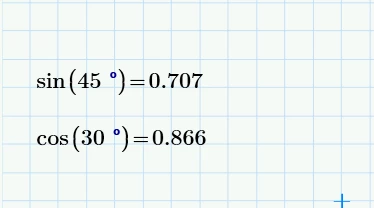
Prime does not offer an option to display numeric results as a fraction.
Real Mathcad had such an option
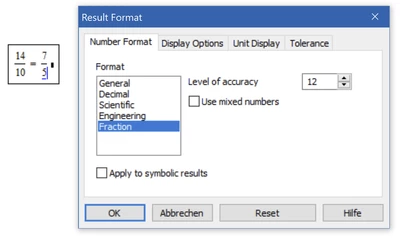
but it was not really helpful when it came to irrational and transcendent numbers
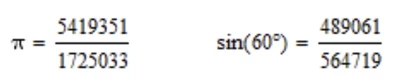
To see the results you probably want to see you have to use the symbolic engine.
Symbolic evaluation can be achieved by pressing Ctrl+.
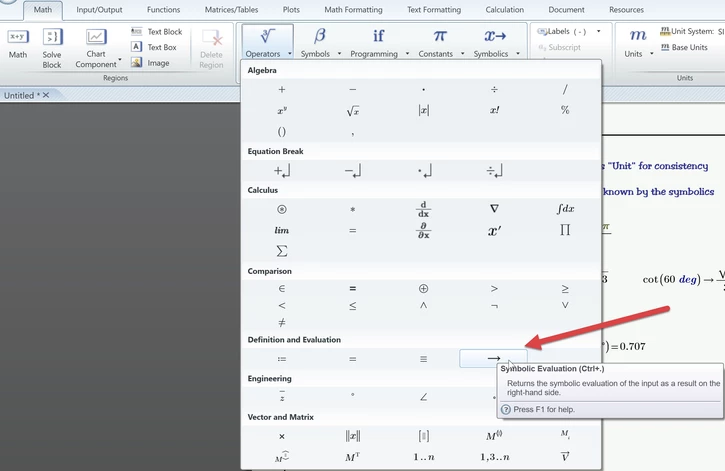
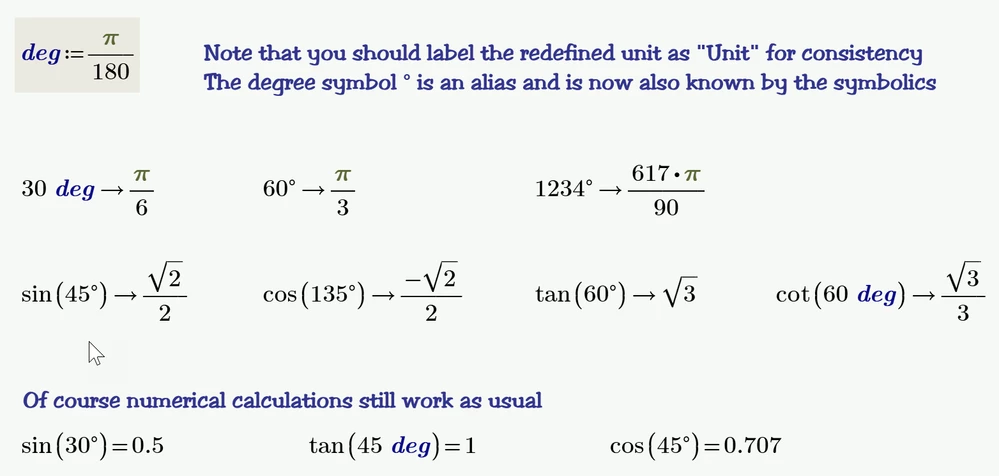
Unfortunately the symbolics does not know anything about units (the degree symbol ° is just an alias for the (pseudo)unit "deg").

So you either can redefine any function which may use an angle as input value as @ttokoro has demonstrated or (and I think that's the more appropriate approach) you can (re)define the unit "deg" in your worksheet at the top of the sheet so that the symbolic learns that "deg" is not just an unknown variable.
You may hide this redefinition either to the right of the right margin or in a collapsed region so that its not in the way and irritating when you print the report.
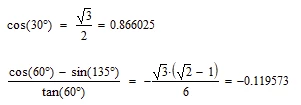
In old Mathcad we had the option to hide keywords and display the symbolic evaluation using the equal sign and so we could write (here MC15)
In Prime this looks like this
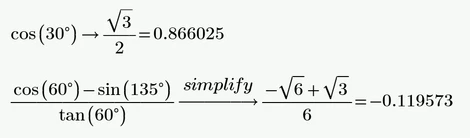
Maybe one day even Prime will offer the option to hide keywords and use the equal sign ....