I'm assuming here that Team is the type of item and Name is a field in the item. As you mention that you are new to creating queries, I've included several screenshots to help you.
To create the query in the GUI:
- Select Query > Create Query
- Click on the Add Filter button in the Definition Tab.
- Select Fields for the type of filter, and Type for the field to query on, then OK:
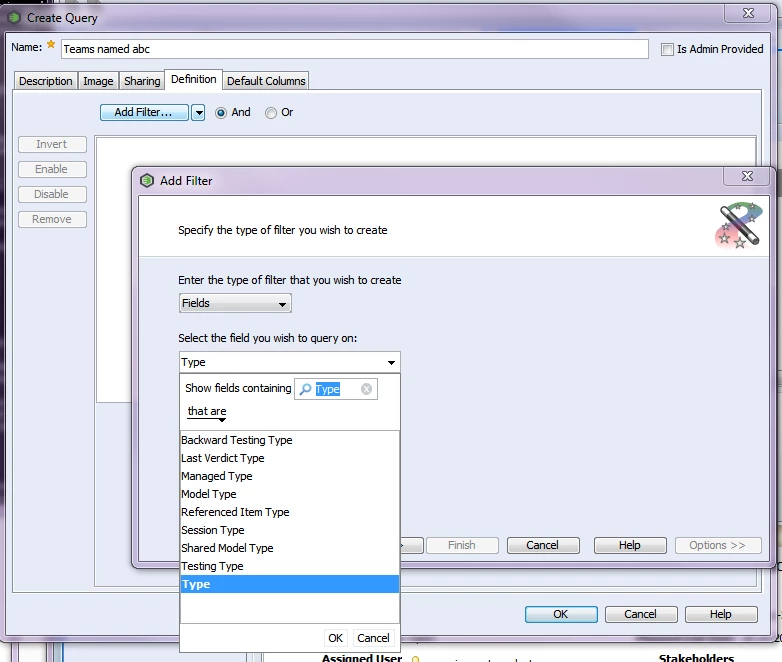
- Click Next. Select the Type you want to query on:
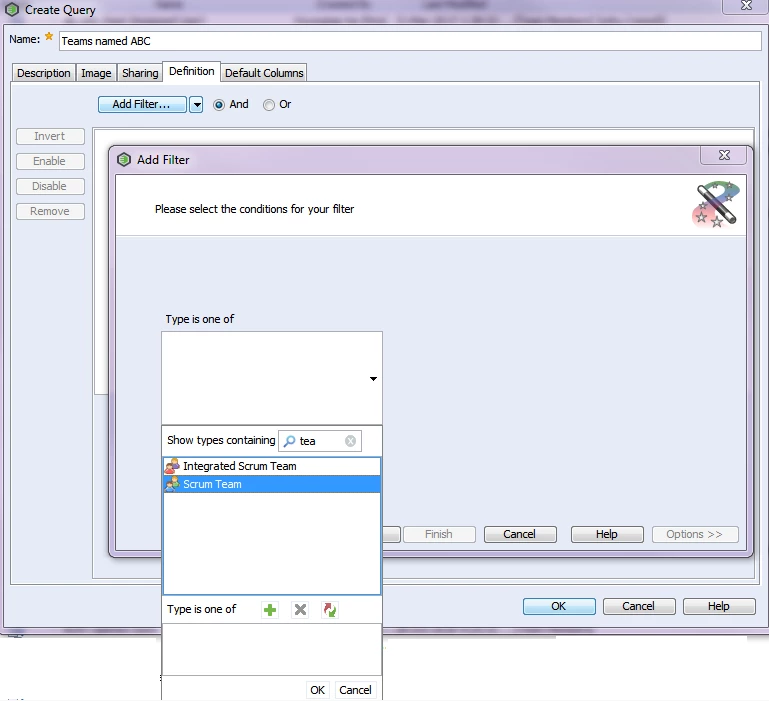 Select Type to query on Then click OK and Finish.
Your first filter is added.
- Repeat these steps for the field "Name":
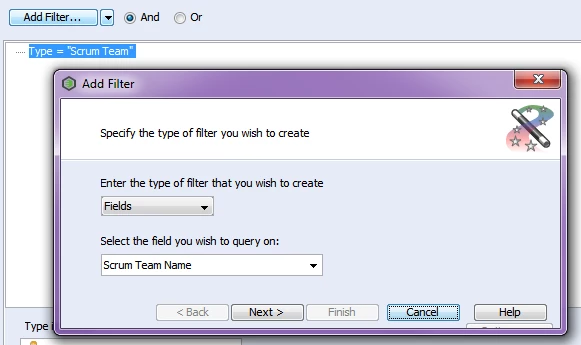
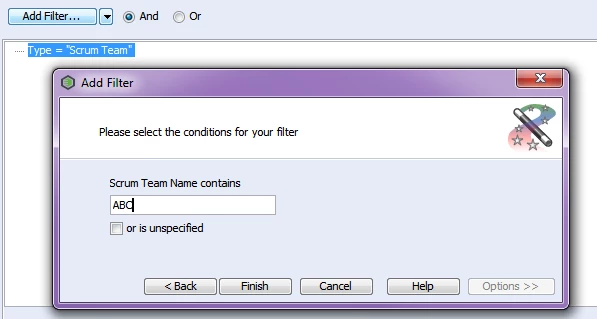
- Click Finish. You should have both filters in your query now, connected with "and":
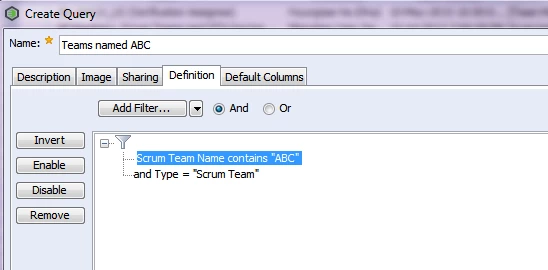
- Click OK to save your new query.
The WebUI is similar, but the "Add Filter" button is the + sign at the bottom of the window:
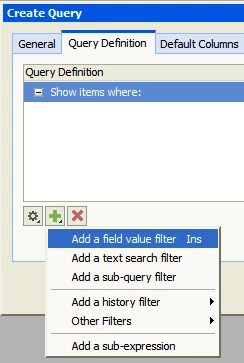
You can find more details on creating queries in the online help. Here's the link for 12.0: https://support.ptc.com/cs/help/integrity_hc/integrity120_hc/en/IntegrityHelp/client_creating_a_query.mif-1.html#wwID0E3BKU
Older help centres can be found here: https://support.ptc.com/appserver/cs/help/help.jsp

