
1-Visitor
July 26, 2016
Solved

Allow Document Type to be selected from viewset "Document > Create" Menu

  • July 26, 2016
  • 1 reply
  • 1572 views

Hello,

I am working in two different Integrity servers. In the first server, I can see three different Document types when I go to "Document > Create".
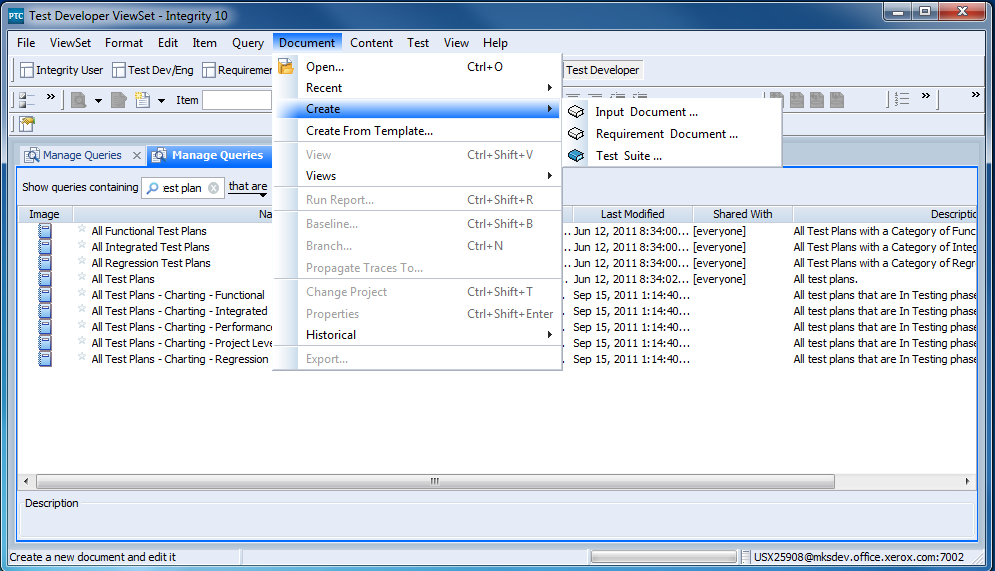
Capture01.PNG

These same three Document types have been recreated in the second server and the same viewsets imported there. However, when I use the same viewset and go to "Document > Create" on the second server I can only see one of the Document Types.
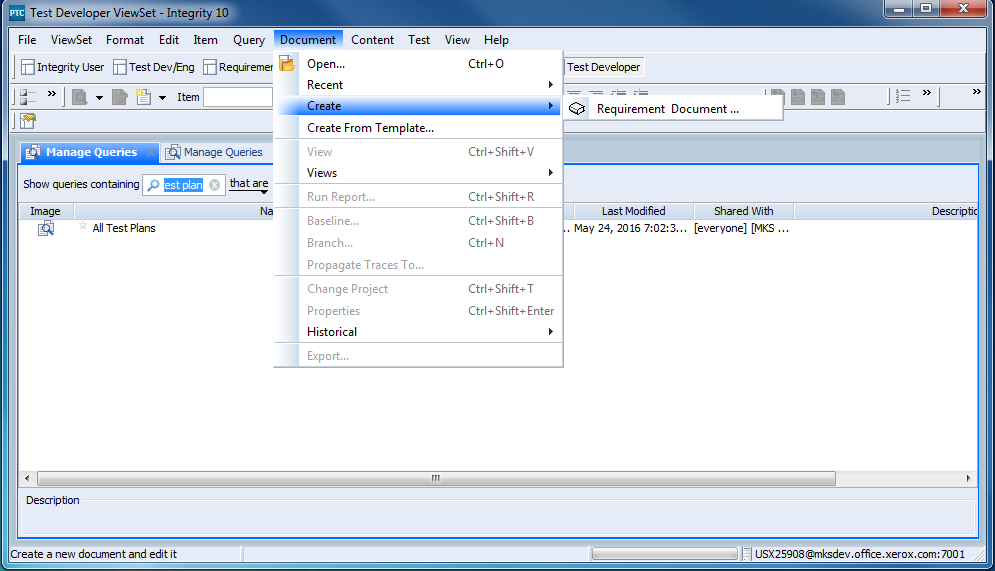
Capture02.PNG

Does anyone know what changes I need to make to allow for the two missing Document Types to appear in the "Document > Create" menu when connected to the second server?

Thanks

Bryan Rague

    Best answer by KaelLizak

    Hi Bryan Rague‌,

    Our knowledge base has an article which captures this:  CS122709:  How the Content of the Document > Create Menu is Generated in Integrity

    You can search our knowledge base by going to this article by going to the Integrity tab of the eSupport Portal and entering your search terms.  In this case, I used the terms "create document menu", and got CS122709 as the first hit of my results.

    Please let us know if that article works for you or if you run into any problems with the suggested resolution.

    Regards,

    Kael

    1 reply

    KaelLizak16-PearlAnswer
    16-Pearl
    July 26, 2016

    Hi Bryan Rague‌,

    Our knowledge base has an article which captures this:  CS122709:  How the Content of the Document > Create Menu is Generated in Integrity

    You can search our knowledge base by going to this article by going to the Integrity tab of the eSupport Portal and entering your search terms.  In this case, I used the terms "create document menu", and got CS122709 as the first hit of my results.

    Please let us know if that article works for you or if you run into any problems with the suggested resolution.

    Regards,

    Kael

    brague1-VisitorAuthor
    1-Visitor
    July 26, 2016

    Thank you Kael! We were able to identify the issue with these resources.