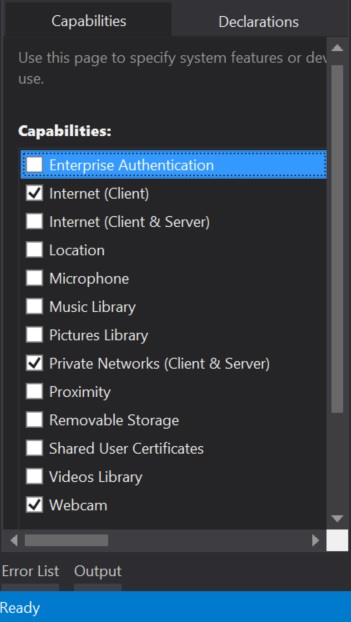
The source of my problem was what I defined in the app capabilities. This is something unique to WIndows RT apps. I had the Internet (Client) capability selected but I did not have Private Networks (Client & Server)selected. Because of this my app could not talk to the Integrity server but because of my unfamiliarity with the API, I had trouble tracking down the issue.
Since Visual Studio 2013 Express isn't one of the versions supported for the Visual Studio Integration, I had to set it up a bit differently. Here's how:
- Using 7zip, I extracted MKS.ManagedAPI.dll from the Integrity_VS_Integration.msi installer
- I added MKS.ManagedAPI.dll as a reference to my project (Project > Add Reference > Browse)
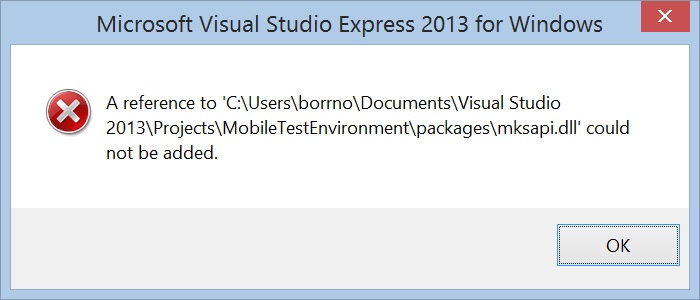
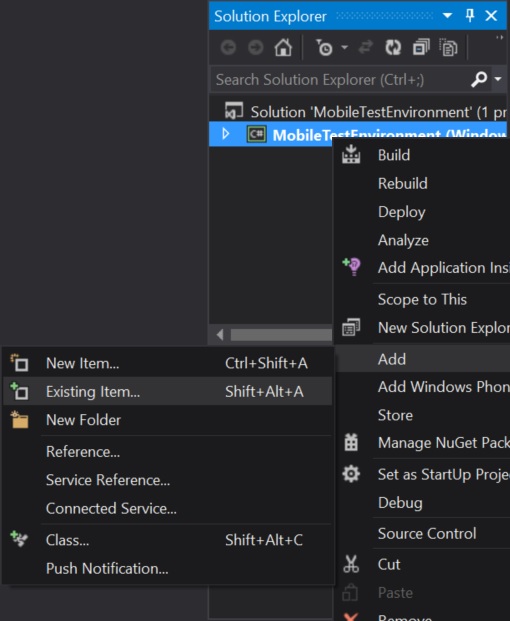
- I added the following dll's in my project as existing items (In Solution Explorer, Right click project >Add > Existing Item) because Visual Studio 2013 Express will not allow them to be added as references
- apiblimp.dll
- libeay32.dll
- libxml2.dll
- mksapi.dll
- mksapi.lib
- nspr4.dll
- ssleay32.dll
- For each of the dll's (and lib), set Copy to Output property to Copy if newer
I was then able to use the sample code at: https://support.ptc.com/appserver/cs/view/solution.jsp?n=CS159452. The only edit that I had to make was to use APIFactory.CreateIntegrationPointinsted of APIFactory.CreateLocalIntegrationPoint since I am running this on a remote machine and not the server.
I haven't done too much yet so I don't know whether or not this is really a full integration. So far I have only used the sample code to get a reply. I am hopeful that this will be the correct solution though.