

PTC Integrity 11 client Installation Error - Toolkit64x.msi
Hi there,
First time on the forums, looking for some technical assistance.
I am trying to install the PTC Integrity 11 client by running the mksclient.exe
I get the following errors during the installation on our Windows 10 64-bit Enterprise OS:
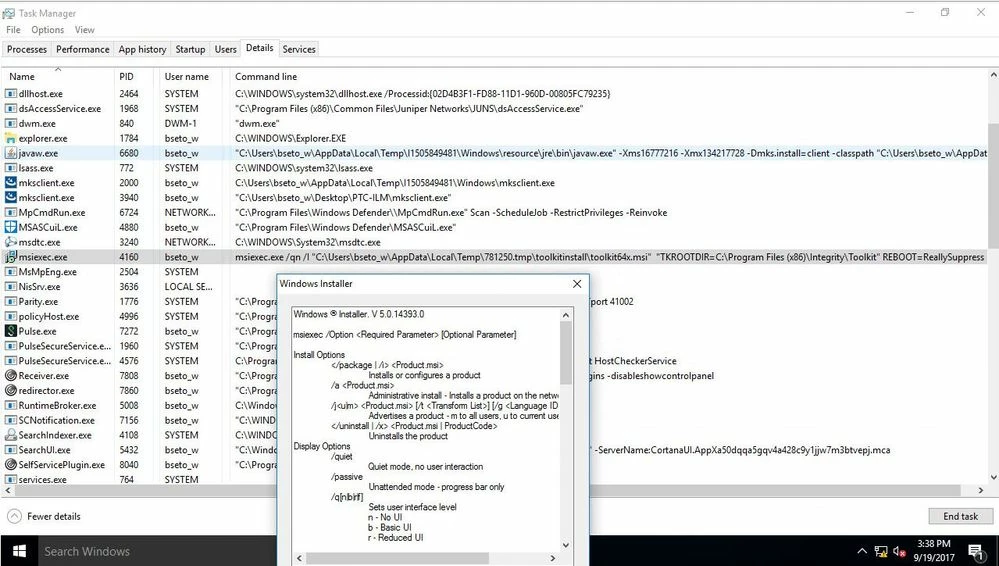
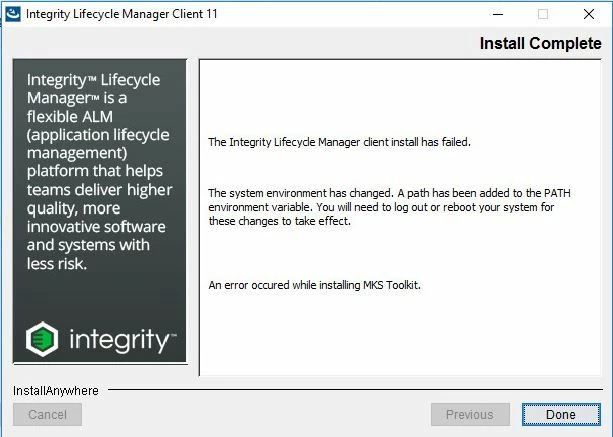
I have to click OK in order for installation to continue to the end. It does install the PTC integrity client, but does not install the MKSToolkit component.
The screenshots reveal that the installation is failing on the toolkit64x.msi
If i try to run that msiexec.exe /qn /I "toolkit64x.msi" "TKROOTDIR=C:\Program Files\INTEGR~1\Toolkit" REBOOT=ReallySuppress in an elevated command prompt, it fails. If i remove the TKROOTDIR parameter altogether, the msi is able to successfully install individually.
Is there a solution so that everything can install successfully by running just mksclient.exe without the installation come to a halt? My company needs to automate this process by scripting this into an importable Microsoft SCCM software package as we have hundreds of machines to deploy to.
Any help would be appreciated,
Thanks
Brian