

Browser Client Dashboard Authentication after Tomcat Restart
All - We run Thingworx mashups as "dashboards" around our facilities quite frequently. What this basically means is that we have large flat screens mounted showing data that is pulled into Thingworx from various sources on a Thingworx mashups/webpage. We are embedding application keys in the URL to work around any sort of user having to login. The users just have to open a URL shortcut, or it's automatically launched when the device boots up. I understand this isn't best practice, but it works well for us and these app key accounts are very locked down.
One issue we've unable to overcome is that when the Thingworx server is restarted, or if just Tomcat is restarted, the browser client gets briefly disconnected and then it shows it's default login prompt. In our case we primarily use Chrome, so after a restart, all our users see is this:
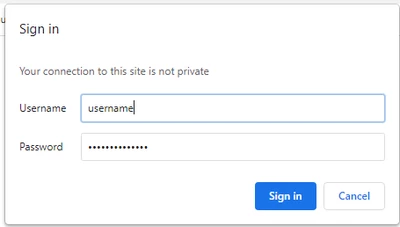
The resolution is fairly simple, just close and re-open the browser shortcut, but in some cases, the devices running the browsers aren't easily accessible. I suspect this really happens because once a Thingworx Mashup URL is loaded, it changes from the entered URL to a runtime URL that no longer stores the embedded app key.
Is there anything that can be done from the server, or client, side to where these dashboard clients will just automatically reconnect to the Thingworx server?
Looking for any ideas. Only current one that is showing progress is running a schedule batch file that closes all instances of Chrome and re-opens Chrome to the Thingworx URL. While this is functional, it will leave gaps between scheduled runs where users will still get the login prompt.
Thanks