Error when I create database extension
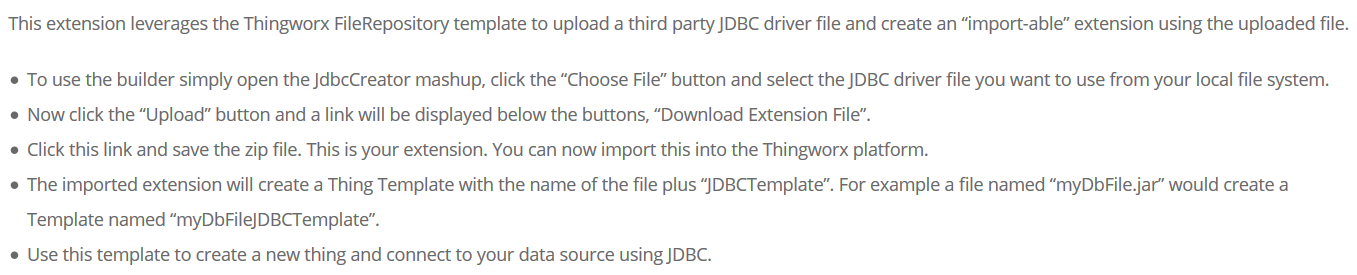
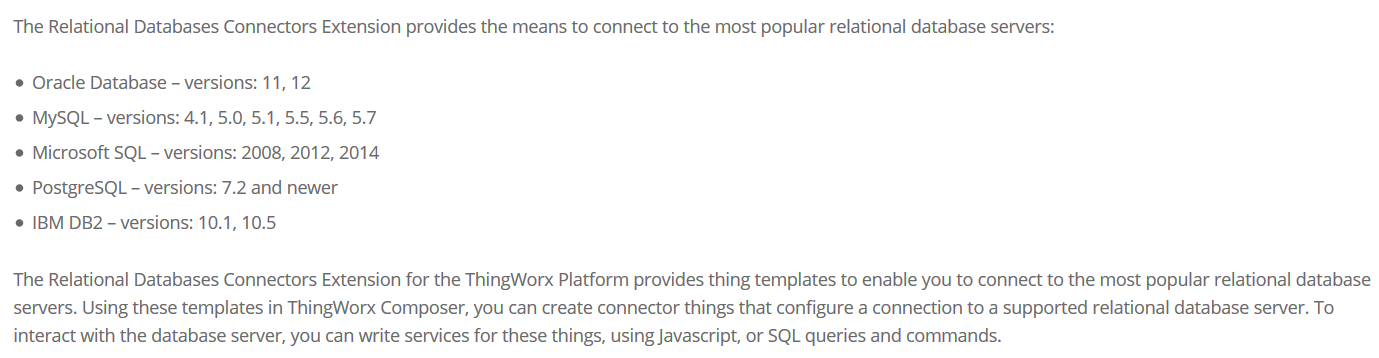
I was wondering how to create metadata.xml when I created the database extension. How to create the following through the eclipse xml file. Xml file is through what kind of process to get. I have Oracle11 to expand the package, I would like to create a mysql extension package based on it myself I do not know what to do?
<Entities>
<ExtensionPackages>
<ExtensionPackage name="MYSQL_ExtensionPackage"
description="My SQL JDBC Extension"
vendor="ThingWorx Customer Service"
packageVersion="1.0"
minimumThingWorxVersion="4.0.0">
<JarResources>
<FileResource type="JAR" file="mysql-connector-java-5.1.22.jar" description="MySQL JDBC JAR" />
</JarResources>
</ExtensionPackage>
</ExtensionPackages>
<ThingTemplates>
<ThingTemplate baseThingTemplate="Database" description="MySQL Server" documentationContent="" effectiveThingPackage="" homeMashup="" lastModifiedDate="2015-11-28T11:40:35.355-05:00" name="MySqlServer" tags="" thingPackage="">
<ThingShape description="" documentationContent="" lastModifiedDate="2015-11-28T11:40:35.355-05:00" name="" tags="">
<PropertyDefinitions/>
<ServiceDefinitions/>
<EventDefinitions/>
<ServiceImplementations/>
<ServiceMappings/>
<Subscriptions/>
</ThingShape>
<ImplementedShapes/>
<ConfigurationTables>
<ConfigurationTable description="" isMultiRow="false" name="ConnectionInfo">
<DataShape>
<FieldDefinitions>
<FieldDefinition aspect.defaultValue="5.0" baseType="NUMBER" description="Maximum number of connections in the pool" name="maxConnections" ordinal="0"/>
<FieldDefinition aspect.defaultValue="jdbc" baseType="STRING" description="jDBCConnectionURL" name="jDBCConnectionURL" ordinal="0"/>
<FieldDefinition aspect.defaultValue="SELECT NOW()" baseType="STRING" description="Connection validation string" name="connectionValidationString" ordinal="0"/>
<FieldDefinition aspect.defaultValue="com.yourdatabase.yourDriver" baseType="STRING" description="jDBCDriverClass" name="jDBCDriverClass" ordinal="0"/>
<FieldDefinition baseType="STRING" description="Database user name" name="userName" ordinal="0"/>
<FieldDefinition baseType="PASSWORD" description="Database password" name="password" ordinal="0"/>
</FieldDefinitions>
</DataShape>
<Rows>
<Row>
<jDBCConnectionURL><![CDATA[jdbc:mysql://localhost:3306/demo]]></jDBCConnectionURL>
<maxConnections>100.0</maxConnections>
<connectionValidationString><![CDATA[SELECT NOW()]]></connectionValidationString>
<jDBCDriverClass><![CDATA[com.mysql.jdbc.Driver]]></jDBCDriverClass>
<userName />
<password />
</Row>
</Rows>
</ConfigurationTable>
<ConfigurationTable description="" isMultiRow="false" name="ConnectionMonitoring">
<DataShape>
<FieldDefinitions>
<FieldDefinition aspect.defaultValue="1.0" baseType="NUMBER" description="Number of retries" name="numberOfRetries" ordinal="0"/>
<FieldDefinition aspect.defaultValue="2000.0" baseType="NUMBER" description="Retry delay in milliseconds" name="retryDelay" ordinal="0"/>
<FieldDefinition aspect.defaultValue="false" baseType="BOOLEAN" description="Enable connection monitoring" name="enableMonitor" ordinal="0"/>
<FieldDefinition aspect.defaultValue="30000.0" baseType="NUMBER" description="Monitor rate in milliseconds" name="connectionMonitorRate" ordinal="0"/>
</FieldDefinitions>
</DataShape>
<Rows>
<Row>
<numberOfRetries>1.0</numberOfRetries>
<retryDelay>2000.0</retryDelay>
<enableMonitor>false</enableMonitor>
<connectionMonitorRate>3000.0</connectionMonitorRate>
</Row>
</Rows>
</ConfigurationTable>
</ConfigurationTables>
<avatar/>
<DesignTimePermissions>
<Create/>
<Read/>
<Update/>
<Delete/>
<Metadata/>
</DesignTimePermissions>
<RunTimePermissions/>
<InstanceDesignTimePermissions>
<Create/>
<Read/>
<Update/>
<Delete/>
<Metadata/>
</InstanceDesignTimePermissions>
<InstanceRunTimePermissions/>
</ThingTemplate>
</ThingTemplates>
</Entities>