
16-Pearl
March 4, 2024
Question

how to open-download blf file in thingworx mashup.

  • March 4, 2024
  • 1 reply
  • 1229 views

I have uploaded a blf file in Repositry but when i click on it i download it as file with name fileRepositryDownlader.


My QUESTION


1) When i download a file. It needs to be the same file blf type file which i have uploaded it. (My major requirement is that i want to download it from mashup.)


2) When i click on file in mashup it needs to show me the file content same as we open PDF in mashup.
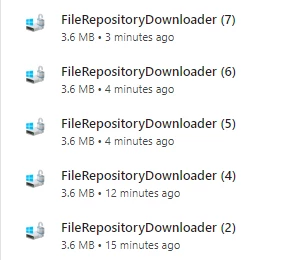
 

cru2.png

ABOVE file looks when i download it 
below you can see in mashup it shows like that.I have uploaded it manually in fileRepositry.

 

cur1.png


1 reply

Rocko
19-Tanzanite
March 4, 2024

You didn't write what widget you use on your mashup to download the file.

When you use a Link you can provide the URL in two different formats. Both save the file with the name is has on the server:


https://someserver/Thingworx/FileRepositoryDownloader?download-repository=SystemRepository&download-path=/myfile.blf 

https://someserver/Thingworx/FileRepositories/SystemRepository/myfile.blf 

If that doesn't work for you it you can validate using a different browser.

MA873117416-PearlAuthor
16-Pearl
March 4, 2024

I am using webframe widget in mashup. It works fine for PDF and it view it in browser and then i can also download it but for this blf type i just want to download the file but its not able to download it. If i ZIP the file and download it then ZIP is able to download easily. do you have any solution?

Rocko
19-Tanzanite
March 4, 2024

It works for me if I put the link https://someserver/Thingworx/FileRepositories/SystemRepository/myfile.blf  into the URL property of Web Frame. It gets downloaded as myfile.blf.