
1-Visitor
October 21, 2015
Solved

Windchill is not showing any files

  • October 21, 2015
  • 1 reply
  • 2599 views

I am using Creo Parametric Educational 3.0 and Windchill 10.2 M020.

When I open Windchill in Creo Parametric from the open button in the home screen, it will not show any files on Windchill. It will show the folders. Is there any way to fix this and show the files on Windchill? Thanks.
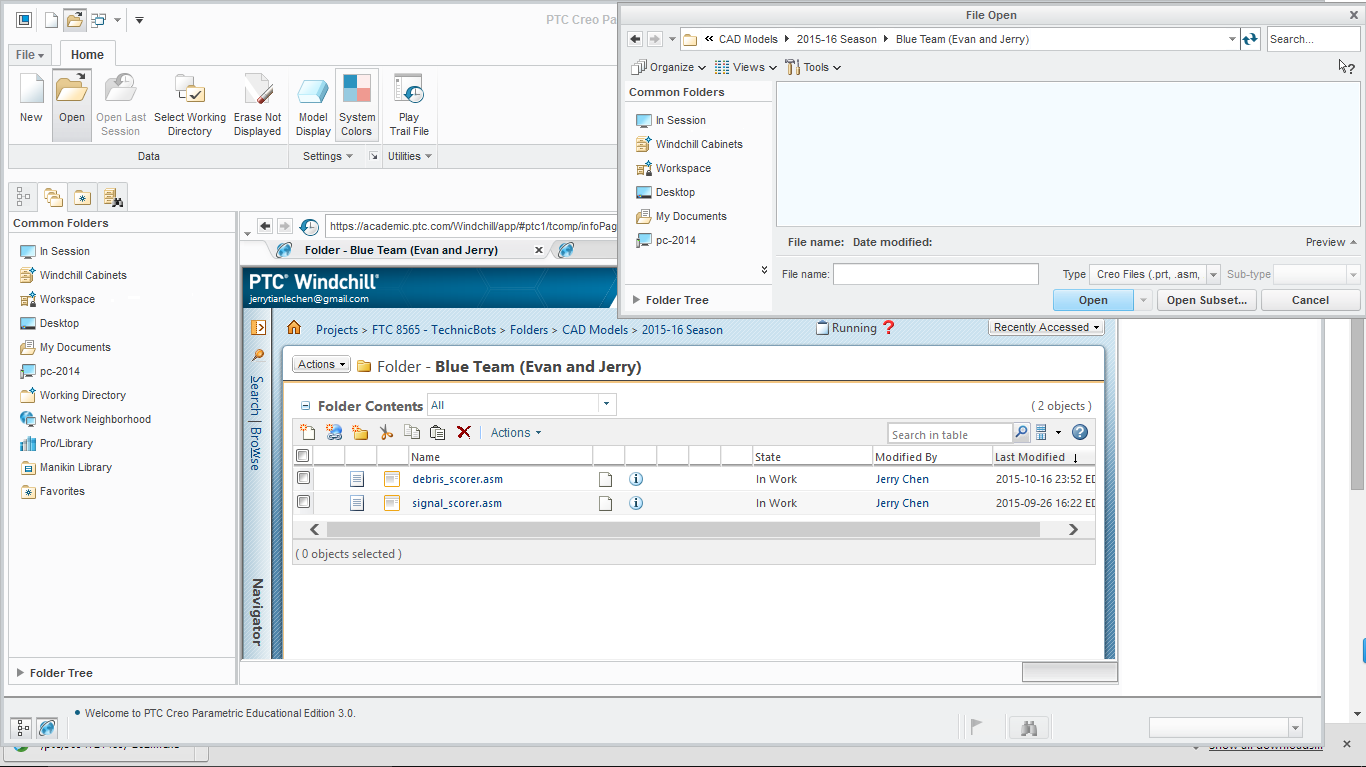
Windchill.PNG

Best answer by kpritchard

It looks the Object types are WTDocuments and not CAD Documents, which would explain why Creo can't see the files to Open.  CAD Documents are a different data type than WTDocuments.  If you have access, I'd suggest reading through Using Creo Parametric with Windchill

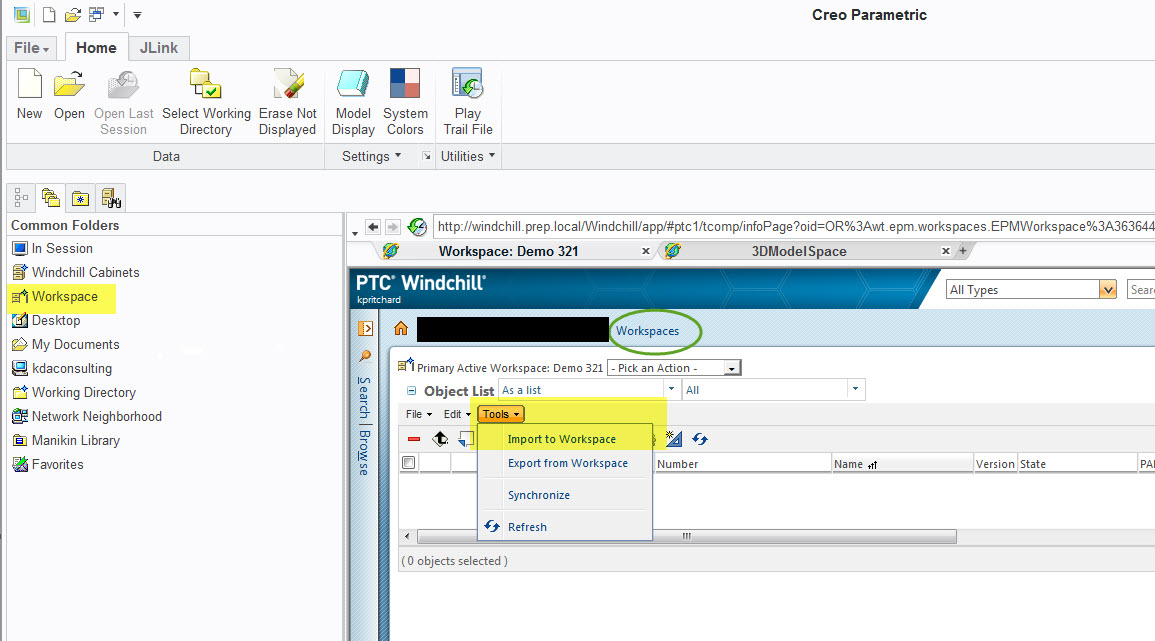
CAD Documents need to be Checked In from a Workspace or if there are a very large number of files and Administrator can load them in using a bulk loader.  If we're talking about  a file count in the 100's I would suggest importing into your Workspace (see below) then Checking them in so they are visible to others as CAD Documents

WkspceImport.jpg

1 reply

1-Visitor
October 22, 2015

It looks the Object types are WTDocuments and not CAD Documents, which would explain why Creo can't see the files to Open.  CAD Documents are a different data type than WTDocuments.  If you have access, I'd suggest reading through Using Creo Parametric with Windchill

CAD Documents need to be Checked In from a Workspace or if there are a very large number of files and Administrator can load them in using a bulk loader.  If we're talking about  a file count in the 100's I would suggest importing into your Workspace (see below) then Checking them in so they are visible to others as CAD Documents

WkspceImport.jpg