1-Visitor
July 20, 2017
Question

Thingworx 8.0 docker (postgresql) install error

  • July 20, 2017
  • 6 replies
  • 2788 views

Hello. I tried to install TWX 8.0 docker (postgresql).

But, I got an error message below, beginning of progress bar.
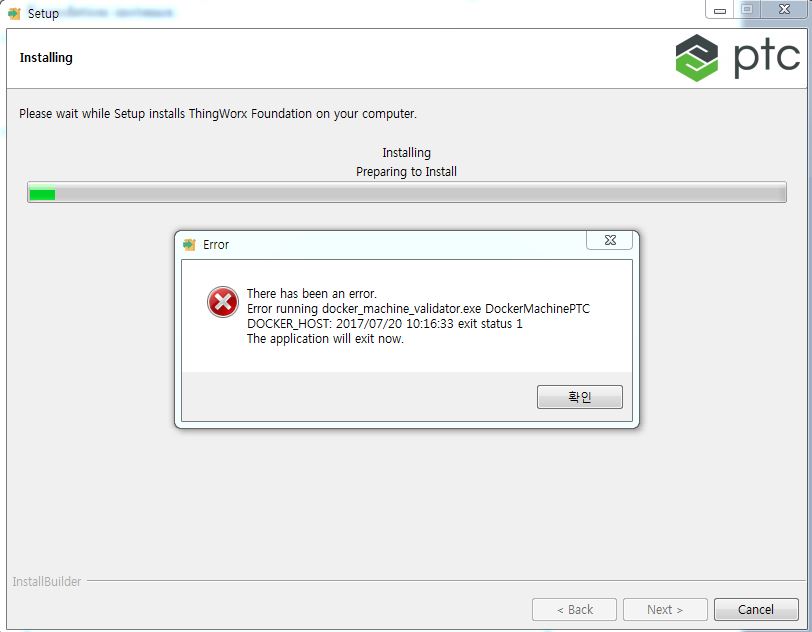
install error.JPG

    6 replies

    14-Alexandrite
    July 20, 2017

    Hi Sangjoon Nam​,

    Did you check the log with:

    docker logs -f twxfoundation(twxfoundation is the ThingWorx instance name you gave when you install ThingWorx)?

    And, you could also check the installation log from: /tmp/bitrock_installer.log

    Thanks,

    Br,

    Anna

    19-Tanzanite
    July 20, 2017

    Hi Sangjoon Nam

    It would also be interesting to know more details about your setup:

    - which OS are you using: Windows or Linux

    - which version of the OS

    - what is the version of docker (execute docker version command)

    - if you are using Windows, do you use Docker for Windows or Docker Toolbox

    Thank you

    Kind regards

    Christophe

    1-Visitor
    October 4, 2017

    I have the same issue.

    I think that the problem should depend on this.

    13-Aquamarine
    October 4, 2017

    Did you have a previous installation of ThingWorx Trial Edition on the same machine ?

    1-Visitor
    October 4, 2017
    1-Visitor
    October 5, 2017

    Solved for the same issue I found with ThingworxTrialEdition!

    - Download Docker for windws (toolbar for windows 7 or 8 as suggested in thingworx guide)

    - Download Thingworx

    - Check if virtualization is enabled (TaskManager--> Performance)

    Risultati immagini per task manager performance virtualization enabled

    - if disabled you must enable it from the bios (there's no other way) Enter in bios and in device option or system option you should have Virtualization enable flag (VTx only if you don't need IO or also VTd if you need I/O interaction.

    - Save and restart

    - Active Hyper-V (Enable-WindowsOptionalFeature -Online -FeatureName:Microsoft-Hyper-V -All by power shell or by programs features)

    - Install Docker and run it (now it should work - maybe it need reboot)

    - now you can run thingworx install as Admin
