
12-Amethyst
July 18, 2024
Solved

How to configure Windchill and Apache using Third Party SSL Certificates in Windchill PLM?

  • July 18, 2024
  • 3 replies
  • 3054 views

Hi,


I'm new to certificates and SSL configuration.

Is it possible to secure the Windchill URL from HTTP to HTTPS using a self-signed certificate generated with OpenSSL? Or, do we need to use intermediate and third-party certificates for this purpose?

I have tried with self signed certificate somehow windchill url showing HTTPS (but it is again not secure with strike-through).

I would appreciate any guidance you can provide.


Best regards,

Shrikant Bhosle
Best answer by SB_10566278

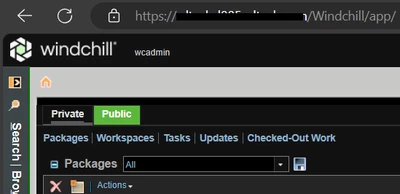
I have tried using the OpenSSL self-signed certificate and it worked fine for me.

SB_10566278_0-1721805175285.png


3 replies

HelesicPetr
22-Sapphire II
22-Sapphire II
July 18, 2024

Hi @SB_10566278 

I always say, if you do not want to see the not trusted certificate information then you should use public authority to generate the certificate.

Each company that use https web pages use public certificate authority so your IT should generate the certificate for you with your name and domain. 

A browser have to trust the cert authority. .


I haven't found a way how to force the browser to trust self-sign certificate and do not show that the web is not secured.

HelesicPetr_0-1721291370533.png

PetrH

16-Pearl
July 18, 2024

Adding to @HelesicPetr's response...


It is possible to use self-signed certificates.  There isn't a force trust button.  Browsers read the certificate and compare it to a set of trust requirements.  If it meets all the requirements, then it is trusted.


Building a browser-trusted certificate chain today is trial and error.  If you get it working, the self-signed certificate chain must then be deployed for all clients.  Going forward, it is not guaranteed to remain trusted as browser trust requirements evolve.


I would spend the ~$200 for a public signed cert.  It saves hours of trial and error and ongoing deployment headaches.


20-Turquoise
July 18, 2024

You can also use Let's Encrypt which does not charge for certs:
https://letsencrypt.org/

17-Peridot
July 18, 2024

HTTPS is the new norm. You need to know how to configure your web server for it. I don't mean to say that it's easy, but there it is.  Pay $200 as recommended above, and they will give you support. 


Use the EFF's letsencrypt: it is a great solution, they even have a script to do the configuration for you but I have not tried the script with Windchill.  If the script does not work for any reason, you can look in it and learn how to configure Apache manually.

SB_1056627812-AmethystAuthorAnswer
12-Amethyst
July 24, 2024

I have tried using the OpenSSL self-signed certificate and it worked fine for me.

SB_10566278_0-1721805175285.png


HelesicPetr
22-Sapphire II
22-Sapphire II
July 24, 2024

Hi @SB_10566278 \

Have you added the cert to a trust store ? 

Does an another client machine show the https without the red alert? 

Thanks

PetrH 

12-Amethyst
July 24, 2024

Have you added the cert to a trust store ? 

YES

Does an another client machine show the https without the red alert? 

As of now not accessing from another client machine.


Thanks

Shrikant Bhosle