

Question
Losing Mechanism functions
We are experiencing some weird issues with Mechanism lately. It seems that randomly (we can't find a reason) we will lose the ability to "drag components" in our assemblies. For example we use a lot of clamps and we like to be able to open and close them in the model to check for interferences. But sometimes we lose the ability to drag components that were constrained with Mechanism. Attached is an image of the error that we get, when you click continue it opens the "drag" box, but you are unable to actually drag any of the components. The only way we have found to fix this is restart Creo.
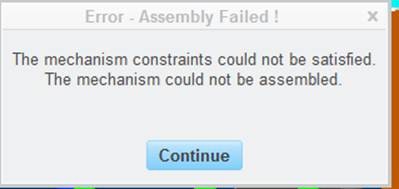
Has anyone had this happen before and does anyone have any ideas what is causing this?
This thread is inactive and closed by the PTC Community Management Team. If you would like to provide a reply and re-open this thread, please notify the moderator and reference the thread. You may also use "Start a topic" button to ask a new question. Please be sure to include what version of the PTC product you are using so another community member knowledgeable about your version may be able to assist.