
1-Visitor
November 10, 2016
Question

MQTT publish error

  • November 10, 2016
  • 1 reply
  • 18565 views

Hello,

I have referred the following link to publish the message in thingworx :

MQTT support in ThingWorx

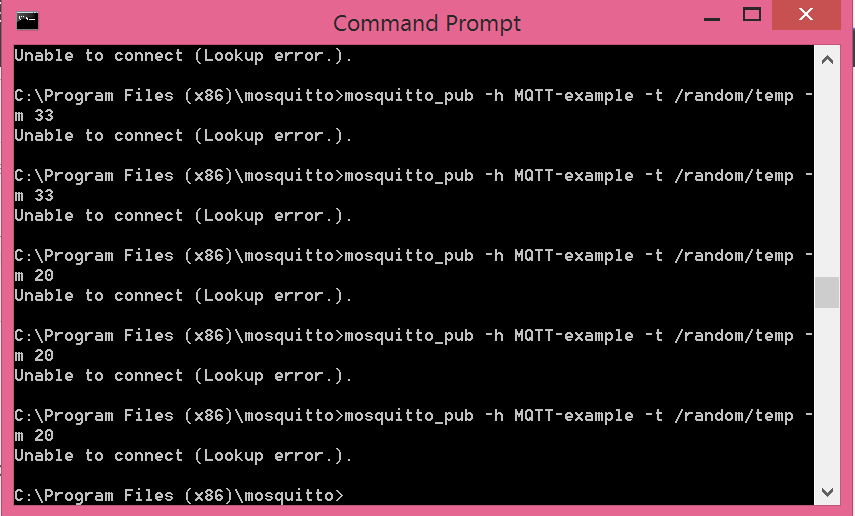
but while publishing from mosquitto in command prompt I got an error saying"unable to connect(lookup error)".

Can anyone help me where I am getting wrongmqtt.PNG
1 reply

1-Visitor
November 10, 2016

Hi,


Can you check if the MQTT-example is referenced in your Host file with the correct IP address ?
Can you also try to use localhost or 127.0.0.1 (replace MQTT-example) if your mosquitto server is installed on your local computer.

Regards,

Franck

pnali1-VisitorAuthor
1-Visitor
November 10, 2016

Thanks for replying.

I used localhost and there is no error. But when coming to thingworx  it is not displayed in property.I have given server name and port name as test.mosquitto.org and 1883 respectively. tw1.PNGmqtt1.PNGI have attached the screenshot regarding this

10-Marble
November 10, 2016

Hi,

from your screenshots I understand the following:

- you have installed a Mosquitto MQTT broker on your localhost and you can successfully publish message to this broker via the command line - this is all independent from Thingworx

- you have installed Thingworx on localhost and have configured a MQTT Thing, so MQTT (client) extension should be configured to listen on the address and port of your broker

- I see that you have configured this broker in the Composer screen with test.mosquitto.org on port 1883, but from my perspective the broker is also on localhost, so I would change the "serverName" to localhost or 127.0.0.1 respectively.

- additionally (not shown in your screenshots) you also need a Property (typically of type STRING) defined on your MQTT Thing that matches the name in your "Property to MQTT topic mappings", so "temperature" in your example.

BR

Philipp