
1-Visitor
February 15, 2012
Question

Blank screen HELP!

  • February 15, 2012
  • 2 replies
  • 3228 views

Hello,

Whenever I start a new 'part', I get a blank screen with which I cannot do anything. The Front, Top, and Right planes are not shown. thus I cannot start any project or work. Here's the picture ...
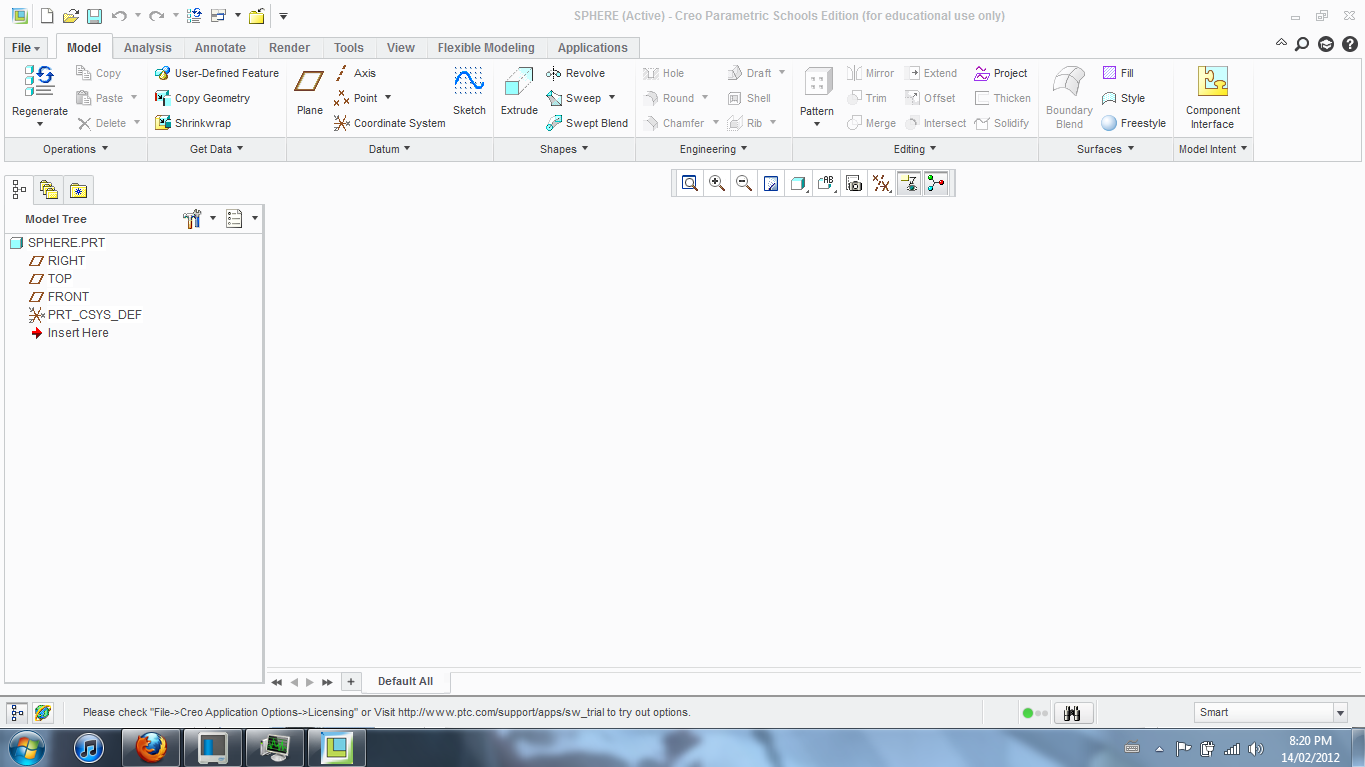
Capture.PNG

Any idea?

Any help is greatly appreciated.

For your information, I have a school's edition of Creo Parametric.

Thanks,

Kevin.


This thread is inactive and closed by the PTC Community Management Team. If you would like to provide a reply and re-open this thread, please notify the moderator and reference the thread. You may also use "Start a topic" button to ask a new question. Please be sure to include what version of the PTC product you are using so another community member knowledgeable about your version may be able to assist.

2 replies

1-Visitor
February 15, 2012

Hi

Check the following image

(If the datums are not visible at start you need to change some config setting)

Presetly you can active this with the following

Regards

K.Mahanta

0325.JPG

KevinB1-VisitorAuthor
1-Visitor
February 15, 2012

Thanks for the reply.

I checked that, but that it's already marked. Yet, the datums still do not show.

Any more ideas?

1-Visitor
February 15, 2012

Hi

You can give a screenshot of your part view page to confirm that you have selected datum

But there might be another reason

You can check the layer tree for hidden layers

Regards

K.Mahanta

24-Ruby III
February 16, 2012

Kevin,

to exclude graphics problems, please add the following option into your config.pro file. It turns off OPENGL graphics. Restart Creo and try to create a new part. If datum planes are visible, then the problem is related to your graphic card or its drivers.

graphics win32_gdi

Martin Hanak

1-Visitor
February 16, 2012

Hi

The issue is already resolved by updating graphics driver (Thanks to Adam Hass)

Check the following link

http://communities.ptc.com/message/176309#176309

Regards

K.Mahanta