15-Moonstone
January 11, 2013
Solved

helical sweep question?

  • January 11, 2013
  • 4 replies
  • 7556 views

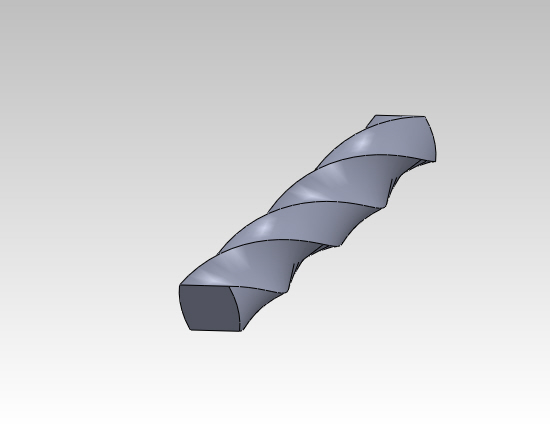
how to do this in pro engineer?

thread_1.JPG


This thread is inactive and closed by the PTC Community Management Team. If you would like to provide a reply and re-open this thread, please notify the moderator and reference the thread. You may also use "Start a topic" button to ask a new question. Please be sure to include what version of the PTC product you are using so another community member knowledgeable about your version may be able to assist.
Best answer by rohit_rajan

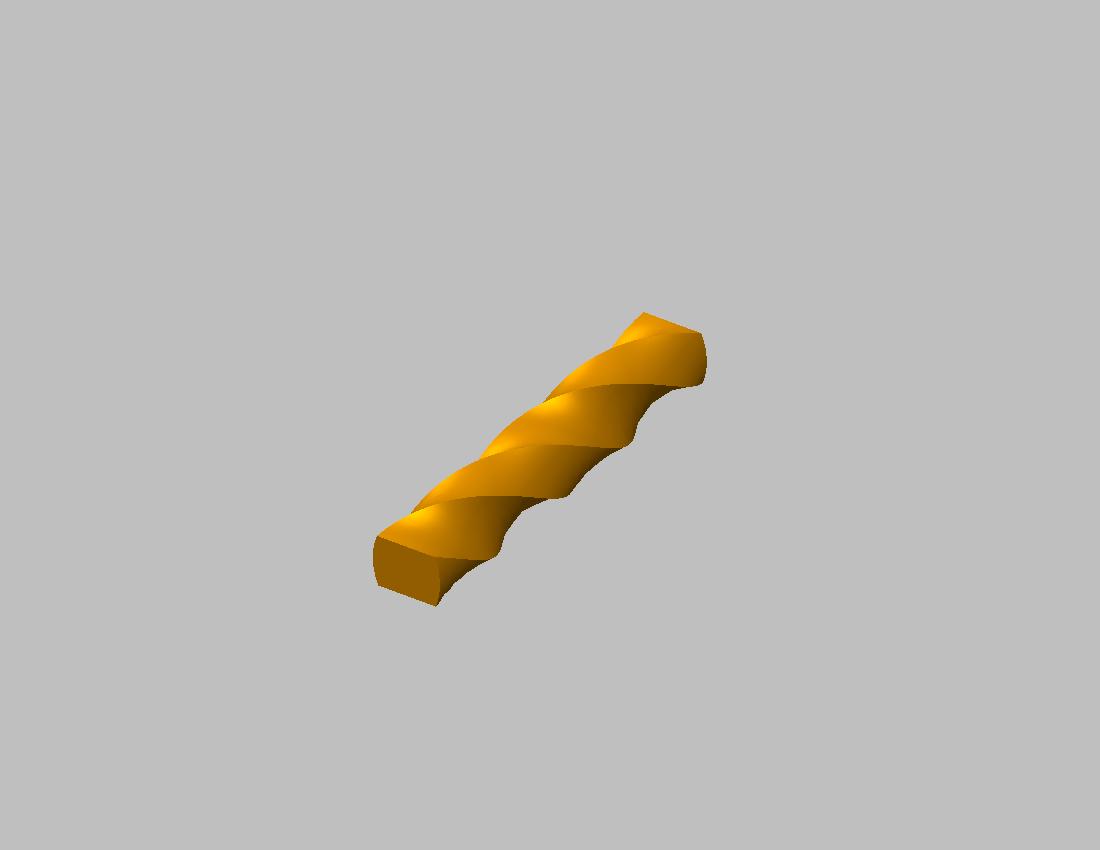
thanks guys....just figured it out...a combination of sweep and helical sweep does the job.sweep_helical.jpg

4 replies

Patriot_1776
22-Sapphire II
January 11, 2013

Veriable Section Sweep is the method I'd use.

17-Peridot
January 11, 2013

Warp using rotation

It takes a little special effort. The initial offset is normal but not in your example. You can change that with the "marquee" control.

The initial part is a simple extrusion.

Warp_sample.JPG

Patriot_1776
22-Sapphire II
January 11, 2013

Well, you can use Warp, but I've found you don't seem to have the control you get with a VSS and Trajpar. With that, I can precisely define the twist at the either end and at all parts along the trajectory, and any reversals in rotation I want. I think they added Warp features to creat models for animation. It's pretty easy to modify the geometry, but if you want to have an exact geometric shape result, it's almost impossible (read: I've never been able to get what I wanted). Like everything in Pro/E, or any other modeling software, exactly what shape do you want? Try this with Warp. CURVE-01.JPG

17-Peridot
January 11, 2013

You need to link that file for me, Frank. I can not get Creo to sweep a sketch (or at least define a sketch) normal to the axis of rotation. It looks like yours did. Or am I missing something?

17-Peridot
January 12, 2013

Hopefully Frank will enlighten us on how to use helical sweep for this function, but the other way that worked is Blend, but it required several section to help guide the twist. The advantage of this method is controlling the rotational aspect of the ends. An "extrude and twist" command would be really nice.

Warp_sample_2.JPG

15-Moonstone
January 12, 2013

a very big thankyou to all for your help..blend option seems to be helpful here....the original image i have done in solidworks and posted...it was very simple to do in solidworks..a helical curve and a cross section was required in solidworks....

rohit_rajan15-MoonstoneAuthorAnswer
15-Moonstone
January 14, 2013

thanks guys....just figured it out...a combination of sweep and helical sweep does the job.sweep_helical.jpg

17-Peridot
January 14, 2013

Please show us what you did to make it work.

15-Moonstone
January 14, 2013

below i have attached the two jpegs..i think they are self explanatory..sweep_helical_1.jpgsweep_pudumjee_2.jpg