1-Visitor
February 24, 2016
Solved

How to create sheet metal bend through flat area?

  • February 24, 2016
  • 4 replies
  • 7378 views

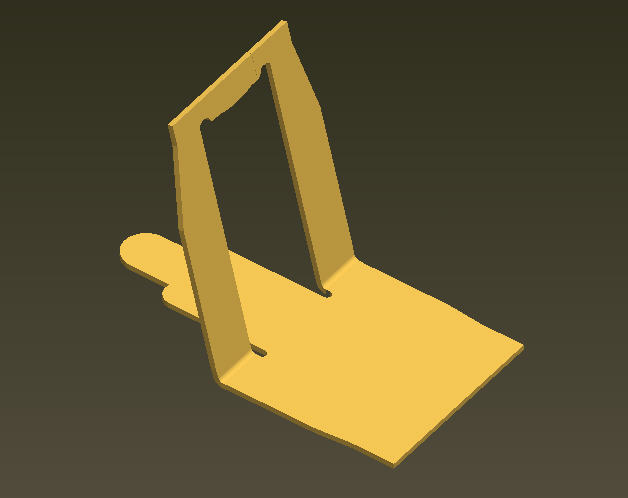
What is the method to create sheet metal bend that has a flat area as shown, since bend line in sketch must be one entity?

This is a simplified version, so I can't use forms or punches.
sheetmetal_bend_with_flat.jpg


This thread is inactive and closed by the PTC Community Management Team. If you would like to provide a reply and re-open this thread, please notify the moderator and reference the thread. You may also use "Start a topic" button to ask a new question. Please be sure to include what version of the PTC product you are using so another community member knowledgeable about your version may be able to assist.
Best answer by DavorGranic

Hi Curt,

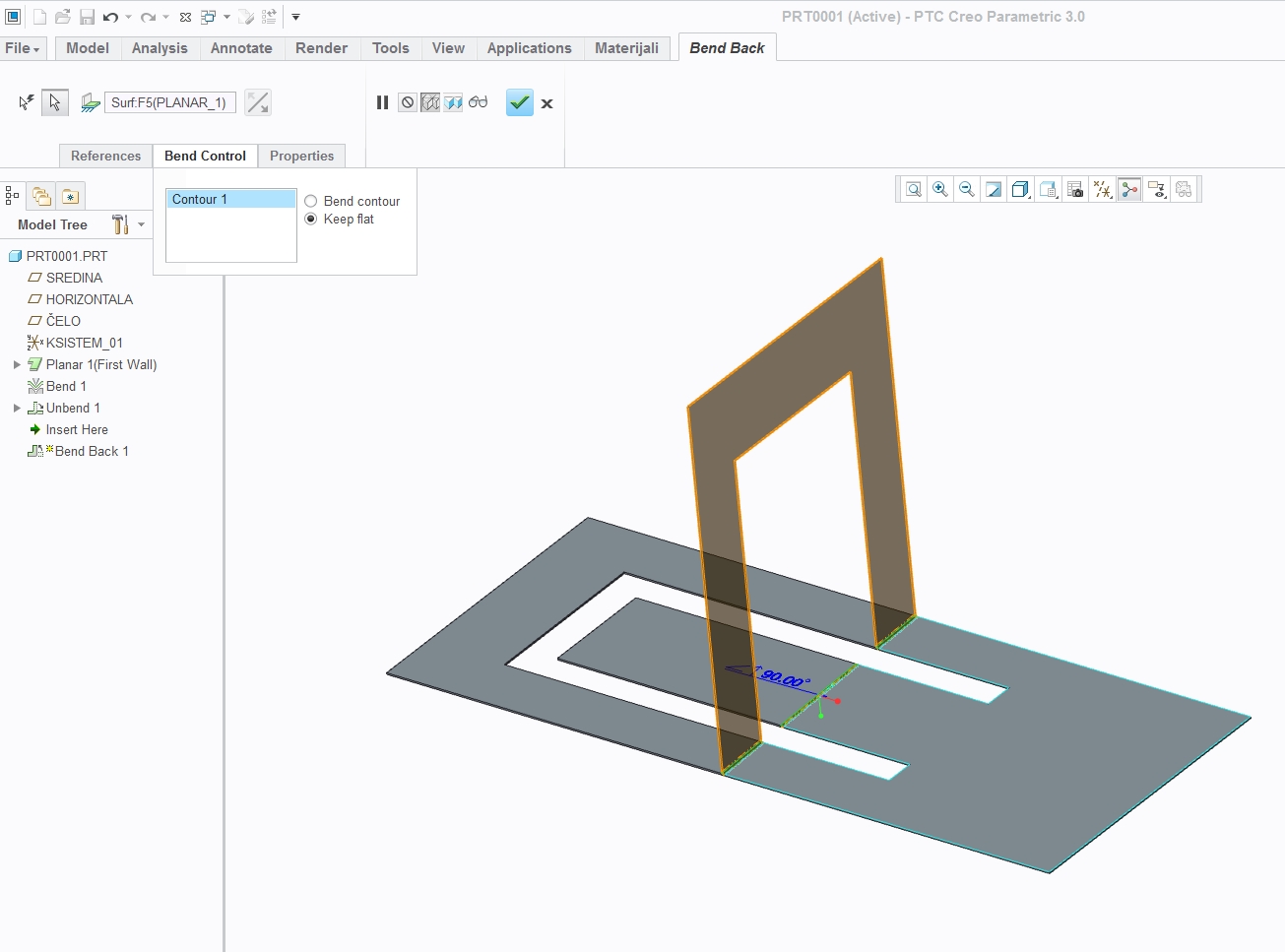
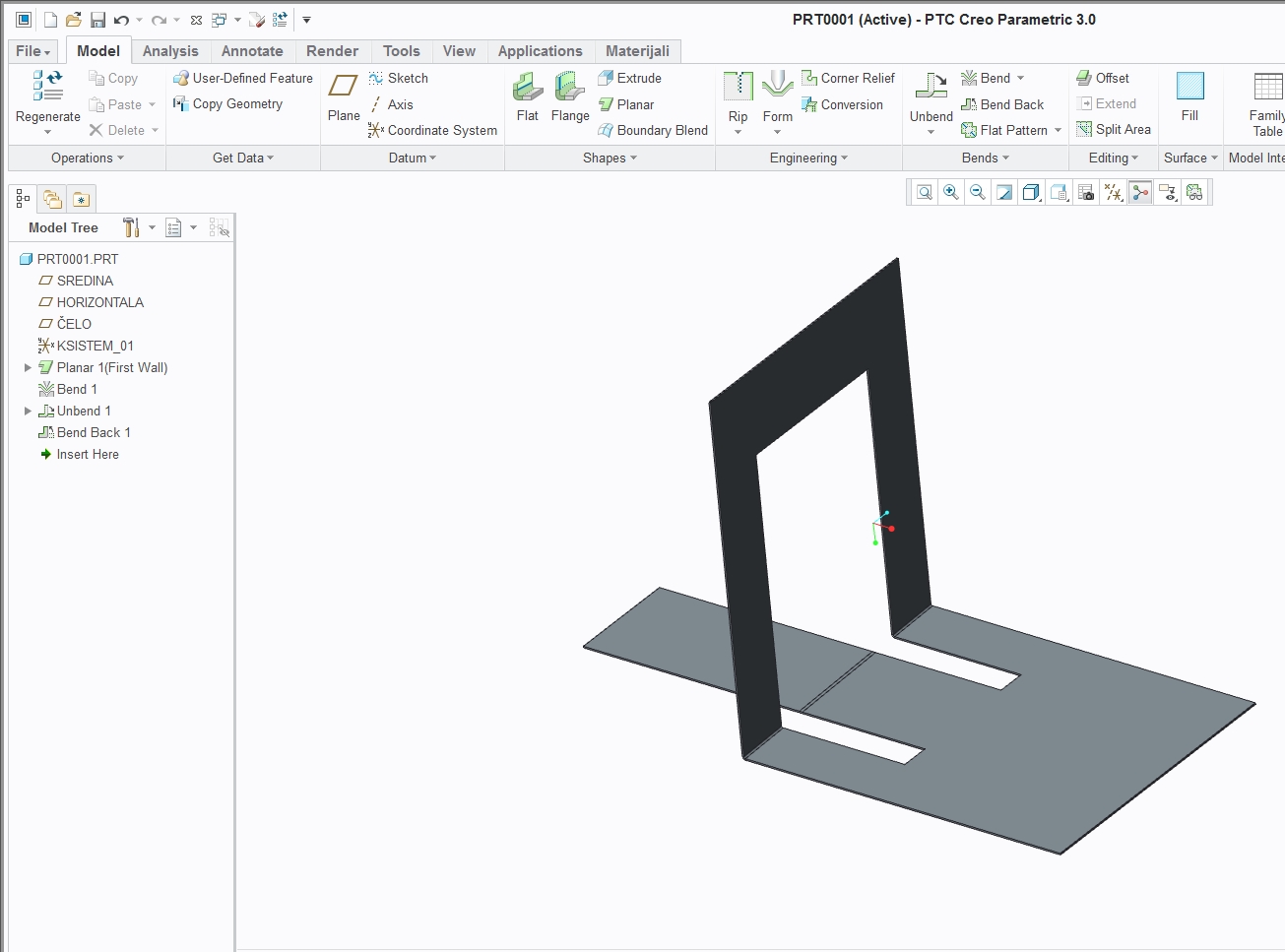
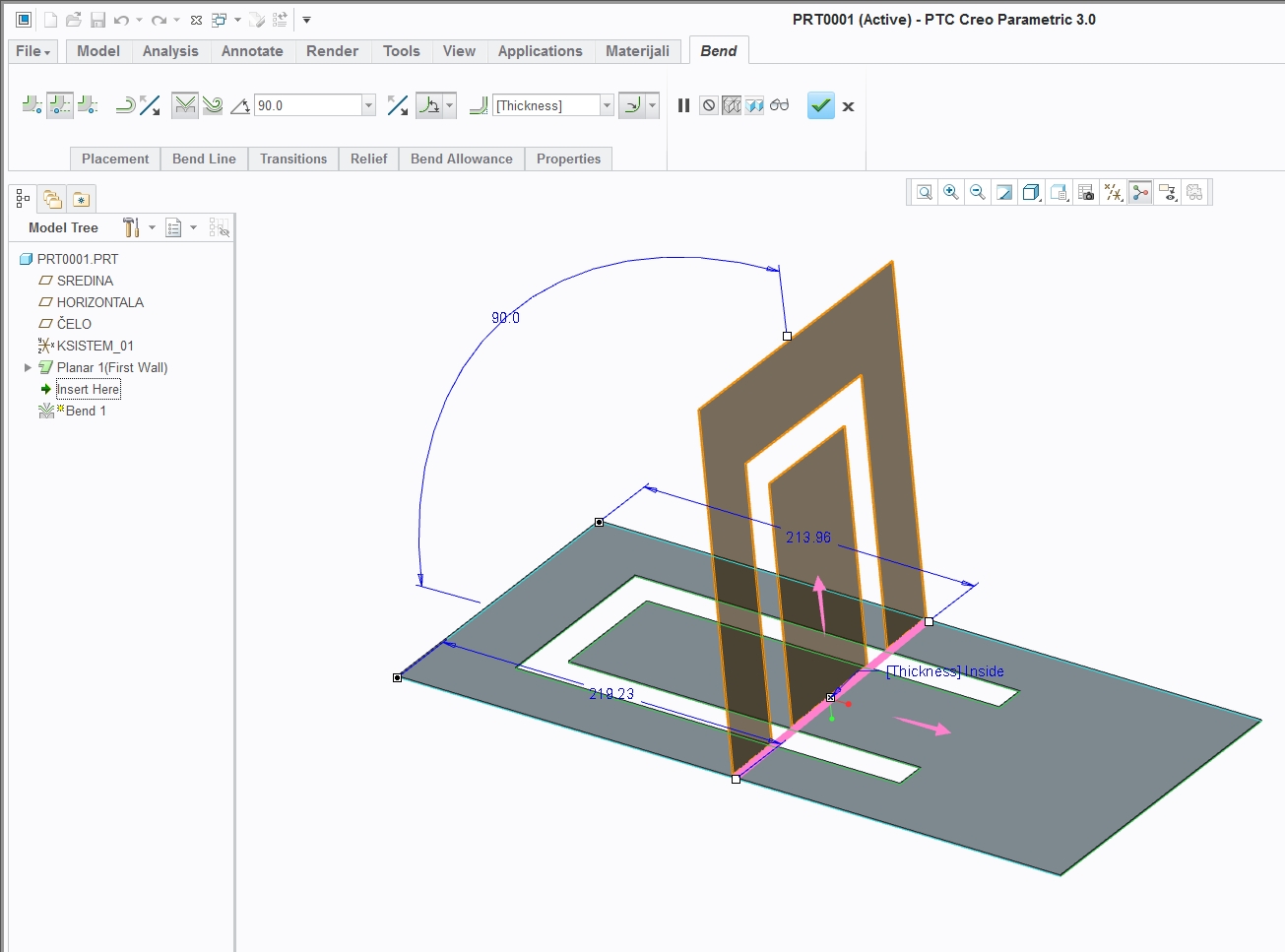
You can bend all with middle segment in sheetmetall,unbend and then bend back using "Bend control" tab selecting "keep flat".

Cheers

1.jpg

2.jpg

3.jpg

4 replies

KenFarley
21-Topaz II
February 24, 2016

Correct me if I'm wrong, but can't you model it as you have it here, then use the "convert to sheetmetal" functionality? Or make the bent piece without the straight bit, then add it as a feature? I don't use sheetmetal too much, but I think it should be possible with those or other ways, as long as the opening in the "vertical" leg of the "L" is large enough to contain the "finger" bit on the horizontal leg when you make the flat pattern.

16-Pearl
February 24, 2016

Hi Curt,

You can bend all with middle segment in sheetmetall,unbend and then bend back using "Bend control" tab selecting "keep flat".

Cheers

1.jpg

2.jpg

3.jpg

17-Peridot
February 24, 2016

I thought they added something for this in Creo 3.0.  PTC was quite proud of it.

If I had to, I would add the tongue after the bend feature..

16-Pearl
February 25, 2016

Yea adding tongue after is better you dont have bend mark on tonge that way.

Also this is not exclusive to Creo 3.0. You have this in older versions.

1-Visitor
February 25, 2016

If you split the area you can bend the geometry without bending the tongue.

Curt1-VisitorAuthor
1-Visitor
February 25, 2016

That was my work-around but it is neither clean nor ideal and need to create a wall extend later to refill it.

17-Peridot
February 25, 2016

You could make a sketch prior to the bend using project edges; extrude/cut that sketch; bend; extrude (planar surface) the sketch; and merge.

1-Visitor
February 26, 2016

I would create the as-formed part. Creo can create the flat-pattern and then you are done.