1-Visitor
June 30, 2012
Question

IGES assembly not displaying and not showing parts in tree

  • June 30, 2012
  • 1 reply
  • 7954 views

Using Pro/E 5 Wildfire

I saved an assembly as IGES (.igs) with all the parts using the "save as copy" method.

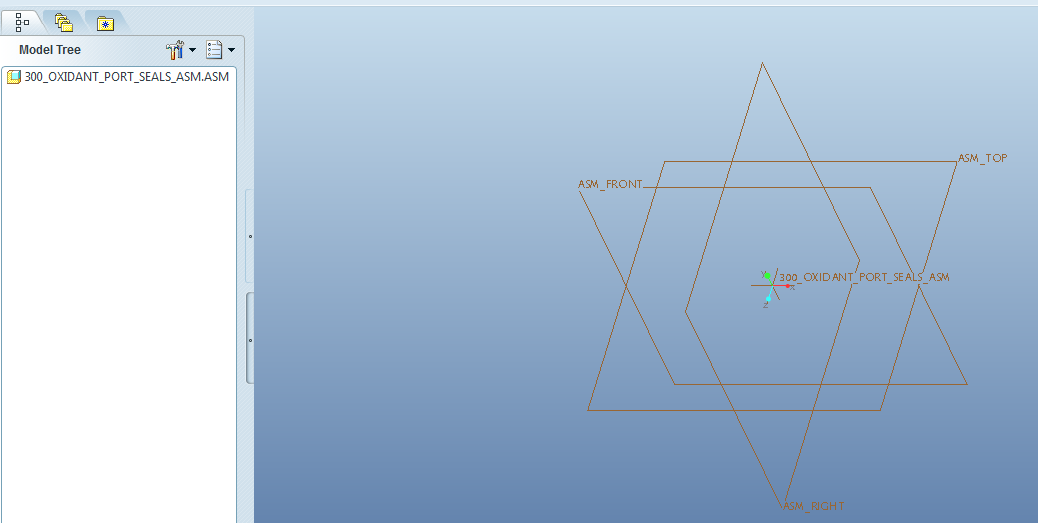
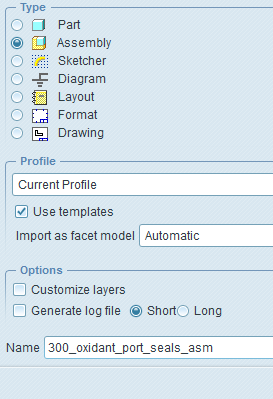
To test to see if the machinist will be able to open it, I tried to open the main assembly file (as an assembly) and there is nothing displayed in the main window and the parts of the assembly are not listed in the file tree. I heard that the model could be tiny if there is a unit difference but I can not zoom in and find anything. I've tried all sorts of different settings in the open file options window but nothing is working. The following is some screen shots:
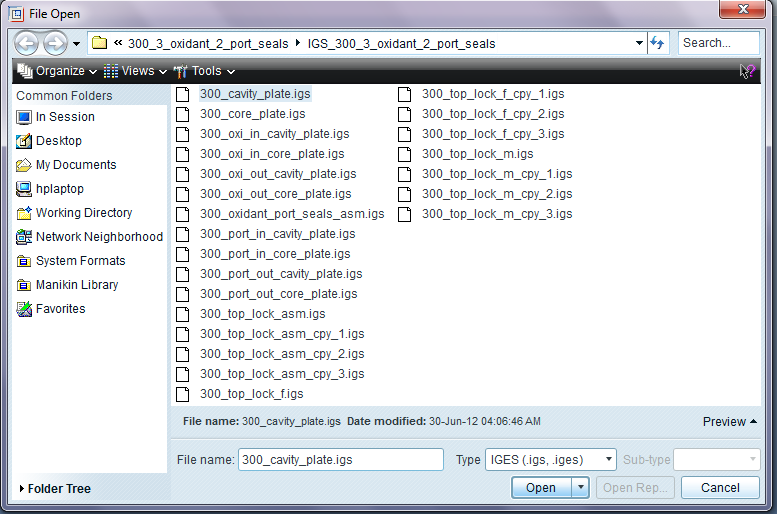
open_igs.png

settings_on_igs_opening.png

result_igs.png


This thread is inactive and closed by the PTC Community Management Team. If you would like to provide a reply and re-open this thread, please notify the moderator and reference the thread. You may also use "Start a topic" button to ask a new question. Please be sure to include what version of the PTC product you are using so another community member knowledgeable about your version may be able to assist.

1 reply

1-Visitor
June 30, 2012

Hello Andrey!

Can u tell us if there is any error message? For now try to see in tree display settings if u have features or components hidden from tree because i see there is datums in assembly but not visible in tree. See in layers if components are hidden.

I now took a last look in the files you have in your iges directory and my guess is that proe will only open all components if u have saves the iges file with the option "All levels" since All parts option will export files individual i mean you only get the features made in assembly.All levels.png

1-Visitor
July 5, 2012

Ok I've checked and there is no error message, and all the layers are visable, all features and all components are visable, and anything else I could check to see if it's hidden turned up nothing.

Very interesting point you have being "All parts option will export files individual i mean you only get the features made in assembly". So that is strange. So since I made the parts outside the assembly and then imported them in and constrained them together that's why they are not being displayed. If I had created the parts inside the assembly screen then they would. Well if that is true that is very strange why they made it work like that but oh well.

Ok so I did what you suggested by saving "All Levels" and tried both "Surfaces" and "Solids" instead and that works -kind of. All the parts are in the model tree and displayed when I open the IGES file. But I have sub assemblies that do not appear in the model tree or in the display. In this example I have a simple sub assembly of just 2 parts and there are 4 instances of it that are constrained to the main assembly. Any ideas of why?

1-Visitor
July 5, 2012

" If I had created the parts inside the assembly screen then they would. Well if that is true that is very strange why they made it work like that but oh well."

No, that is not true, there is another problem there, can you try a step file instead?