1-Visitor
March 23, 2012
Solved

Stop Case 1/Stop Case 2 Chamfer
  • March 23, 2012
  • 6 replies
  • 12945 views

Untitled.png

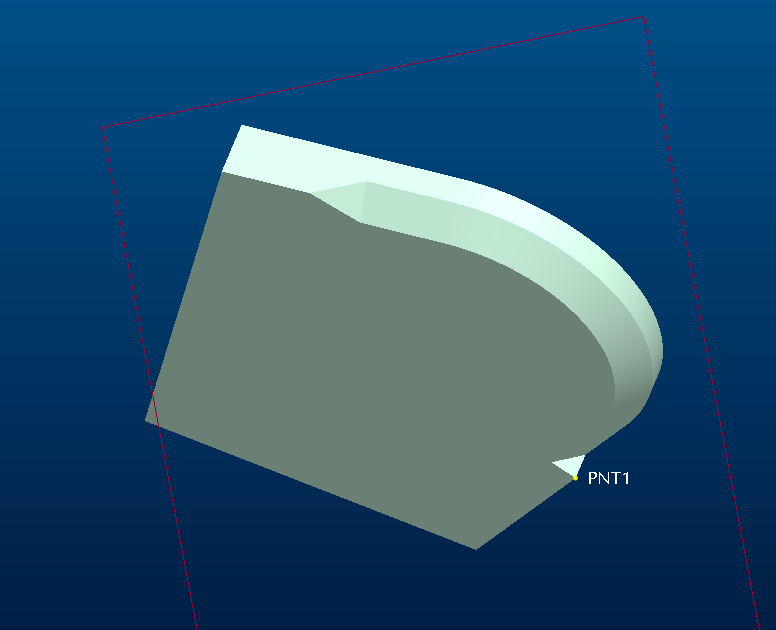
I'm trying to igure out a way to create this chamfer without doing a sweep. Please see image.

I need a chamfer on the edge, between the two points. I can do stop at reference, but can't seem to select more than one point on which to stop. As you see, I need it between two points.

I can't seem to find the option for stop cases, either.

I'm new to Creo Elements/ Pro E 5.0, but have seven years modeling experience. Thanks in advance for your assistance!


This thread is inactive and closed by the PTC Community Management Team. If you would like to provide a reply and re-open this thread, please notify the moderator and reference the thread. You may also use "Start a topic" button to ask a new question. Please be sure to include what version of the PTC product you are using so another community member knowledgeable about your version may be able to assist.
Best answer by KshetrabasiMaha

Hi Kris

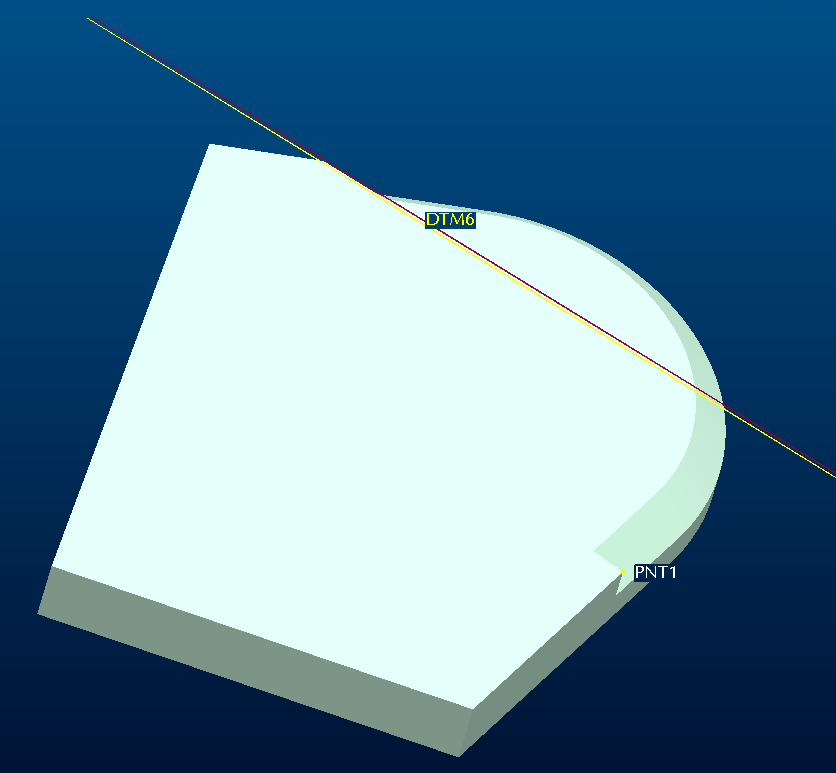
Chamfer at stop reference has certain limitations

But you can select Plane instead of point for defining Stop Reference( As I have tried in the following image)

This will give you some useful results

I would not say this is a very good solution; But I want to just share some of the Creo/Pro-Engineers Features.

I hope you will find it interesting

Regards

K.Mahanta


36.PNG

37.PNG

6 replies

1-Visitor
March 23, 2012

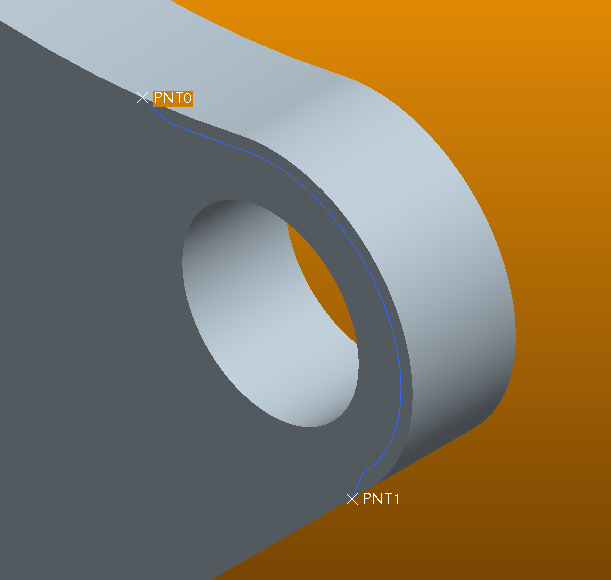
I haven't seen the chamfer command do that before, but if a round would serve your purpose you can use that blue curve on your part as a guide for the round. See "thru curve" option within round command.

But, a sweep would be the better choice. However, don't use "Sweep" use "Variable Section Sweep". It will give you what you want without the cascading menus. Variable Section Sweep doesn't mean that you have to vary the section. It just an option.

That's a good looking background color. What are the RGB values?

KrisR1-VisitorAuthor
1-Visitor
March 23, 2012

Unfortunately I need a chanfer, not a fillet. Thanks for the suggestion.

That's a blended background. Top color is 248, 153, 6 and the bottom is 84, 46, 2.

1-Visitor
March 23, 2012

Really, use the Variable Section Sweep to achieve the chamfer. I believe it to be what the majority of the users here would do. Well, they would use one of the two sweep commands I mentioned earlier, that is.

1-Visitor
March 24, 2012

Hi

Do you want to chamfer with in certain limits?

Check the following

This may help you

There might be some more options

(I rarely use these options)

Regards

K.Mahanta

24.PNG

25.PNG

26.PNG

27.PNG

1-Visitor
March 24, 2012

Hi

Also check this

30.PNG

31.PNG

32.PNG

33.PNG

34.PNG

35.PNG

36.PNG

KrisR1-VisitorAuthor
1-Visitor
March 29, 2012

I haven't had a chance to try this, but as soon as I do I'll report back. Thank you!

1-Visitor
March 30, 2012

For the end geometry you could create a boundary blend or a filled sketch if you still want to work without sweeps.

1-Visitor
March 30, 2012

When I try this, the box where you select the stops is greyed out. I also can't add any transitions. Did I miss something?

Thanks

Capture.PNG

1-Visitor
March 30, 2012

Hi

When you see no options; you have to select end piece (as highlighted in Red Box in the image)

This will enable the options

Regards

K.Mahanta

image_png.png

1-Visitor
March 30, 2012

What is that "end piece" that you have highlighted?

I tried your example using the same geometry of two straight edges connected by a radius, and I was able to pick the datum points as stop refs. But, the feature failed when I clicked the green check.

Can you make this same type of chamfer on a cylinder? I was not able to do so.

Thanks,

Kevin

Patriot_1776
22-Sapphire II
March 30, 2012

Sounds like the simplest solution os to use a swept cut. No need for a VSS on simple geometry and with a simple trajectory like this. And, it appears a swept cut would give you the proper cutter geometry anyway, so why do anything else? Why the hesitation to use a sweep Kris?

KrisR1-VisitorAuthor
1-Visitor
March 30, 2012

Because it technically is a chamfer. But I will not be able to get the end geometry using the chamfer command - the "blend" ouf of the chamfer on both ends. I have it as a sweep now, but wanted to know how to do the chamfer. I'm learning Pro and couldn't figure it out, so I asked.

Patriot_1776
22-Sapphire II
March 30, 2012

Don't get hung up on whether things are actually "chamfers" or "rounds". You can always rename the feature and call it what you want. The key thing is getting the geometry right. THAT'S the only thing that actually matters. And in this case, it isn't really a "chamfer" anyways, it's the result of an interpolated toolpath (sweep) using a chamfer cutting tool, is it not?

There are usually a couple of different ways to do things in Pro/E, the simplest that actually gets the geometry needed is always the best option.

Good luck!

Patriot_1776
22-Sapphire II
April 3, 2012

Ok Kris, here's one for you: I had a case where I wanted to stop a round on both sides of a part (mirror image) at a face. I went thru all the different options of the stop cases, realized I'd have to do it as surfaces and do a bunch of monkeying around before I could use a solidify/cut to remove the material, and decided to just sweep a surface, put a fill surface cap on it at the vertical surface, and then remove the material with the solidify/cut. It ended up being 7 features total as opposed to being 2 IF I could have gotten the rounds to work as solid rounds, but I couldn't and stopped wasting time trying. Sometimes, it's best to just use what works and not Get hung up on whether it's "technically" a "round" feature or not. Get it done, and move on. As I've always said, a good Pro/E user knows the commands. A great user knows the Pro/WORKAROUNDS (and is Pro/FICIENT in the use of the Pro/FANITY module)!

ROUND_STOP-01.JPG

KrisR1-VisitorAuthor
1-Visitor
April 3, 2012

I think my proficiency at Pro/Fanity is 100%.

As I'm new and learning, I ilike to explore other options to see what will get me there. Ultimately, I'll usually pick the easiest one that is accurate. Quite a nifty lil doo-dad there!