

Question
How to compose the TreeItem Structure for ui component Tree
How to compose the tree data structure in Creo UI component Tree. I am using OTK Java.
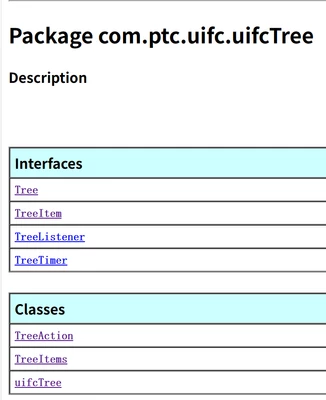
With these classes it provide, I don't know how to add childNode or set parentNode. I can only display one node in the tree which might be the root node. This is my code.

package com.ptc.otkjavaexamples.ui;/*--------------------------------------------------------------------------*\
|
| Module Details:
|
| Name: TechniqueTree.java
|
| Purpose: Display the TechniqueTree dialog
\*--------------------------------------------------------------------------*/

import com.ptc.cipjava.jxthrowable;
import com.ptc.pfc.pfcCommand.DefaultUICommandActionListener;
import com.ptc.uifc.uifcComponent.*;
import com.ptc.uifc.uifcCore.ItemPositionData;
import com.ptc.uifc.uifcCore.uifcCore;
import com.ptc.uifc.uifcDialog.*;
import com.ptc.uifc.uifcInputPanel.*;
import com.ptc.uifc.uifcPushButton.*;
import com.ptc.uifc.uifcTree.*;


public class TechniqueTree extends DefaultUICommandActionListener
{
 private String techniquetree_dialog = "TechniqueTree";
 private String techniquetree_inputpanel1 = "InputPanel1";
 private String techniquetree_pushbutton1 = "PushButton1";
 private String techniquetree_tree1 = "Tree1";

 @Override
 public void OnCommand() throws jxthrowable {
 TechniqueTree_main();
 }


 class TechniqueTreeDialogListener extends DefaultDialogListener
 {
 TechniqueTreeDialogListener() {}

 public void OnClose(Dialog handle)
 {
 try
 {
 System.out.println("The window has been closed!");
 uifcComponent.DestroyDialog(techniquetree_dialog);
 }
 catch (Throwable e) {}
 }
 }


 class InputPanel1InputPanelListener extends DefaultInputPanelListener
 {
 InputPanel1InputPanelListener() {}

 public void OnActivate(InputPanel handle) {
 System.out.println("The input panel has been clicked!");
 }
 }


 class PushButton1PushButtonListener extends DefaultPushButtonListener
 {
 PushButton1PushButtonListener() {}

 public void OnActivate(PushButton handle) {
 System.out.println("The button has been clicked!");
 }
 }


 class Tree1TreeListener extends DefaultTreeListener
 {
 Tree1TreeListener() {}

 public void OnItemSelect(Tree handle) {}
 public void OnItemActivate(Tree handle) {}
 }


 public void TechniqueTree_main()
 {
 try
 {
 uifcComponent.CreateDialog(techniquetree_dialog, techniquetree_dialog);

 Dialog techniquetree = uifcDialog.DialogFind(techniquetree_dialog, techniquetree_dialog);
 TechniqueTreeDialogListener techniquetreeLis = new TechniqueTreeDialogListener();
 techniquetree.AddActionListener(techniquetreeLis);

 InputPanel inputpanel1 = uifcInputPanel.InputPanelFind(techniquetree_dialog, techniquetree_inputpanel1);
 InputPanel1InputPanelListener inputpanel1Lis = new InputPanel1InputPanelListener();
 inputpanel1.AddActionListener(inputpanel1Lis);

 PushButton pushbutton1 = uifcPushButton.PushButtonFind(techniquetree_dialog, techniquetree_pushbutton1);
 PushButton1PushButtonListener pushbutton1Lis = new PushButton1PushButtonListener();
 pushbutton1.AddActionListener(pushbutton1Lis);

 Tree tree1 = uifcTree.TreeFind(techniquetree_dialog, techniquetree_tree1);
 Tree1TreeListener tree1Lis = new Tree1TreeListener();
 tree1.AddActionListener(tree1Lis);

 // 插入Tree节点
 TreeItem technique = uifcTree.TreeItemDefine("tech1");
 TreeItem step = uifcTree.TreeItemDefine("step1");
 TreeItem prt = uifcTree.TreeItemDefine("prt1");
 ItemPositionData itemPositionData = uifcCore.ItemPositionData_Create();


 tree1.InsertItem(technique,itemPositionData);

 step.SetParentName("tech1");

 itemPositionData.SetIndex(0);
 tree1.InsertItem(step,itemPositionData);


// tree1.InsertItem(prt,itemPositionData2);

 uifcComponent.ActivateDialog (techniquetree_dialog);
 }
 catch (Throwable e) {
 e.printStackTrace();
 }
 }
}
Can someone send me sample code about using the uifc component Tree?