16-Pearl
January 30, 2024
Solved

scaling Curve from Equation

  • January 30, 2024
  • 2 replies
  • 1839 views

Hi

I created a curve from equation.

x = sin(t) + 2 * Sin(2*t)
y = cos(t) - 2 * cos(2*t)
z = -sin(3*t)
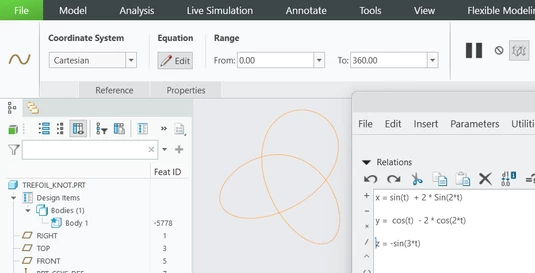
YY_10300008_0-1706619752304.png

YY_10300008_1-1706619909556.png

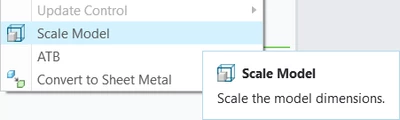
I tried Scale Model but it doesn't work on a curve from an equation.


Is it possible to scale the curve without modifying the equations?


Thanks
 

Best answer by kdirth

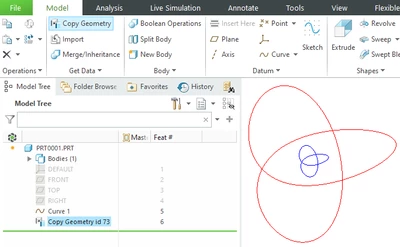
Select the curve then Copy Geometry and, under Options, select No Dependency.  This creates a copy of the curve that no longer references the original.  If you then scale the model, the original will stay the same and the copy will scale.

kdirth_1-1706622180607.png


2 replies

tbraxton
22-Sapphire II
22-Sapphire II
January 30, 2024

You have the equations defined. Just multiply each equation by a scalar value to "scale" them. If you explain the constraint of not modifying the equations that is probably useful to someone finding a workaround.


To double the size use scalar value of 2

i.e. for the X component: 2*(sin(t) + 2 * Sin(2*t))


Scaler =1

tbraxton_0-1706621280267.png

Scaler=2

tbraxton_1-1706621322866.png


kdirth
21-Topaz I
kdirth21-Topaz IAnswer
21-Topaz I
January 30, 2024

Select the curve then Copy Geometry and, under Options, select No Dependency.  This creates a copy of the curve that no longer references the original.  If you then scale the model, the original will stay the same and the copy will scale.

kdirth_1-1706622180607.png


There is always more to learn.
16-Pearl
January 30, 2024

Thank you 🏆