
1-Visitor
February 23, 2017
Question

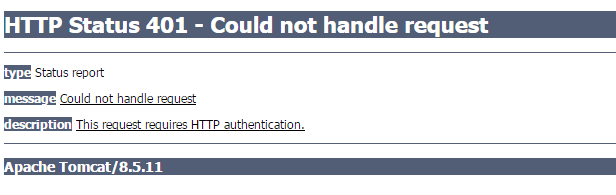
HTTP Status 401 - Could not handle request

  • February 23, 2017
  • 2 replies
  • 9276 views

Hi everybody.

Today I installed:

1. jre1.8.0_40

2. Apache-tomcar-8.5.11

3. Postgresql_9.4

Than i copied Thingworx.war (Thingworx 7.2) to Tomcat directory /Tomcat/webapps

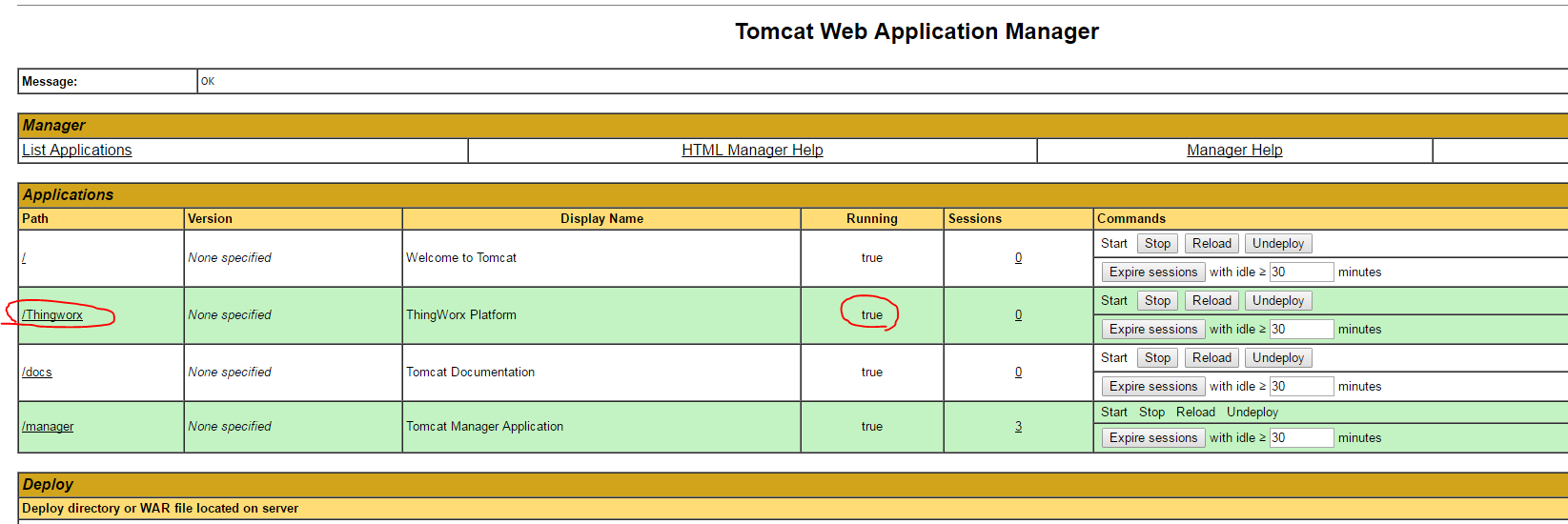
When i launch Tomcat (in google chrome), it is running correctly. You can see it on the picture.
But when i want to launch Thingworx composer

(trying both just click to /Thingworx, or open new tab and type adress localhost/Thingworx) the issuu is occurred (picture below)
I follow every step by Installation quide for THingworx 7.2

Maybe you had or have had same issue.

Do you have any suggestions?

As attachment you can see logs founded in Tomcat/logs.

Thanks for every answer.

PS: I was trying to use Google Chrome and Internet Explorer

2 replies

20-Turquoise
February 23, 2017

Hi,

A couple of things:

1. Tomcat 8.5.x is not supported, instead please look into installing 8.0.33 or later minor version of 8.0.x

2. How did you deploy Thingworx.war? Through the web tomcat manager? If yes, then instead you need to stop tomcat, go to its folder tomcat/webapps on your harddrive, remove the existing Thingworx.war and Thingworx folder that are now in there, remove ThingworxStorage and ThingworxBackupStorage from your harddrive, go back to the tomcat/webapps and now copy Thingworx.war in there. Then start the tomcat and it will deploy/extract the .war. Try accessing the composer then.

In addition, please see this article Frequently Seen Errors upon launching the Thingworx application: and check that the database is connected (through pg admin, you would go inside the thingworx db, right click and ensure it's "connected", then also expand the tablespaces and ensure around 48+ were created). One more thing to confirm is the proper authentication credentials in the platform-settings.json file.

Hope this helps!

5-Regular Member
February 23, 2017

Hi Michal, in addition to what Polina already mentioned, could you please state which DB is used together with ThingWorx, if it's not H2 or Neo could you confirm if the schema is correctly setup and DB is reachable? ThingWorx.war failed to deploy for your because it couldn't connect to the DB saw this in your stdout log:

*** CRITICAL ERROR ON STARTUP: Unable to initialize and start system: Connections could not be acquired from the underlying database!

mhucik1-VisitorAuthor
1-Visitor
March 6, 2017

Hi Polina and Sushant. Thank you for your replies and i am trully sorry the delay in answering you.

Firstly, i have already tried to install supported version of TomCat 8.0.33. But issue still persist.

Secondly, i tried to deploy war file as Polina mentioned and nothing changed.

Sushant i am using Postgres DB and i thing that it is correctly setup.

thingworxpostgresDBSetup.bat

SET server=localhost

SET port=5432

SET database=thingworx

SET tablespace=thingworx

SET tablespace_location=path\ThingworxPostgresqlStorage

SET adminusername=postgres

SET thingworxusername=thingworx

and

thingworxPostgreSchemaSetup.bat

SET server=localhost

SET port=5432

SET username=thingworx

SET database=thingworx

SET schema=public

SET option=all

Thank you,

Michal

mhucik1-VisitorAuthor
1-Visitor
March 6, 2017

Hi,

Here you can see printscreen of my DB

DB.PNG