14-Alexandrite
July 14, 2023
Solved

Achieving differing thickness while shelling a body

  • July 14, 2023
  • 4 replies
  • 1649 views

The base shape is this which I created by blending two sketches.
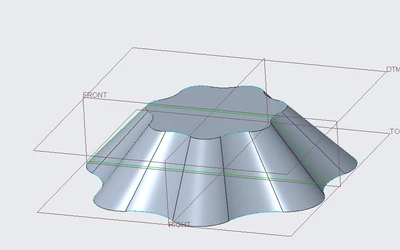
IbrahimTayyab_1-1689365506373.png

I would like to remove the top and bottom surfaces and have differing thickness walls at the top and bottom of this object; as in the wall thickness is greater at the bottom and it decreases gradually towards the top.
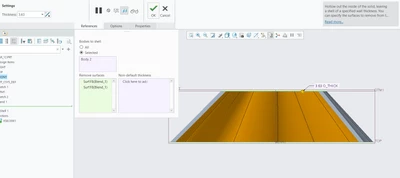
IbrahimTayyab_0-1689365361834.png

The closest example to this that I've seen is example 2 here : 
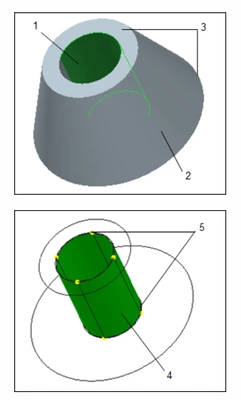
 

IbrahimTayyab_3-1689365839065.png

https://support.ptc.com/help/creo/creo_pma/r9.0/italian/index.html#page/simulate/simulate/exam_variablethickness.html


I am unsure on how to achieve and help would be appreciated.

Best answer by tbraxton

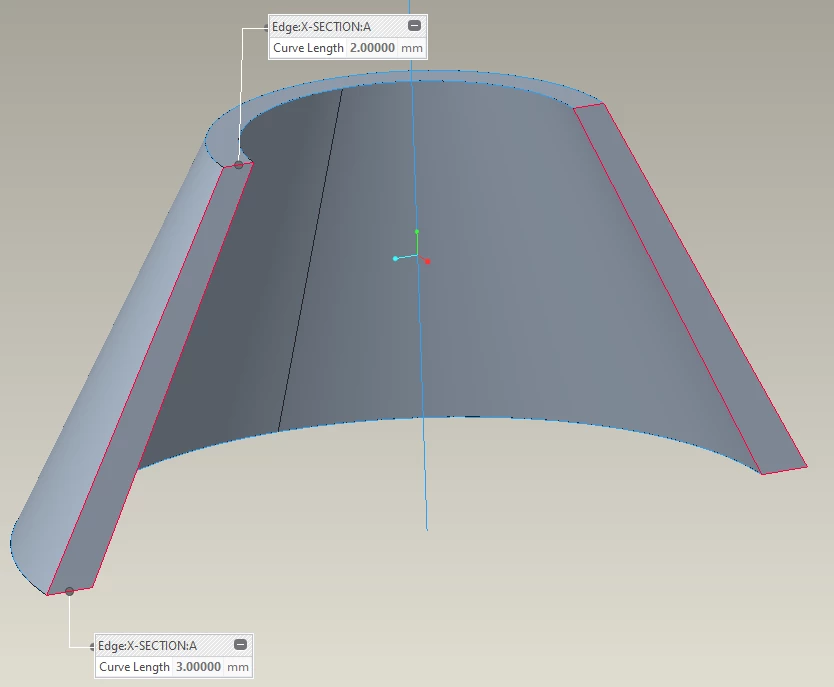
To model this using the method you have with the existing geometry you can make another swept blend between another 2 sections that represent the wall thickness at the sketch planes. This second blend will create the cut resulting in the variable wall thickness. Here is an example of how to do this using a cone for expediency. You should be able to use the same approach with your geometry.


tbraxton_0-1689367345439.png


4 replies

tbraxton
22-Sapphire II
July 14, 2023

The examples you refer to are used in Creo simulate. Are you asking how to do this in Creo simulate or how to model the geometry in Creo Parametric part mode?

14-Alexandrite
July 15, 2023

I was indeed asking how to do this in creo parametric part mode, I apologise I did not review the link carefully enough although it does seem obvious in in hind sight.

tbraxton
tbraxton22-Sapphire IIAnswer
22-Sapphire II
July 14, 2023

To model this using the method you have with the existing geometry you can make another swept blend between another 2 sections that represent the wall thickness at the sketch planes. This second blend will create the cut resulting in the variable wall thickness. Here is an example of how to do this using a cone for expediency. You should be able to use the same approach with your geometry.


tbraxton_0-1689367345439.png


14-Alexandrite
July 15, 2023

Thank you very much, this worked perfectly. I also learned I can save analyses due to your video so another thanks for that.


IbrahimTayyab_0-1689384499255.png

Wishing you a great day,
Ibrahim Tayyab