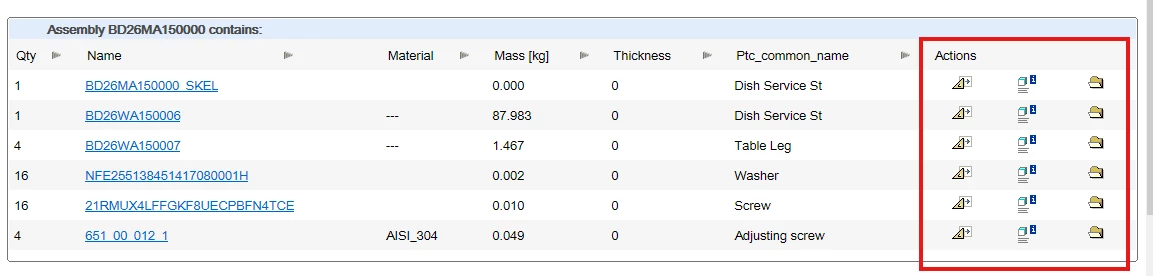
Adding a Thumbnail Image to the Bill of Materials in 3D
Hello everyone,
I've succeeded in customizing my bill of materials in Creo 3D. The only thing I still need to do is add a thumbnail image for each component. This is a requirement from my client, who doesn't want to look at the part's manufacturing drawing; instead, he wants the BOM to be exported directly from 3D.
So my question is:
1. How can I add an image to the thumbnail in one of the columns?
2. How can I have it also include the component’s position within the assembly?
Right now, the .fmt file looks like this:
.breakdown
%$type %$name contains the following:
.titles Qty; Name; Material; Mass [kg]; Thickness; Ptc_common_name;
.row %$quantity[-4d];%$name[-20.20s];%PTC_REPORTED_MATERIAL[-15.15s];%PRO_MP_MASS[-10.3f];%SMT_THICKNESS[-6.1d]; %PTC_COMMON_NAME[-15.15s]
Oh, and one more very importante thing: how do I prevent the following parameters—which I no longer need—from appearing in the red box when exporting?
Thanks in advance!