6-Contributor
July 30, 2026
Solved

Anchor point of (BOM) table

  • July 30, 2026
  • 3 replies
  • 35 views

Hi guys,

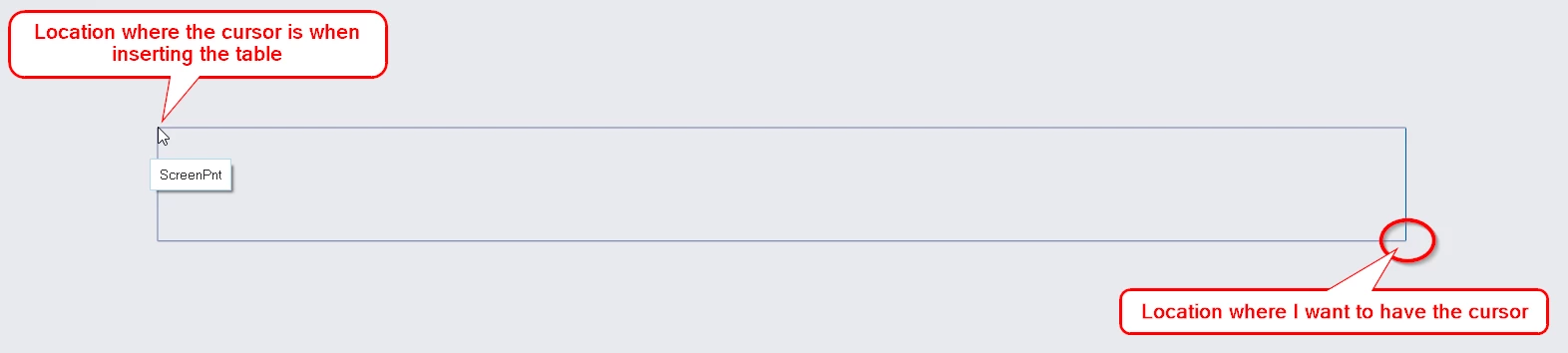
I’m working in Creo 12 and I do have some tables and BOM tables, and I'd like to change their anchor point. By that, I mean the position of the mouse cursor when I place them using "Table from File". I like to have it in the complete right bottom.

I've already tried changing the growth direction, but unfortunately that doesn't solve the problem.

Any ideas on how this can be changed?

 

Growth direction of the table via “properties”
Location of the cursor when adding table from file

What I also have tried to do, is:

  • first create a table with only one cell
  • change the growth direction to the right bottom corner
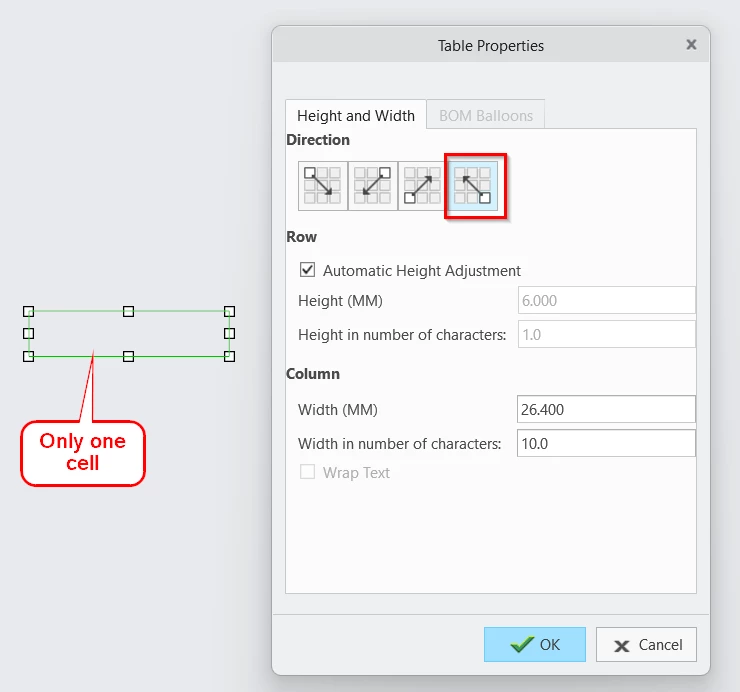
     
    A table with only one cell and the direction from the right bottom corner
  • add some columns on the left and a row on the top
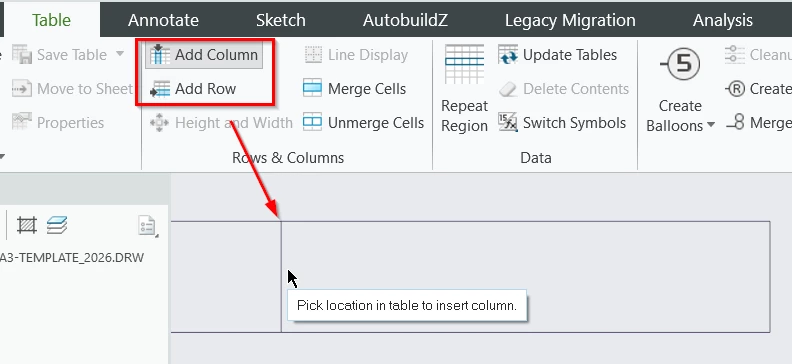
     
    Adding columns on the left of the first cell
  • save the table
  • when I add the table via “Table from file”, the corsor is at the top left corner of the first cell:

    Location where the cursor is when adding this table (started with only one cell)


So this wasn’t the solution either.

I’ve searched the forum, but I only can find a “solution” with the toolkit script. But I unfortunattely don’t know how this works.

Best answer by Mahesh_Sharma

Hi ​@GD_10528138 


I think setting Table Growth direction prior creating a new table will help. 

Try the steps as: 

Table Tab > Table Pull down > Insert Table > Set Table Growth direction to leftward > OK and save the table.


I hope this will help. 

Thanks

3 replies

Mahesh_Sharma
22-Sapphire I
July 30, 2026

Hi ​@GD_10528138 


I think setting Table Growth direction prior creating a new table will help. 

Try the steps as: 

Table Tab > Table Pull down > Insert Table > Set Table Growth direction to leftward > OK and save the table.


I hope this will help. 

Thanks

6-Contributor
July 30, 2026

Hi ​@Mahesh_Sharma

I think that's actually the solution!

Sometimes it's that simple!


6-Contributor
July 30, 2026

@Mahesh_Sharma do you know if the anchorpoint of exsisting tables can be change too. Because the solution with "insert table" only works for new tables. And this means that I do have to recreate my tables.