Question
Annotation Leader Note
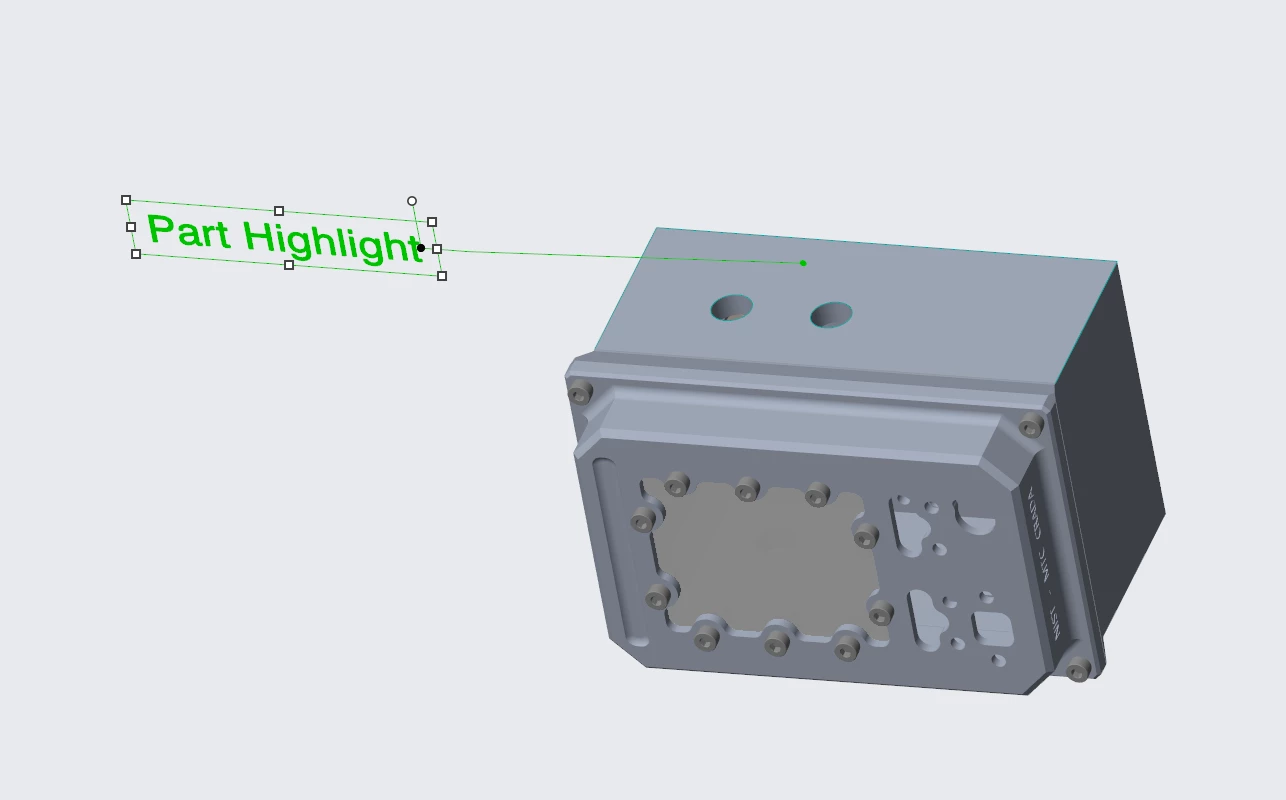
My group is trying to make a pointer annotation on a whole part inside of an assembly. Right now, only a specific feature on a part gets highlighted. Does anyone know how to highlight the entire part? I have attached a reference below.