3-Newcomer
May 11, 2026
Solved

Assembly weight issue

  • May 11, 2026
  • 4 replies
  • 56 views

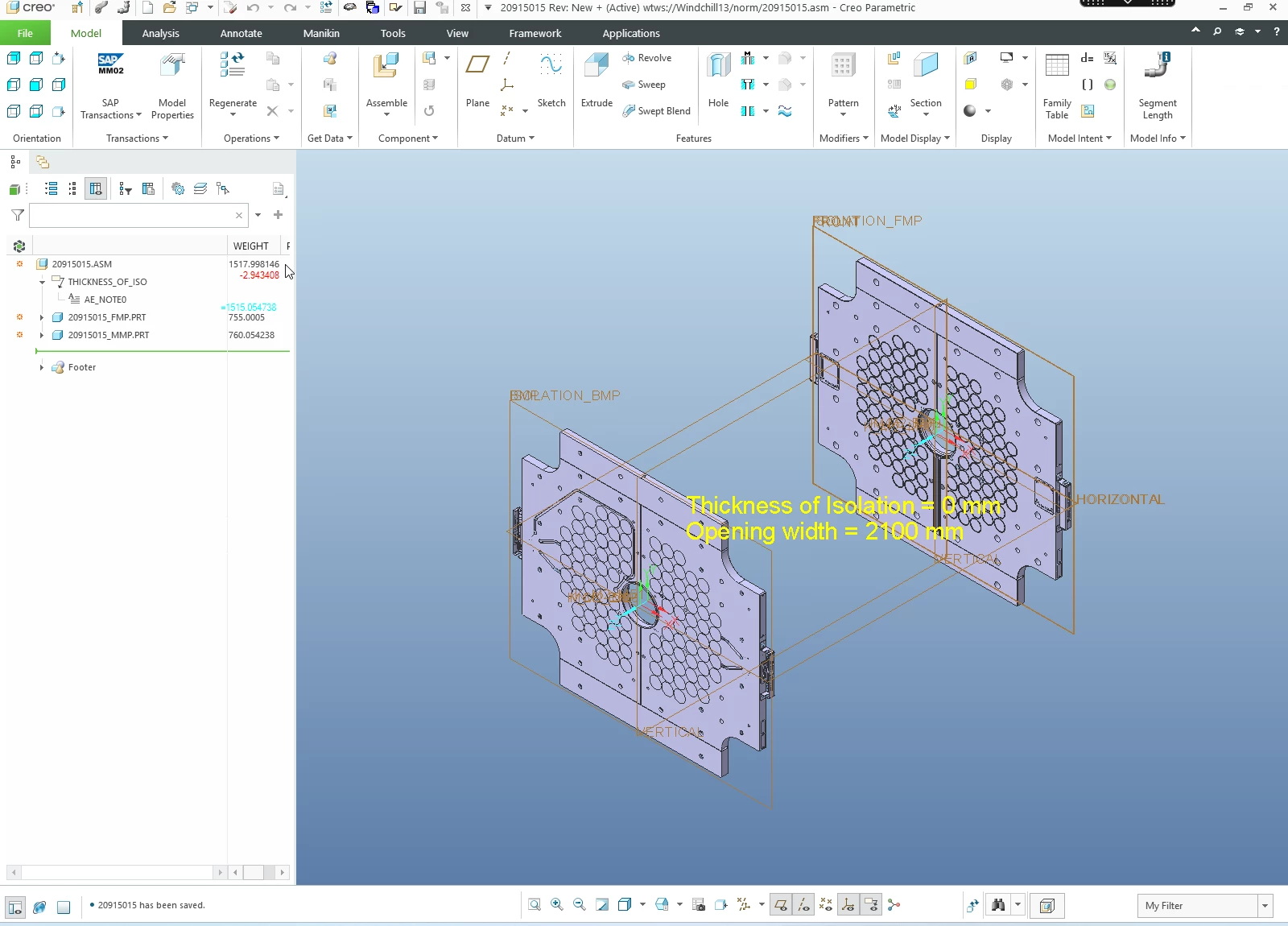
In the Creo assembly I have a weight which is not ok when I calculate model separately.
Do you know why happened?


Best answer by StephenW

Just to be clear, a check in to windchill would not “fix” a model problem. At some point likely a regenerate or some other action actually corrected the problem. From the screenshot, the parameter “weight “ likely needed to be recalculated based on a relation.  But there are other areas where  the weight would not calculate  correctly.

4 replies

23-Emerald III
May 11, 2026

Model tree weights sometimes don’t update immediately, espcially if the weight parameter is generated as a relation, Run mass properties under the anaylsis tab and see if the weights are showing correctly there. If so, regenerate the model and the model tree should update.

I not, I don’t know how to trouble shoot this without the model. Can you provide the model as a zip file as an attachment?

Mahesh_Sharma
22-Sapphire I
May 11, 2026

Hi ​@vtruchly 


In addition to information shared by Stephen, try suppressing on part and check if assembly weight is updating or not. Also, check the weight of each part, update the parts, recompute the mass properties and verify the relations.

Thanks. 

10-Marble
May 11, 2026

Depending on your settings, you may need to update your mass properties by selecting File > Prepare > Mass Properties/Change > Calculate > OK

vtruchly3-NewcomerAuthor
3-Newcomer
May 12, 2026

Dear all, thank you for your support. After check-in to Windchill weight is ok now:


StephenW23-Emerald IIIAnswer
23-Emerald III
May 12, 2026

Just to be clear, a check in to windchill would not “fix” a model problem. At some point likely a regenerate or some other action actually corrected the problem. From the screenshot, the parameter “weight “ likely needed to be recalculated based on a relation.  But there are other areas where  the weight would not calculate  correctly.
