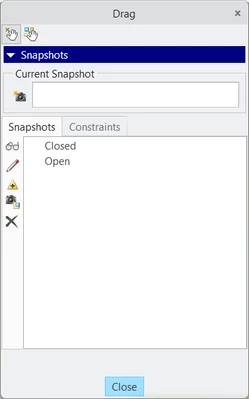
Assembly with Multiple States
Using Creo 8.0.9.0
I'm trying to create an assembly that can be shrink-wrapped into multiple different skeletons, each with a different construction of the parts. I was hoping to be able to use a single assembly that has multiple states, so when I create a shrink wrap feature in the skeleton I could just choose the state I want to be visible. The purpose of doing this is for repeatability in the future, as previously the only way to update these shrink-wrapped skeletons is to completely reassembly the geometry in an already "released" model without saving, and then shrink wrap into the skeleton using the "last displayed" view option.
Here's a dummed-down example: the part in question is a lever, and I want to create an assembly that has the lever in it, and can show it at 90 deg, 120 deg, 85 deg, etc. with the click of a button, and then import the geometry in that state through a shrink wrap into a skeleton model.
I know I could use family tables, but in my case the assembly contains 4 different parts, and I would need to create a group for each of the 10 states I need to display through skeletons. That's 40 total parts in this one assembly, which is a bit convoluted.
Just wondering if there was an easier way to do this before I go through a bunch of work to figure out it won't function the way I expected. I'd also like to keep the number of models and parts involved to a minimum.
Looking forward to ideas, thanks!