
7-Bedrock
September 15, 2020
Solved

BOM: Creo--->Excel--->Edit--->Creo

  • September 15, 2020
  • 3 replies
  • 2836 views

Scenario:

1. Export ASSEMBLY.drw table (Repeat Region) to xlxs;

2. Edit "part number" for all assembly parts in Excel;

3. Import edited xlxs to ASSEMBLY.drw table (auto changing integer value of parameter PART_NUMBER according with edited assembly.xlxs for all *.prt files).


For first and second step I have no problem, but how to do the third step?

Thanks!
 

Best answer by DavidBigelow

Any reason Nitro-BOM can't handle this renaming for you -- then just regenerate the drawing when done?!


NOTE: Drawing and Models must be in session together to pull this off.


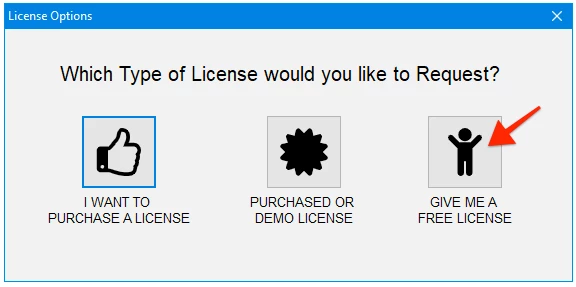
You can just download the software and request a FREE license to give it a try.....

2020-07-16 at 7.07 AM.png

Hope this helps


Dave

3 replies

23-Emerald III
September 15, 2020

It would be helpful if you would show us the data you are trying to change.

Just from reading it, it kind of sounds like you are trying to change your part_number parameter in your parts with the excel table.


23-Emerald III
September 15, 2020

That process will destroy your associativity between the parts and the BOM.

WHY?????

If you need to change the part numbers, do it with the rename function on the parts and let the BOM regenerate with your new numbers.

There is no import function to read the file back into the BOM table.

17-Peridot
September 16, 2020

Any reason Nitro-BOM can't handle this renaming for you -- then just regenerate the drawing when done?!


NOTE: Drawing and Models must be in session together to pull this off.


You can just download the software and request a FREE license to give it a try.....

2020-07-16 at 7.07 AM.png

Hope this helps


Dave

24-Ruby III
September 16, 2020

@DavidBigelow wrote:

Any reason Nitro-BOM can't handle this renaming for you -- then just regenerate the drawing when done?!


NOTE: Drawing and Models must be in session together to pull this off.


You can just download the software and request a FREE license to give it a try.....

2020-07-16 at 7.07 AM.png

Hope this helps


Dave


Hi,

information for all testers ... FREE license enables to generate BOM for small assembly, only (up to 25 unique assembly items - top assembly included). I think it is better to request DEMO license to test Nitro-BOM with any assembly.