
17-Peridot
July 6, 2012
Solved

"CETOL Lite" Failed
  • July 6, 2012
  • 7 replies
  • 4620 views

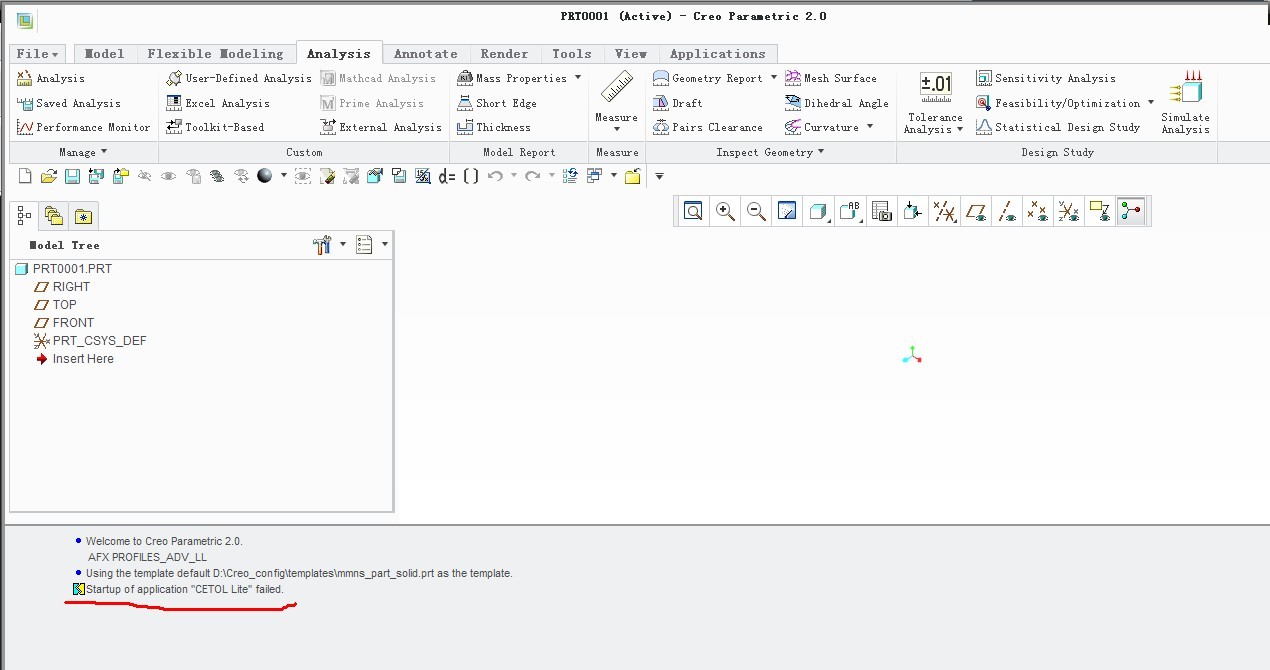
111.jpgHi,I'm using Creo Parametric 2.0. When I want to create a tolerance analysis,but failed.How do I go to solve this problem?


This thread is inactive and closed by the PTC Community Management Team. If you would like to provide a reply and re-open this thread, please notify the moderator and reference the thread. You may also use "Start a topic" button to ask a new question. Please be sure to include what version of the PTC product you are using so another community member knowledgeable about your version may be able to assist.
Best answer by SergDubrovskiy

I copy cetollite.dll from Creo 2.0 F000(F001).

7 replies

13-Aquamarine
July 7, 2012

It's unfortunate we don't have a better error to work with.

I've had CETOL failures because my license wasn't updated to provide access to CETOL_Lite. I had to call PTC and get a new license pack. Could that be part of the problem?

"Failed to start" could mean... it's missing from the configuration of Creo you're running. In Wildfire 5, I had to add the Tolerance_Analysis option to my startup configuration to get CETOL to work. Check to make sure you have the Tolerance Analysis option enabled. If not, see if you can load it as a floating option during your Creo 2 session.

If it's neither of these problems... then you've stumped me!

Good luck! Let us know how it turns out...

-Brian

bduncan17-PeridotAuthor
17-Peridot
July 9, 2012

Thanks a lot!

It's strange.The same licence,when I use creo 2.0( F001) Tolerance Analysis is Available,but when I upgrade to M10,Tolerance Analysis is unavailable.I don't why,maybe it's a bug.

13-Aquamarine
July 9, 2012

Hmm... sounds like a job for PTC Customer Service!

Let us know what you find out. We'll be needing Tolerance Analysis in Creo 2.0 and if it's not working, it would certainly be good to know!