10-Marble
June 2, 2023
Solved

Changing the axis for revolve

  • June 2, 2023
  • 4 replies
  • 4841 views

Hi,


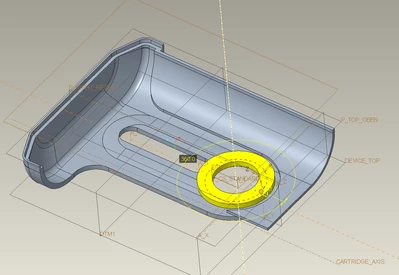
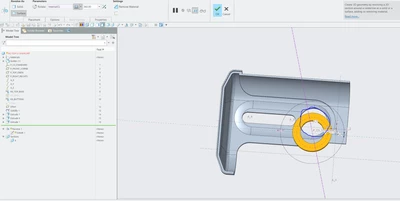
I am trying to change the axis of revolve to the blue circled feature. When I try to select "A_1", it doesn't let me do that. Could anyone please have a look at the attached zip folder which has the part file and let me know how to fix this?


Best,
TG_10520066_0-1685719588970.png


Best answer by tbraxton

Is this what you need? If so, see enclosed model.

tbraxton_0-1685723657349.png


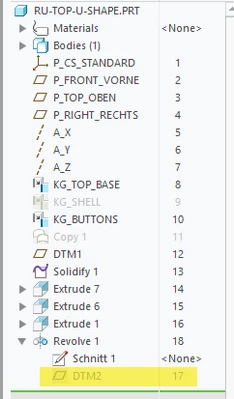
I added an internal plane to the revolve feature as seen here and rerouted the references of the revolve:

tbraxton_1-1685723794444.png


4 replies

tbraxton
22-Sapphire II
22-Sapphire II
June 2, 2023

No zip file attached yet....

10-Marble
June 2, 2023

It's weird that it didn't go through on the original post. I am attaching it to this reply.

23-Emerald III
June 2, 2023

Please state what version of Creo you are using when you upload the zip file.

10-Marble
June 2, 2023

I am using Creo 7.0. Sorry for not mentioning that earlier

kdirth
21-Topaz I
21-Topaz I
June 2, 2023

Looks like the Rotate selection box is not active.  Select the box next to rotate (currently InternalCL), it should turn green to indicate it is active, then select the new axis.

There is always more to learn.
10-Marble
June 2, 2023

I tried that too, but axis A_1 is grayed out and I can't select that. 

kdirth
21-Topaz I
21-Topaz I
June 2, 2023

Creo does not allow you to use the internal axis of another feature for an external axis of a revolve.  The best way to do this is to put an axis in your sketch colinear to A_1 or make an axis on top of A_1.

There is always more to learn.
tbraxton
22-Sapphire II
tbraxton22-Sapphire IIAnswer
22-Sapphire II
June 2, 2023

Is this what you need? If so, see enclosed model.

tbraxton_0-1685723657349.png


I added an internal plane to the revolve feature as seen here and rerouted the references of the revolve:

tbraxton_1-1685723794444.png


10-Marble
June 2, 2023

This looks perfect. Thanks a lot! Could you please tell me how to add plane internally to a sketch while using features like revolve?


kdirth
21-Topaz I
21-Topaz I
June 2, 2023

While in the feature tool, use the datum drop down menu on the right of the ribbon or go to the model tab to create the datum you need.

There is always more to learn.