16-Pearl
September 11, 2024
Solved

Checking if imported STL file is closed

  • September 11, 2024
  • 3 replies
  • 3105 views

Hello, community!


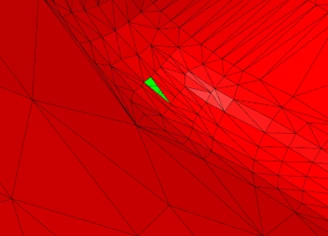
When I import a stl file, I have no way of knowing whether it is closed (other than the visual search for a green colored hole).
ProFeature_0-1726055516290.png


Is there a simple way to ensure that the imported STL file is closed?


I appreciate the responses in advance.

Thanks
Best answer by ProFeature

Hi all,


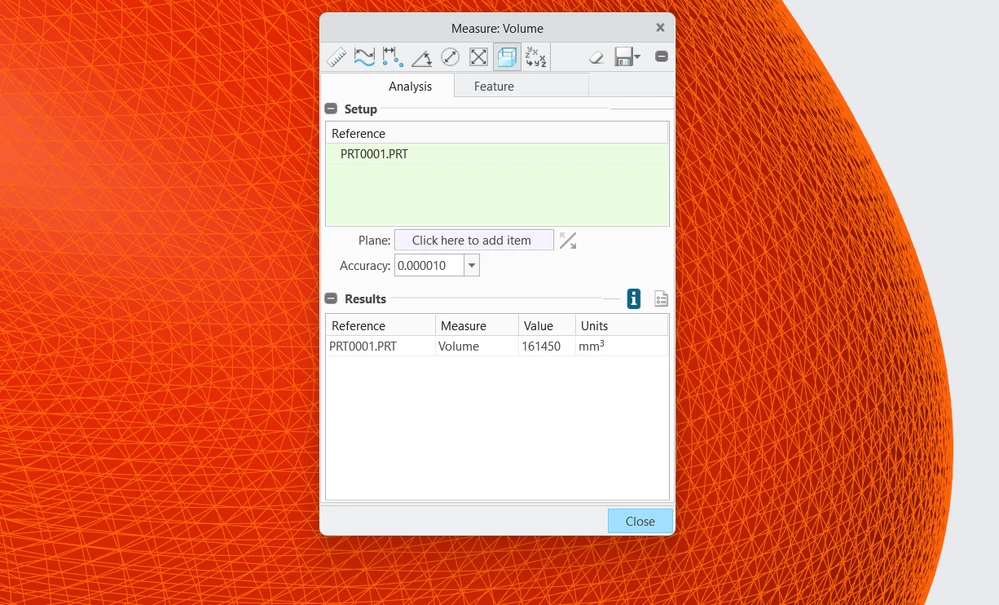
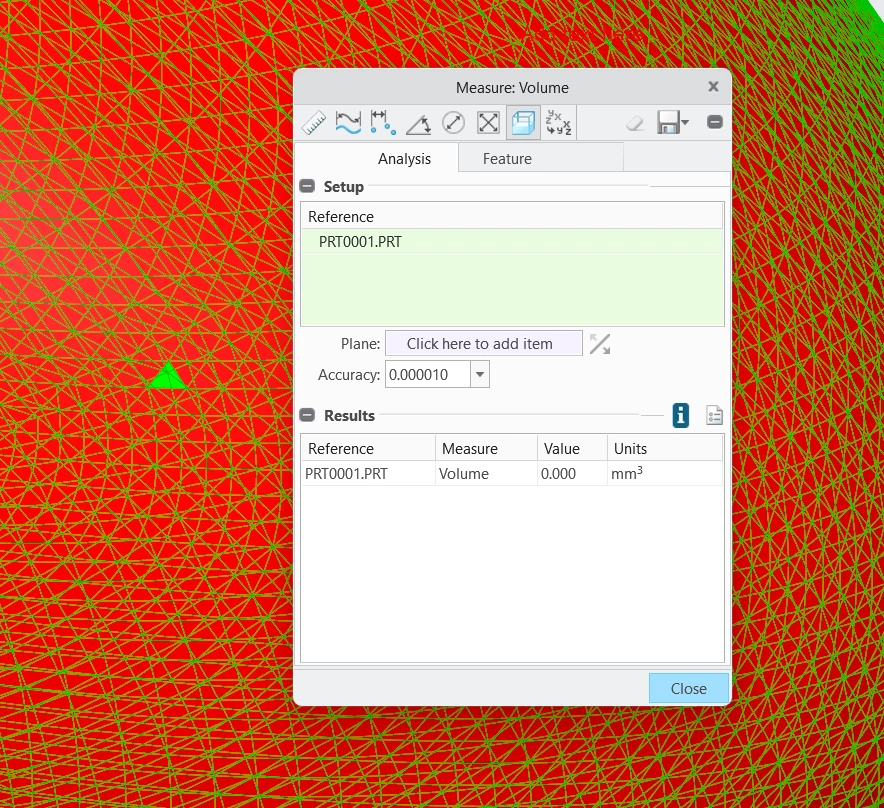
I found that measuring volume is the simplest test to determine whether the model is closed.

If the volume measurement value is not zero, then the model is closed.


Open:

ProFeature_0-1726482073771.png

Closed

ProFeature_1-1726482191750.png


Thanks

3 replies

tbraxton
22-Sapphire II
22-Sapphire II
September 11, 2024

Import data doctor has some tools to help identify and correct geometry of import features. Having said this, the quickest method to identify open quilts is to use a custom color scheme to increase contrast of open edges of quilts. I would typically use a black background and display the import geometry in wireframe and look for the open edges based on the color. You may need to zoom in on areas to see them.


About Import DataDoctor in Creo (ptc.com)

16-Pearl
September 11, 2024

Thanks @tbraxton @, but your answer does not meet my need at all. I'm asking about facet model, and IDD doesn't check stl.


Thanks

tbraxton
22-Sapphire II
22-Sapphire II
September 11, 2024

What version of Creo are you working in? Do you have a "bad" stl file as an example that you can post here? If the import data is not closed, is it not a surface model when imported? If it is an open quilt upon import then IDD should be accessible.  In past releases that is my recollection of what happened when importing STL into part mode, perhaps that has changed with new versions.


To edit facet models, you need to use the Creo Restyle extension which is an optional add on. If you have this option installed, then you can access this functionality to close holes in a facet model.


To Fill Holes in the Faceted Geometry (ptc.com)

23-Emerald III
September 12, 2024

For stl files specifically, there are some online repair tools I have used on occasion. I don't remember which one(s) i have used but I just google for STL repair tool 

ProFeature16-PearlAuthorAnswer
16-Pearl
September 16, 2024

Hi all,


I found that measuring volume is the simplest test to determine whether the model is closed.

If the volume measurement value is not zero, then the model is closed.


Open:

ProFeature_0-1726482073771.png

Closed

ProFeature_1-1726482191750.png


Thanks

KenFarley
21-Topaz II
September 16, 2024

I think people were thinking that you wanted to know how to fix an STL file if it was missing a facet or facets.

It's possible to fix them if you really need  a manifold solid, but it's not an automatic thing.

You need to have the STL file in ASCII format, not binary. If your source file is binary, you can re-output it to ASCII after reading it into Creo.

Using any of the techniques mentioned here, find the missing facet.

Do an analysis of the missing facet vertices, recording the X,Y,Z coordinates for each.

Edit the ASCII STL file and add in another facet structure. You'll need to use the vertices to calculate  the facet normal vector. It's the cross product of two vectors defined by the three vertices.

If you add in all the missing facets, the object should be a manifold solid. Hopefully.

16-Pearl
September 16, 2024

Hi @KenFarley 


My topic was determining whether an imported model is closed (yes or no). I found the answer to this question by measuring its volume. The issue of closing holes is secondary.

There is a convenient tool in Creo for closing holes, so I don't see the point in manipulating the STL file's ASCII.


ProFeature_0-1726491344656.png