Circular References when Creating Holes
I have a skeleton model. I include a tank and some 2'x4' to get a sense of how big my structure needs to be.
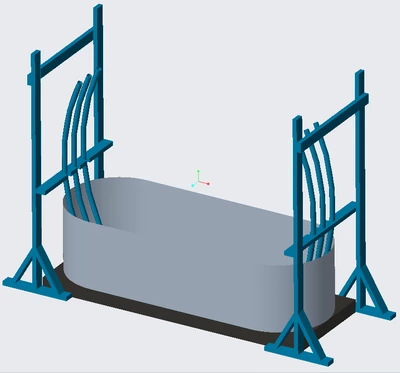
I then use the parts from the skeleton model with the solidify feature in assembly mode to create my 2'x4' parts.
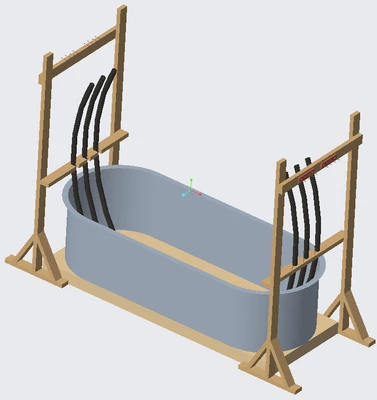
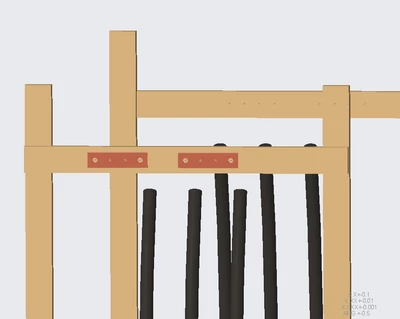
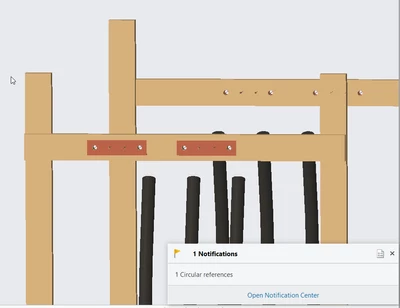
I then create some copper bus bars and attach them to the top wooden beam where the cables will mount to. I want the holes in them to be aligned with the center plane of each cable. I made this part by creating part in active assembly, and activating it, and copying the geometry of the cables and the top 2'x4'. I sketched on the face of the 2'x4'. I am constrained to using 2"x8" pieces of copper as my bus bars, so I create the holes in these pieces first to be symmetric. I then activate my wooden 2'x4' at the top, and copy the geometry of these holes. I create an axis. I create a hole of the same size. I get circular references. What bad practice did I do here? I know I could make the holes in the wood piece first, and create the busbar to fit in with these holes. The problem with this is I then need to calculate dimensions and if I end up needing to use a 3"x8" busbar instead of 2"x8", I need to go change all my dimensions again.