1-Visitor
March 4, 2017
Question

Component disappears from section view in pdf

  • March 4, 2017
  • 3 replies
  • 2028 views

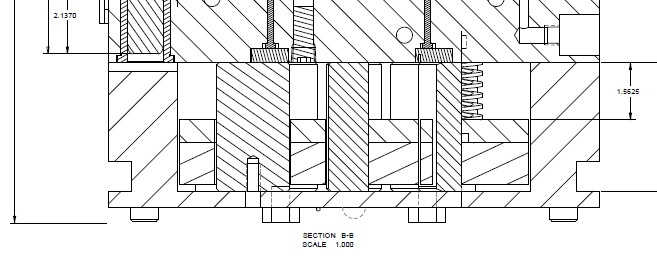
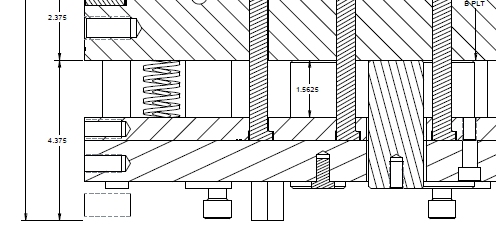
When I create a pdf file of my drawing, a component disappears from one of the section views, and the bottom half of the component disappears from the other section view.  It sometimes shows that way in the Proe Wildfire 5 .drw file, but then it returns to normal when I update the display.  I am attaching a couple of screen shots of the pdf.  You can see the dimension line goes down to where the component should be showing.
missing.jpg

half_missing.jpg

3 replies

1-Visitor
March 4, 2017

This sometimes happens because the component interferes with another component.

Other times it's because the section cuts through a vertex and the software 'misses' the component.

Try moving the section a small amount, such as .001 inch.

1-Visitor
March 4, 2017

I don't see anything that would cause that issue, but moved the section a bit which didn't help.  But, I did make a pdf of just a single sheet, and the section view looked fine.  Then when I made a pdf of several sheets, the section view was messed up again.  So it seems like it's something with the pdf creation process.

12-Amethyst
March 6, 2017

Here's a thing to check:  draw some lines across the drawing, and make the bad PDF.  Do the portion of the lines within some rectangle get removed?  If so, might be a problem with something wanting to clear a block or plunking down a bitmap, like for a shaded view.  Could also check if it is fixed by File>Properties>Drawing Properties>Detail Options, "update_drawing" for the name and "all" for the value.  If not, might be good to point the problem at Tech Support.