
16-Pearl
March 10, 2020
Question

Copy & paste

  • March 10, 2020
  • 1 reply
  • 892 views

I have a few features defined in one part, those features depend in a few curves, planes, edges on a skeleton. I need to copy and past those features to a few other parts. I tried to use the copy and past special option, but it's a tedious work, I would like to copy and paste those features exactly with the same references, so it would be the option of "use original reference", but is greyed out...
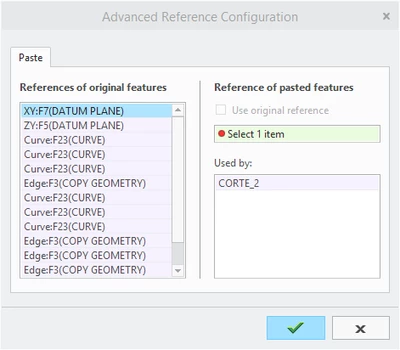
T_F_0-1583837218991.png


Is there any way to do this?


1 reply

15-Moonstone
March 25, 2020

As far as I know, there's no way of doing this. Copying between parts you can't use the original reference. When working top-down it's theoretically possible, but I don't think that functionality has been implemented. It'd be nice to have something like the "Evaluate" function in the Replace command. If you don't want to copy it around, maybe just do it in the skeleton instead and get it into the parts through "copy geometry"?