

Question
Copy Paste special features across models in assembly
Hello,
I recently switched from Creo 3.0 to Creo 4.0. I have this problem when I copy features from one part to another.
Original references of copied features from the first part could not be recognized after Paste special>Advanced references in the other part in the assembly.
For example I am copying 6 holes from part_1.prt to part_2.prt. When I make "Paste Special" I need to change ONLY first reference "Surf:F6 (EXTRUDE_1)" but other references of axis need to be unchanged (below picture):
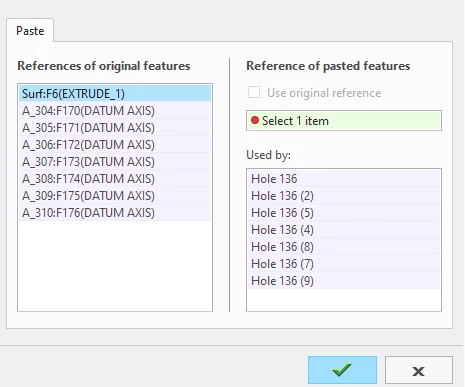
On picture you can see lost original references - small red dot...
Please how to resolve this situation/problem in Creo 4.0?
Thanks!