14-Alexandrite
October 6, 2017
Solved

Cosmetic threads: Hidding the axis but not the thread

  • October 6, 2017
  • 6 replies
  • 3625 views

Hello

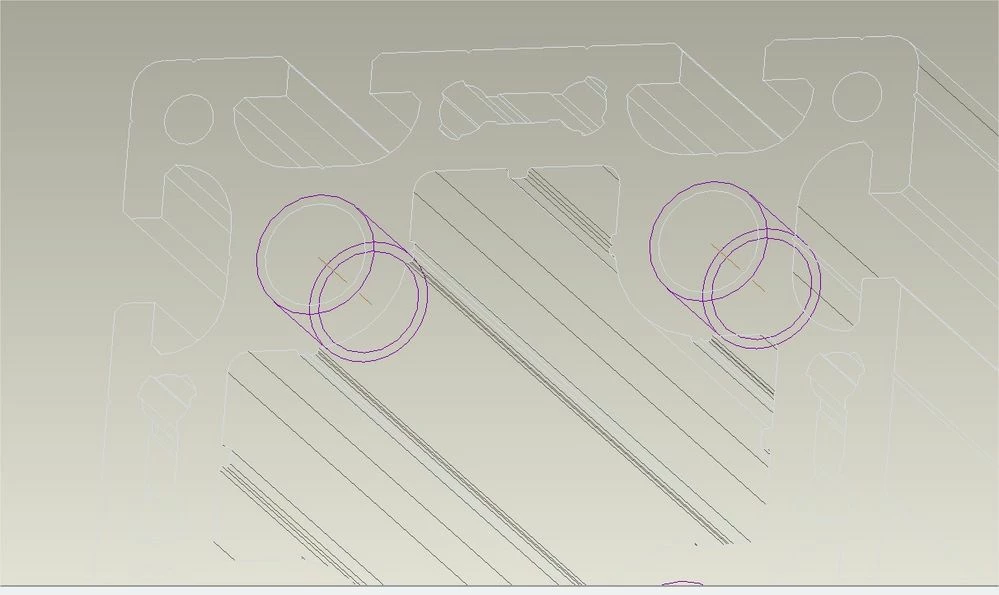
We are using some models imported from Creo Elements Modeling (OSD), then we create cosmetic thread features The rule is to hide all axis in the 3d (in the layers) but if I hide the axis from the cosmetic thread, the thread is also hidden

Is there a solution ?
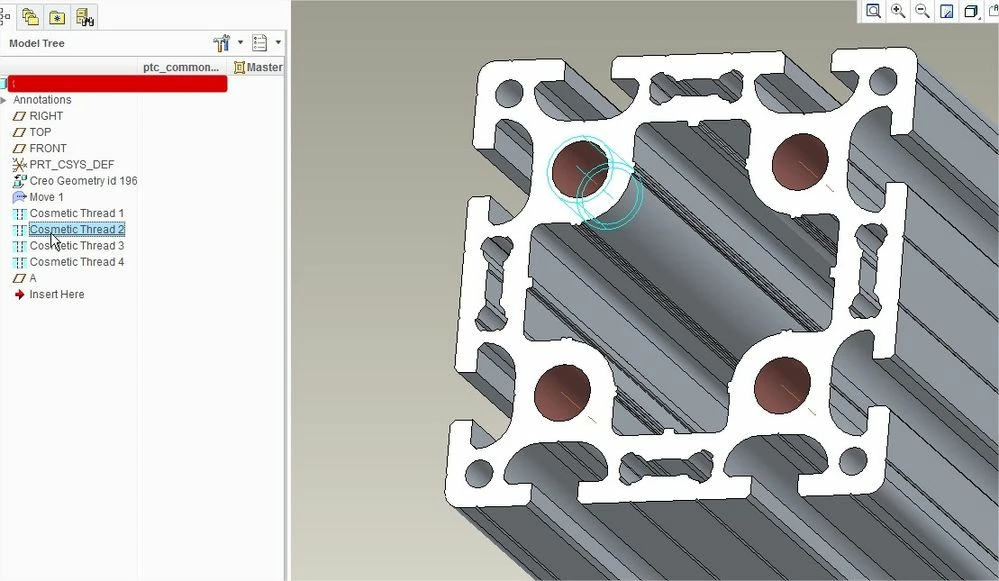
PrtScr capture_38.jpg

PrtScr capture_37.jpgthanks

Vero

Best answer by MartinHanak

Hi,


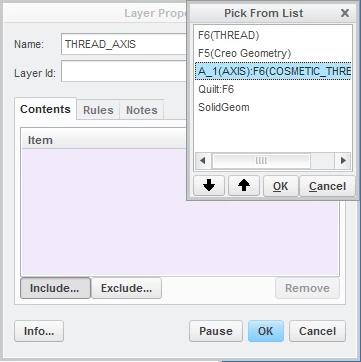
see THREAD_AXIS layer in uploaded part.


I created new THREAD_AXIS layer. Then I placed mouse cursor on thread axis, clicked right mouse button and selected Pick From List command. Now I was able to select thread axis from menu. See following picture.

layer.png

6 replies

StephenW
23-Emerald III
October 6, 2017

Don't add the cosmetic feature to the layer. Add just the axis to the layer. You can either use query select to pick the axis or use the filter to select it.


14-Alexandrite
October 11, 2017

hello Stephen

I can't dissociate the axis from the cosmetic thread feature

if I select the axis in a layer ( with a rule) the axis is not hidden

I can hide this axis only if I hide the cosmetric thread layer

lay0001 hidden not the axislay0001 hidden not the axisdefinition of the layerdefinition of the layer


24-Ruby III
October 11, 2017

Hi,


I think your problem is "data dependent". Can you upload some data for testing purposes ?