

4-Participant
January 4, 2023
Solved

Creating a part which is a square domain having small non overlapping circles in it

  • January 4, 2023
  • 1 reply
  • 1657 views

I have a data set of the circle's center coordinates and radius (the same for every circle).

I am interested in generating this part, a square domain with randomly placed circular holes in it.

I tried using the table pattern and datum offset method, but I was not able to do so.

I will be overwhelmed if someone is willing to help.


You can consider the origin according to the data set.

Best answer by tbraxton

Format your origin coordinates in a .pts file. The format for each record (cartesian coordinates) is:

X Y Z

1 1 0

Save the file with a. pts extension, this will allow you to import it into Creo. You now have all of the centers of the circles. You will then create the datum curve for each circle and pattern it using the origin coordinates to drive the  pattern .


Use the datum point offset from Csys feature option. You can then import the circle center points by importing a .pts file with the coordinates.


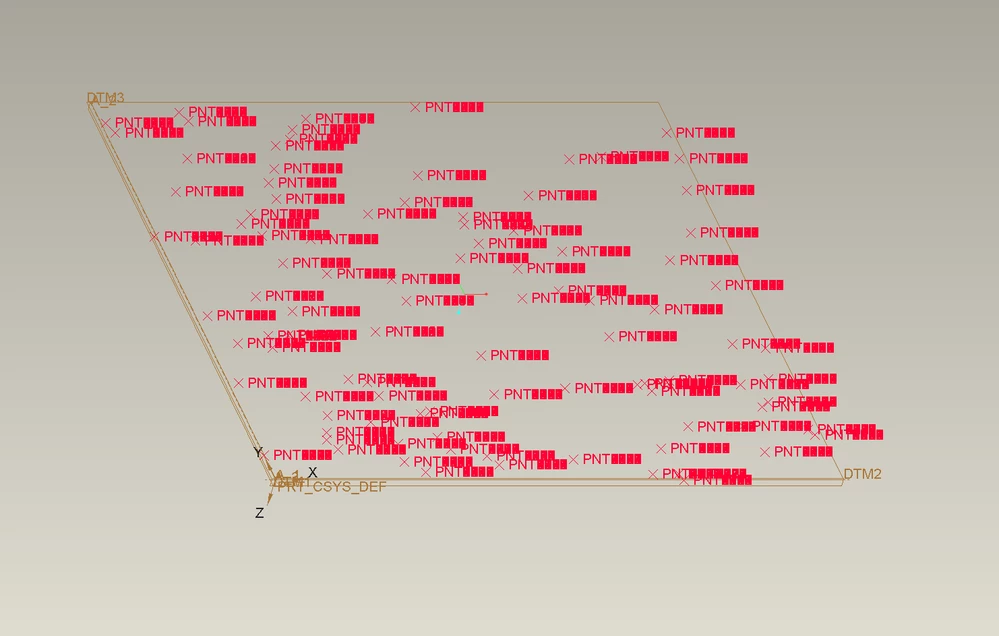
It will look like this after import using the default model csys as the frame of reference.
 

tbraxton_0-1672857146916.png


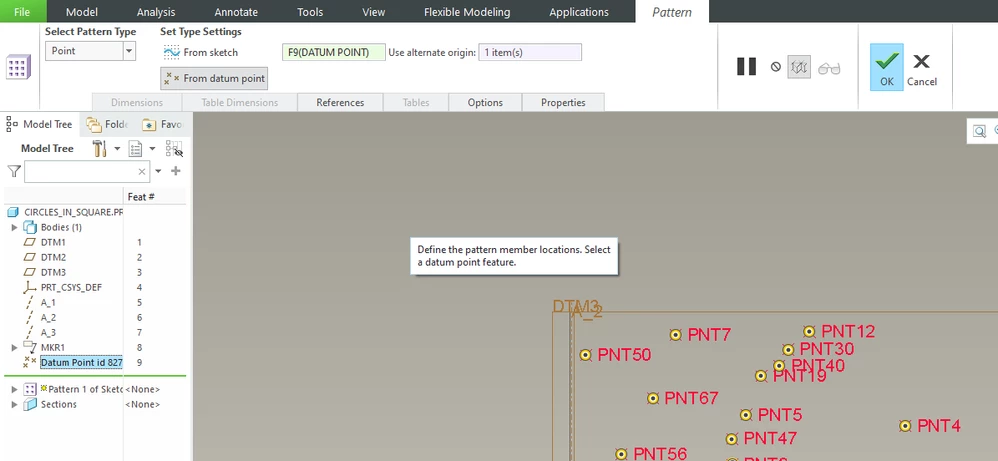
The implementation of the pattern using the datum point array.
tbraxton_1-1672857521815.png


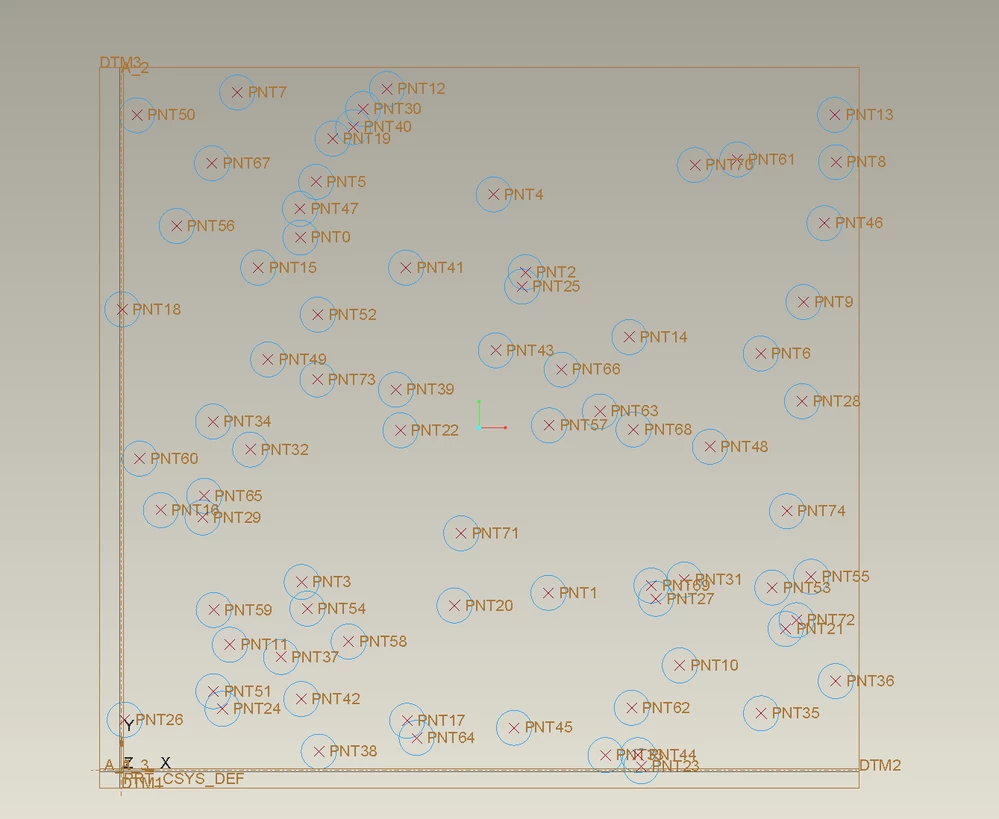
This is a subset of your origin data showing the implementation of the patterned circles.
 

tbraxton_2-1672857585691.png


1 reply

tbraxton
tbraxton22-Sapphire IIAnswer
22-Sapphire II
January 4, 2023

Format your origin coordinates in a .pts file. The format for each record (cartesian coordinates) is:

X Y Z

1 1 0

Save the file with a. pts extension, this will allow you to import it into Creo. You now have all of the centers of the circles. You will then create the datum curve for each circle and pattern it using the origin coordinates to drive the  pattern .


Use the datum point offset from Csys feature option. You can then import the circle center points by importing a .pts file with the coordinates.


It will look like this after import using the default model csys as the frame of reference.


tbraxton_0-1672857146916.png


The implementation of the pattern using the datum point array.

tbraxton_1-1672857521815.png


This is a subset of your origin data showing the implementation of the patterned circles.


tbraxton_2-1672857585691.png