

Creating angular and diametral quotations
Hello, how do you create angular and diametral quotations with creo parametric ? Here is the project I'm working on :
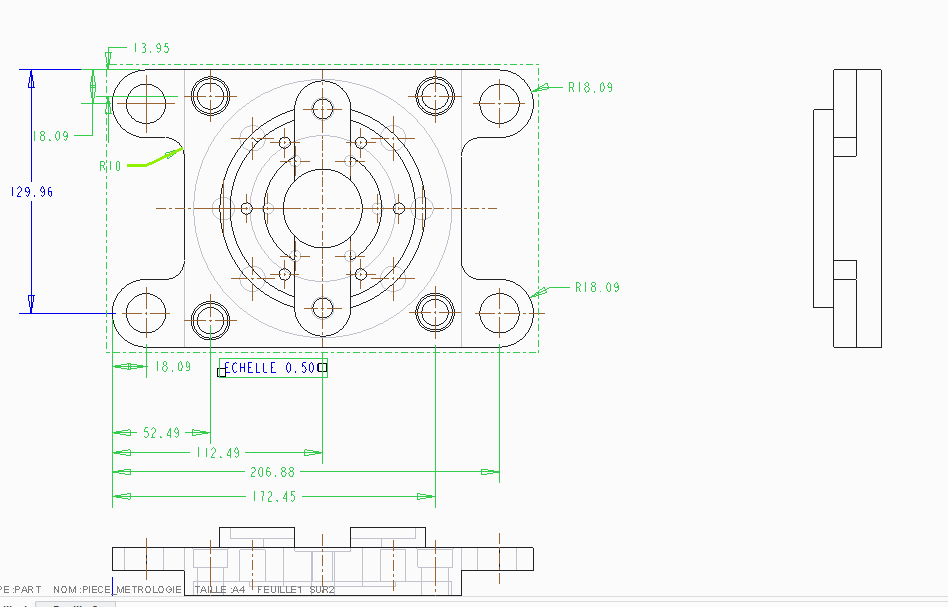
When I quotate with the tool 'quotation', it only quotates radius of the circles, and not diameter. I also need to quotate the angle between the vertical plan going through the center of the part and one of the circle located on an given radius (as you can notice, there are 6 circles exactly the same, located on the same radius but with an incremental angle of 60 degrees). How can I do that withouth creating another line going from the center of the part to the center of
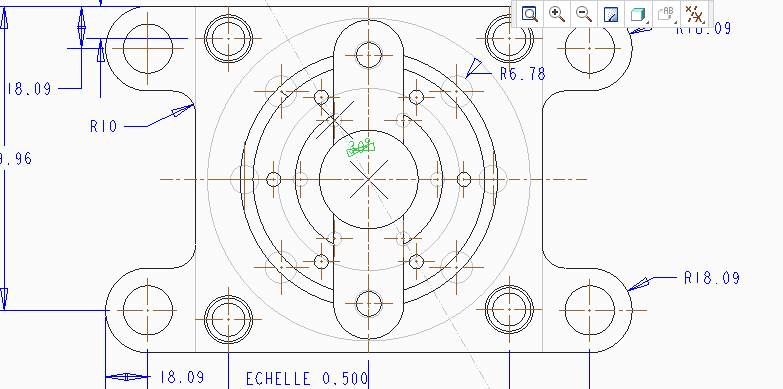
one of these circles, like I have done on the below example. I know it's possible because when I select 'add annotations to this view', this angular cotation is added without any additionnal line. I thought it was possible to hide this line but it's not.
Thanks in advance for your help !
This thread is inactive and closed by the PTC Community Management Team. If you would like to provide a reply and re-open this thread, please notify the moderator and reference the thread. You may also use "Start a topic" button to ask a new question. Please be sure to include what version of the PTC product you are using so another community member knowledgeable about your version may be able to assist.