
10-Marble
December 7, 2023
Solved

Creo 10 "auto refit" in large .asm when creating first feature

  • December 7, 2023
  • 3 replies
  • 2813 views

Version: Creo 10.0.1.0


Problem:
I am working on a large .asm > create new empty part > activate this .prt in .asm > create a first feature (sketch, extrude, anything) > click on OK in the sketch > and creo zooms out (the larger the .asm is, the further creo zooms away).

This behaviour occurs ONLY for the first feature in a new activated part. Once the .prt has any feature, creo does't do a "auto refit" when exiting the next feature sketch with Ok.

Did anyone ever encounter that problem? I asked my reseller (and PTC), but nobody can replicate this type of behaviour. I tested it here in the company I am working and it is the same problem on every CAD workstation. I started Creo vanilla, without any setting and still the beviour occurs.


Here are some screens. I created a large .asm (75m x 75m) by pattern a random testpart:
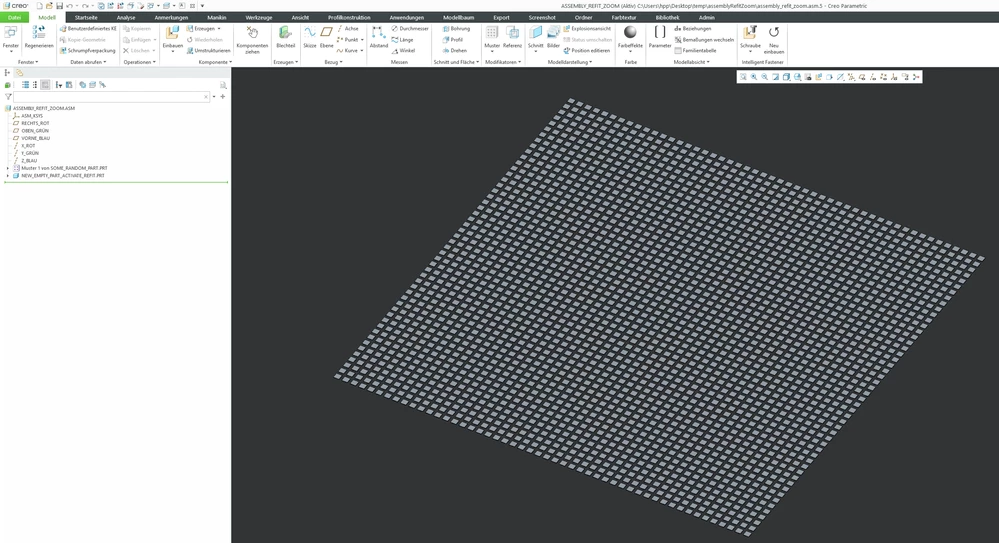
creoautorefitzoom_1001.PNG


Active a new empty part and create a sketch:
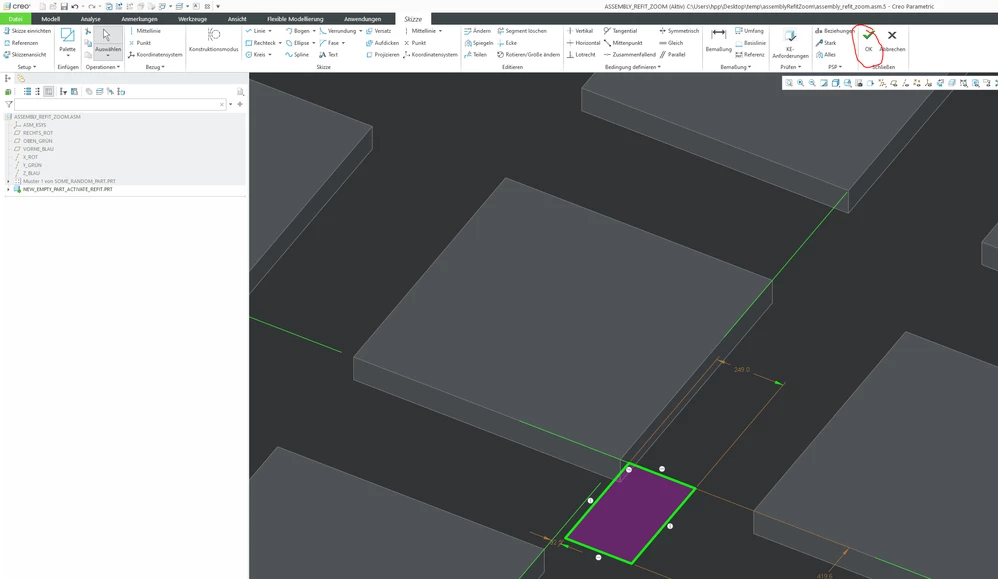
creoautorefitzoom_1002.PNG

As soon as I hit "OK" in the first sketch, Creo zooms out. So far, I can't even see the .asm on my screen anymore:
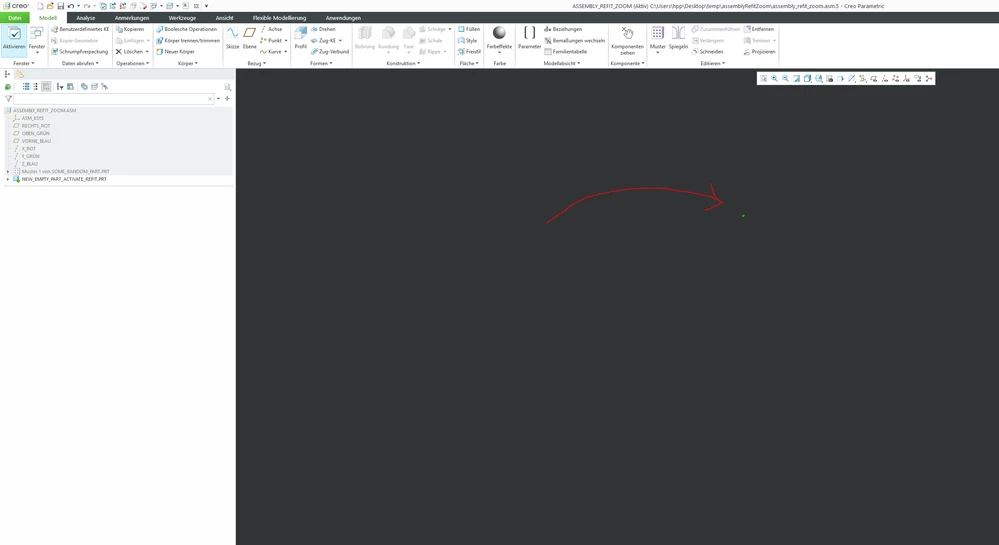
creoautorefitzoom_1003.PNG

Best answer by trailFileFnatic

Just to close this topic, here is my workaround: I added a sketch to my startparts with a single point. Put that sketch on a hidden layer. This empty sketch in the startpart is preventing the "jump-zoom" when creating new parts in assemblies.

I still hope, that PTC fixes this bug in future releases.

3 replies

23-Emerald III
December 7, 2023

That's the Creo Confusion option. I comes as a standard feature and you don't even have to pay extra for it!!

I'm on Creo 6. I don't see the same but it does re-zoom to fit the entire assembly upon completion of the sketch (or extrude).

Chris3
21-Topaz I
December 7, 2023

This is related to the auto-scale of the first sketch feature in Creo 9. I just completed the same steps in Creo 9 though and didn't get that result. I would open a ticket with PTC and submit your example parts.

10-Marble
December 8, 2023

Thanks for the replies. I tried the config options but none of them solved the problem.


Though I am confused. As far as I know this behaviour "first-feature-assembly-auto-scale" is a bug, caused by graphic card driver or config setting or API setting...or something else.


I was hoping someone else had to deal with the problem and found a solution. Already asked my reseller, but they don't know what could cause this refit behaviour, nor where they able to replicate it. I just want Creo to "stand still" while I am working and not zoom out, in or anything.

Chris3
21-Topaz I
December 8, 2023

You need to log a ticket with PTC not your reseller.


https://www.ptc.com/appserver/cs/portal/ 
click OPEN A SUPPORT CASE

trailFileFnatic10-MarbleAuthorAnswer
10-Marble
March 8, 2024

Just to close this topic, here is my workaround: I added a sketch to my startparts with a single point. Put that sketch on a hidden layer. This empty sketch in the startpart is preventing the "jump-zoom" when creating new parts in assemblies.

I still hope, that PTC fixes this bug in future releases.