Creo 11.0.5 Hidden Line & Graphics Issues (Mac M4 / Parallels / Windows 11)
I'm hoping someone has come across this before because I'm running out of ideas.
My setup
- MacBook Pro M4
- Parallels Desktop
- Windows 11
- Creo Parametric Education Edition 11.0.5.0
Issue 1 – Hidden Line Views in Drawings
When I create a drawing, all views display correctly in No Hidden or Shaded mode.
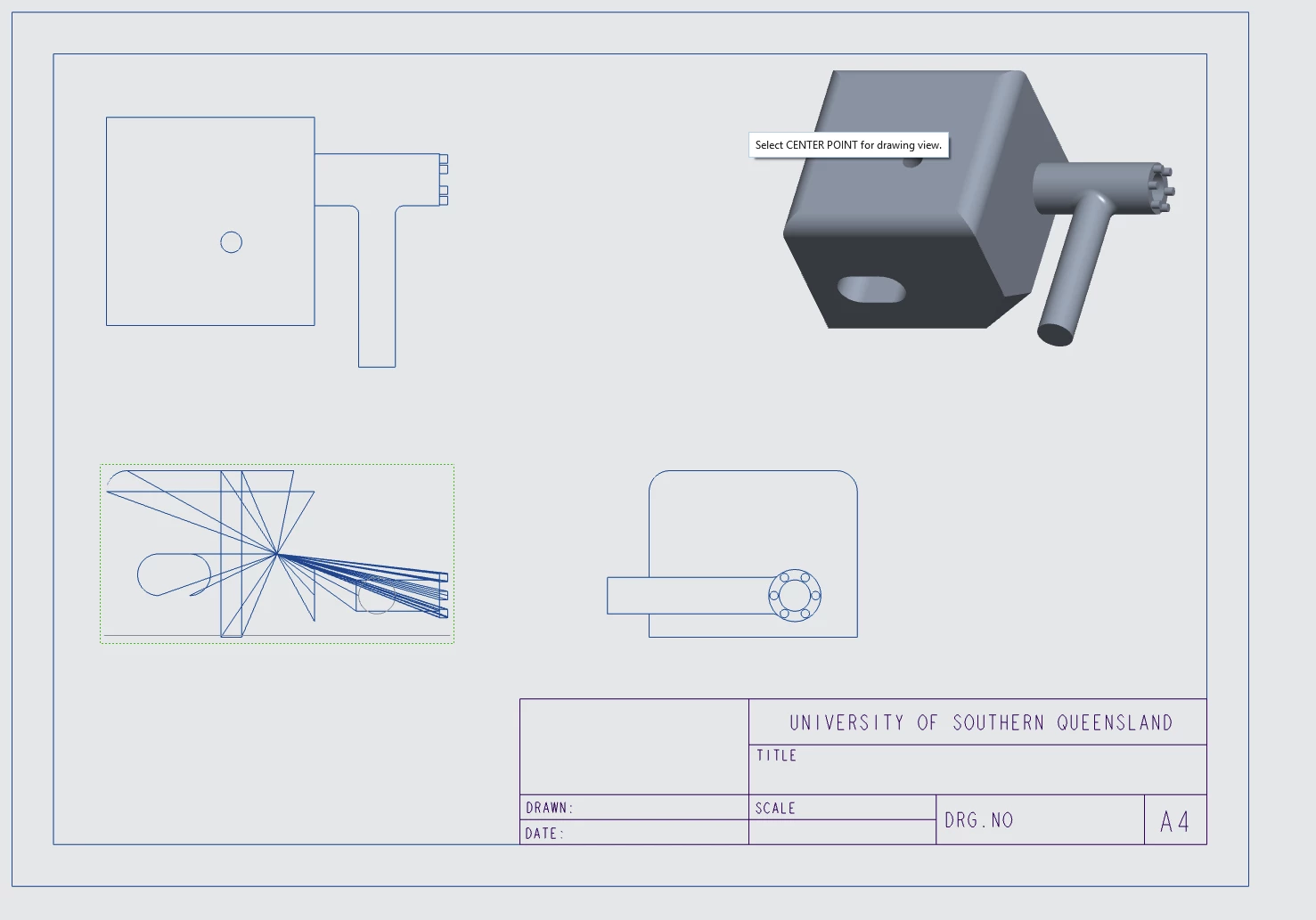
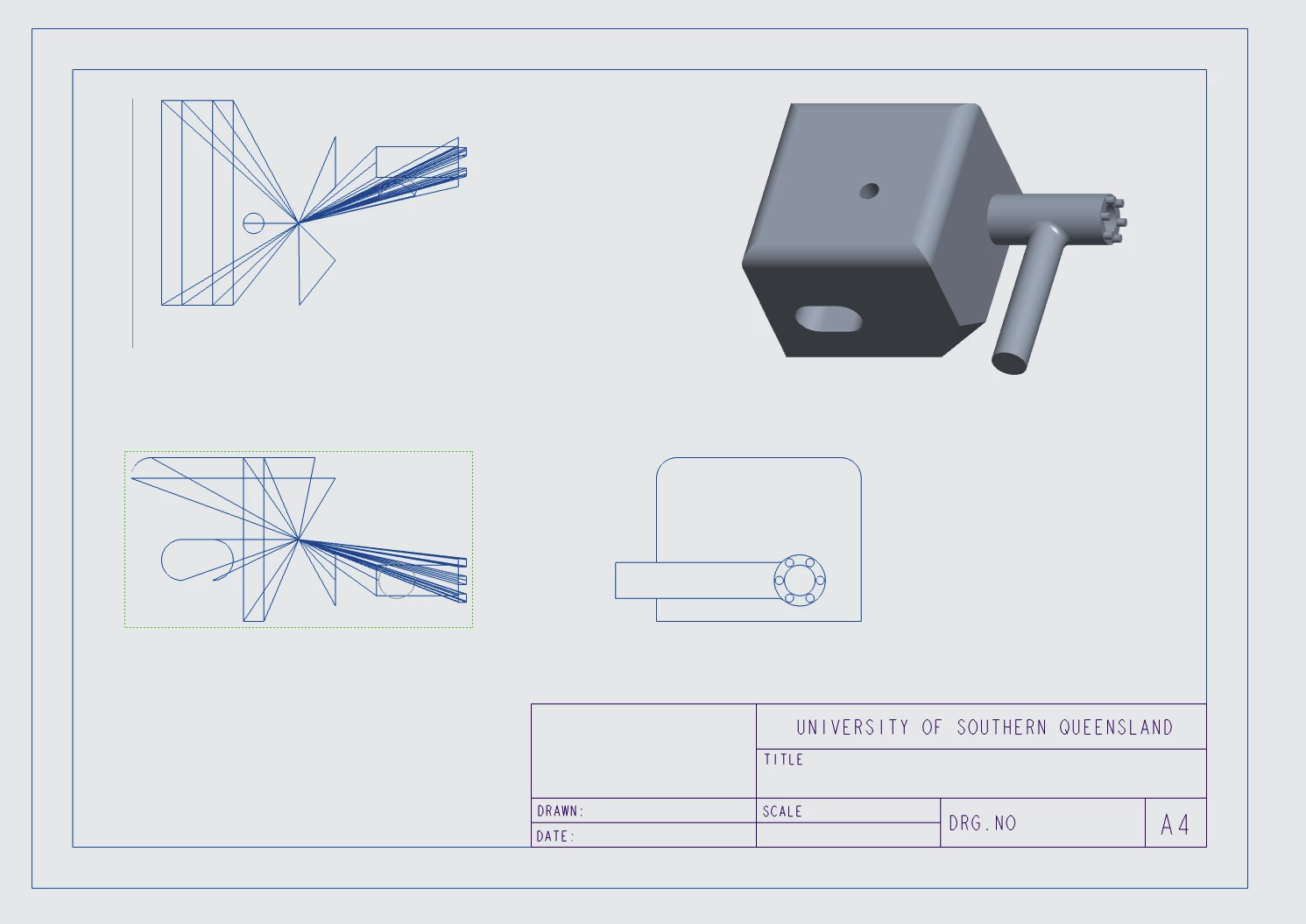
However, as soon as I change any drawing view to Hidden Line, the hidden lines are completely incorrect. Instead of showing normal hidden geometry, they all radiate from a single point, producing a starburst effect.
This happens with:
- Top view
- Front view
- Side view
- Projected views
- General views
So it doesn't seem to be related to a particular drawing view or orientation.
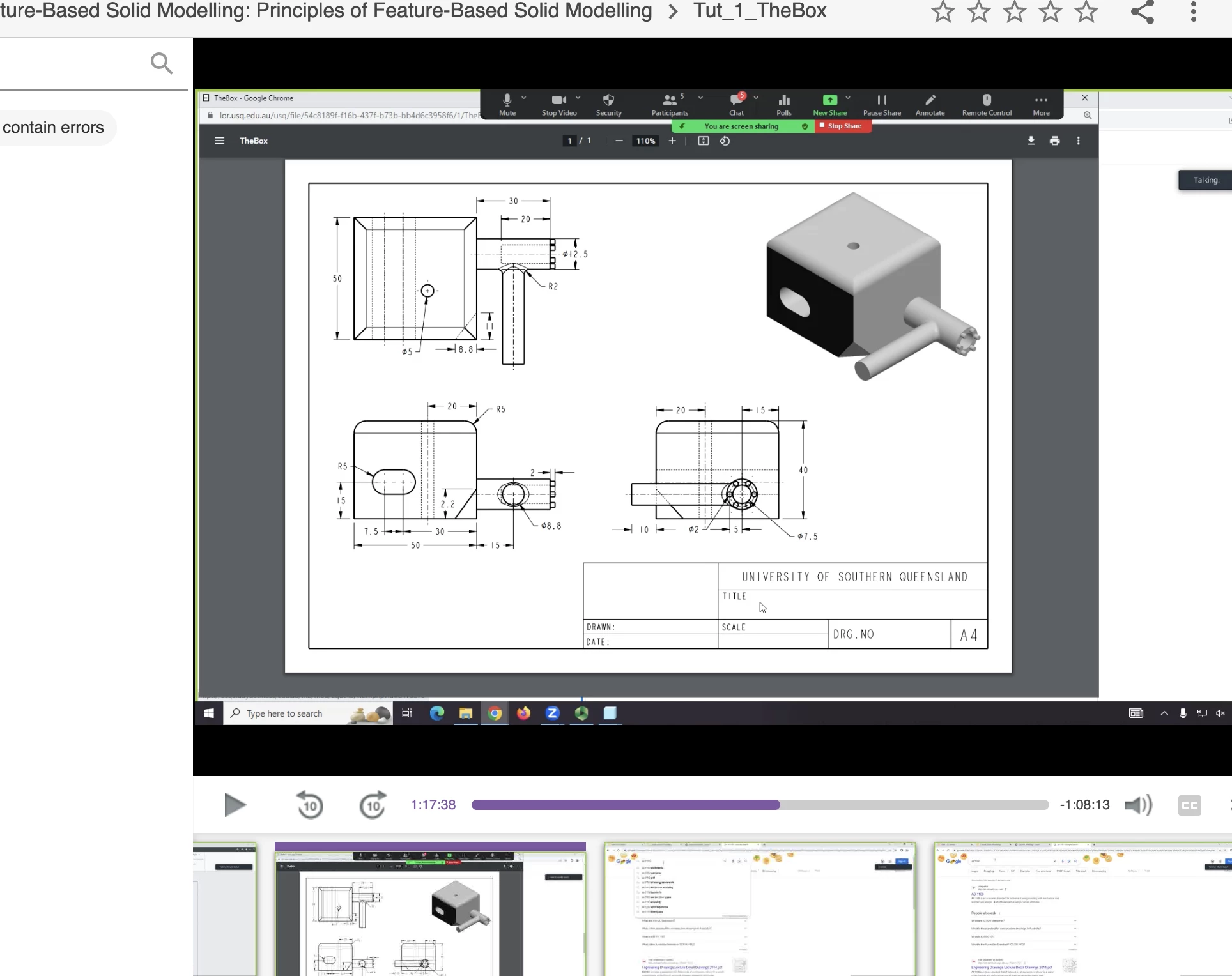
I've attached screenshots comparing my result with the expected result from the course lecturer.
Issue 2 – Facet / Triangle Lines
After creating the first feature (hole, round, chamfer, etc.), the model starts displaying triangular/facet lines across the model.
The geometry is correct and the model regenerates successfully, but the display becomes covered in triangle edges.
I've tried:
- Turning off Show Surface Mesh
- Changing Display Styles
- Regenerating the model
- Changing Parallels graphics settings
- Recreating drawing views
- Creating new drawings from scratch
None of these solved either issue.
Additional Information
- The part models correctly.
- The drawing generates correctly except for hidden lines.
- My lecturer has looked at it but wasn't sure what is causing it.
- These issues only appear on my setup; the lecturer's installation behaves normally.
My Question
Has anyone successfully run Creo Parametric 11.0.5 on an Apple Silicon Mac (M4) using Parallels and Windows 11?
If so:
- Have you seen the hidden-line "starburst" issue?
- Have you experienced the facet/triangle display issue?
- Is there a known graphics, OpenGL, config.pro, or Parallels setting that fixes this?
Any suggestions would be greatly appreciated.
Thanks!