
1-Visitor
May 4, 2017
Question

Creo 2 DXF Scale Wrong?

  • May 4, 2017
  • 6 replies
  • 4931 views

Hi All,

For some reason, when I export a DXF of a drawing / part etc, it is now a lot smaller than the actual.

So I have a drawing of a part. The scale is set at 1.000 as you can see below.
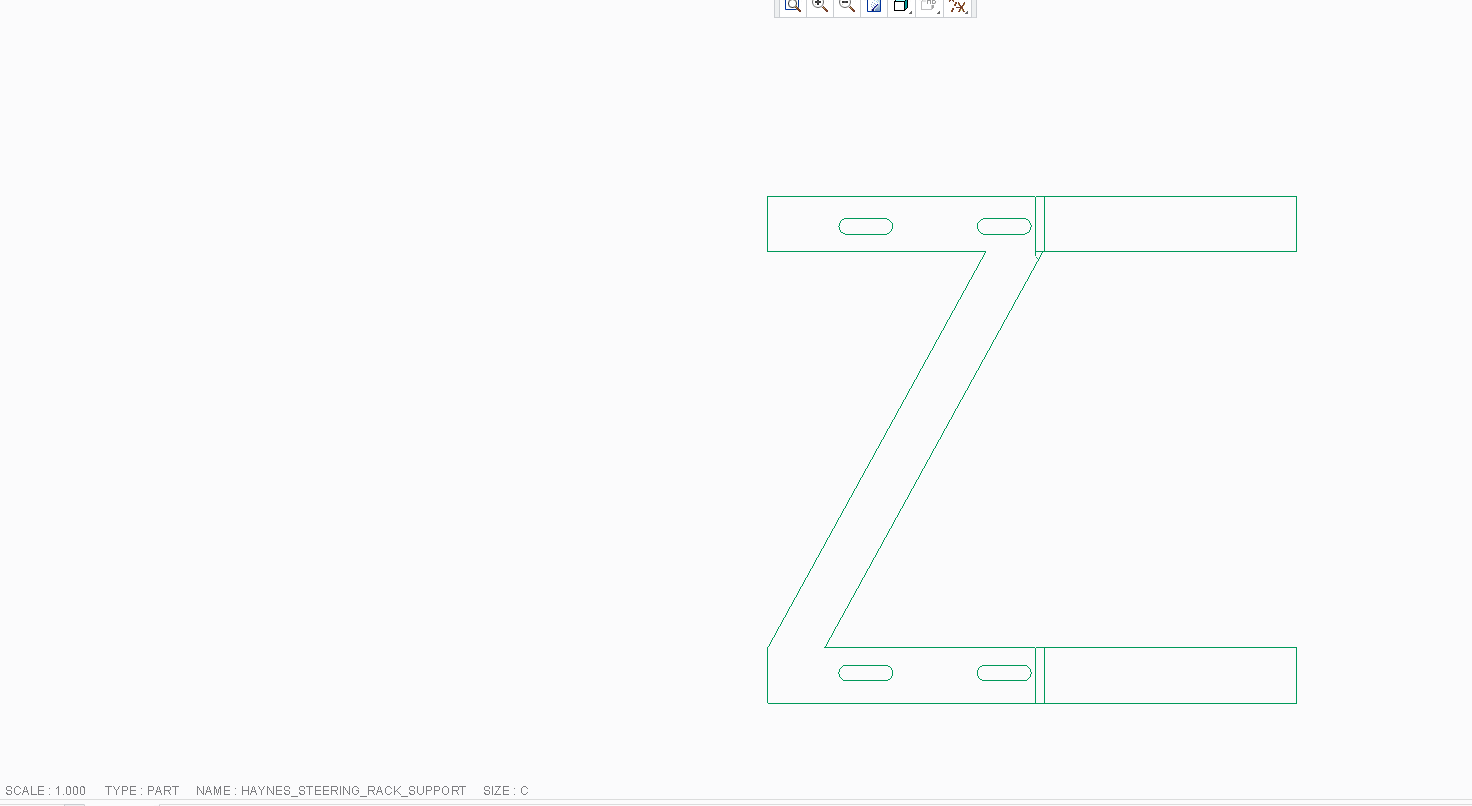
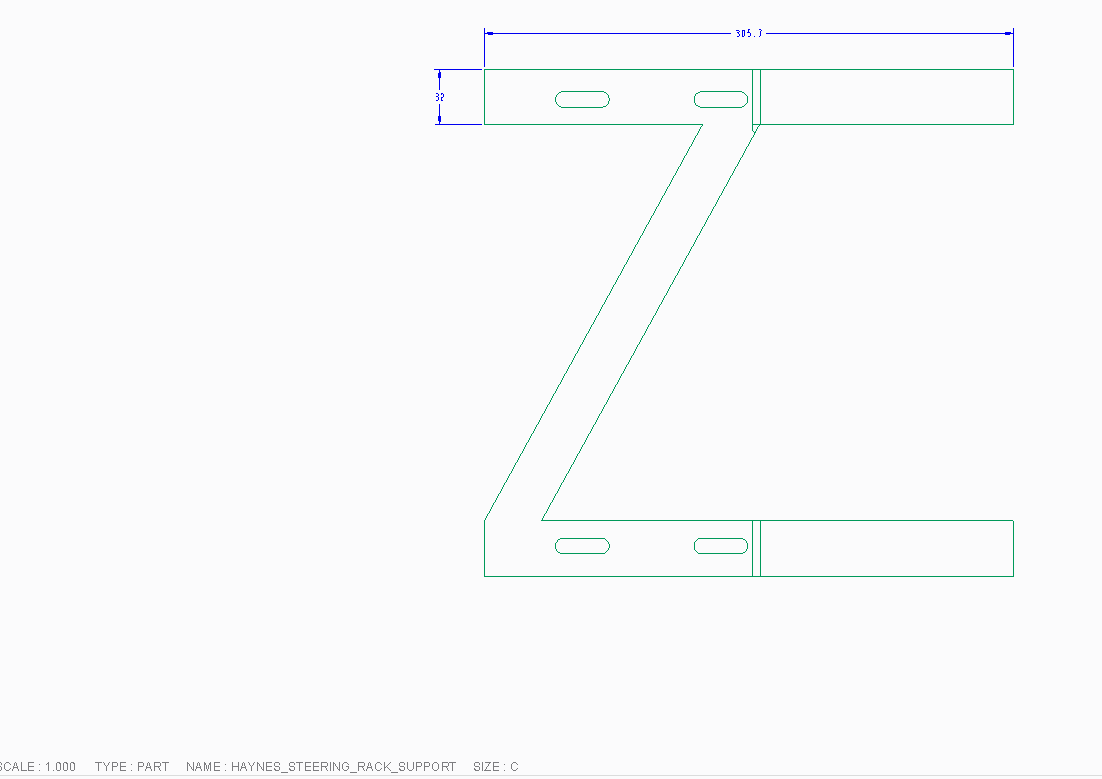
If you look at the next picture, you can see the dimension 32 mm and 305.7mm
Now when the dxf is imported at 1:1 in to a dxf reader, its now showing the dimensions as 1.26 mm and 12.03mm
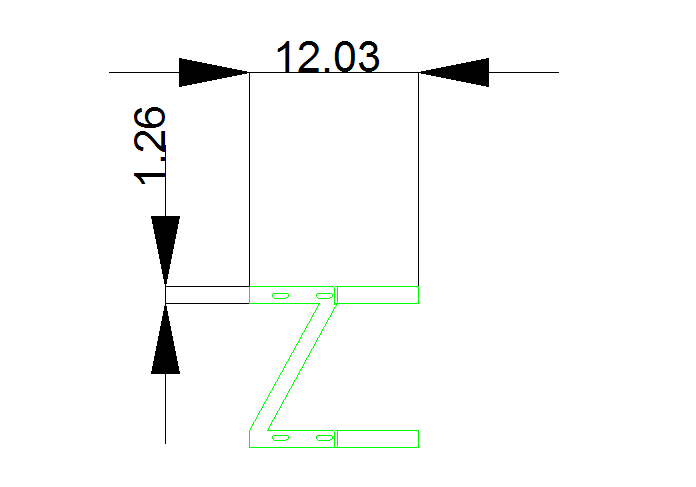
So a reduction of 25.4. which is inches! But the model etc is set in mm???

6 replies

23-Emerald III
May 4, 2017

Have you imported the file in to some other program? Is it possible the reader is doing an on the fly conversion? You probably use this reader for other things and trust it but just in case.

Can you attach a test part?

23-Emerald IV
May 4, 2017

It seems like your reader is simply displaying the value in inches.  Are you sure the numbers displayed in the reader are actually mm?

1-Visitor
May 4, 2017

Hi,

Its definitely Creo doing it. We imported the same dxf in many programs and its wrong.

If we take the exact same part and open on someone elses Creo and do the same, its perfect size. Only my Creo is doing it???

1-Visitor
May 4, 2017

‌iit's 100% Creo, not the reader. If you import the dxf back in to creo, it's shrunk by the 25.4. So creo is exporting it in inches even though all is in mm.

we have tried 5 readers and all show it shrunk. But if exported out of a different PC, all readers show it's correct.

23-Emerald III
May 4, 2017

So look at your config.pro, search for dxf. Comment out or remove all those and try again.

If solved, add them back one by one to see which one is causing the issue.

If that doesn't work, completely removed the config.pro from the launch and try. You at least know if it's a config issue.

Since coworkers don't have the problem compare config files.

24-Ruby III
May 5, 2017

Hi,

I attached files created in CR2 M220. If I open DXF files in Draftsight, then I can see correct dimensions 50 and 100 mm.

MH

1-Visitor
May 5, 2017

There is a drawing option called drawing_units you might want to check if you haven't already, the default is inches.