
Solved
CREO 4.0 STEP file export options
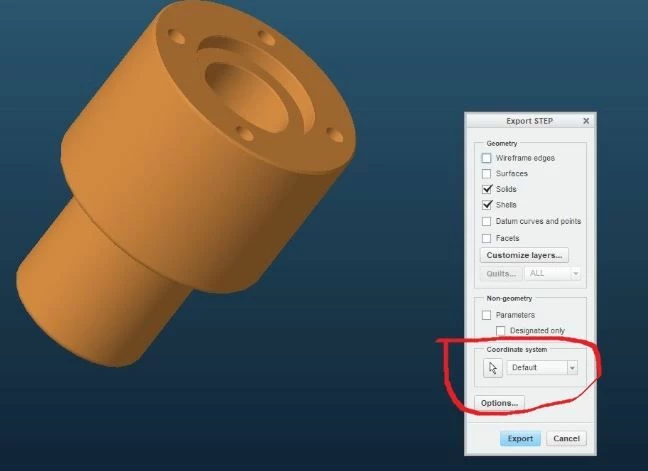
In CREO 3.0 when exporting a STEP file the "Export STEP" dialog box came up and gave you a option to select a CSYS. In CREO 4.0 this seems to be gone . Where can I find this option in CREO 4.0 ?
Thanks

In CREO 3.0 when exporting a STEP file the "Export STEP" dialog box came up and gave you a option to select a CSYS. In CREO 4.0 this seems to be gone . Where can I find this option in CREO 4.0 ?
Thanks
Enter your E-mail address. We'll send you an e-mail with instructions to reset your password.
