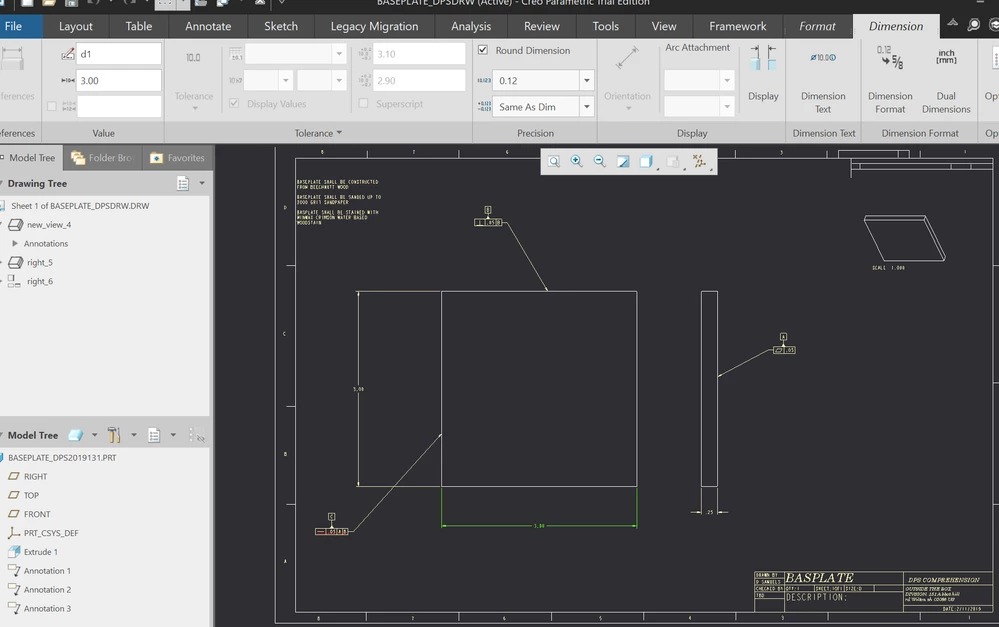
DTL file needs Tol_Display set to yes.
This what I sent my users.
1. With a drawing open, add the detail configuration option Tol_Display and set it to YES.
a. File – Prepare – Drawing Properties
b. In the new window, under Detail Options, select the Change button on the right
c. In the Options window, there is a search function at the bottom
i. In the option box, type TOL and the box should fill-in with tol_display
ii. Then press Find, Select tol_display from the list
iii. In the Set Value box, change it to YES
iv. Press Add/Change and then Close
v. In the option display window, press OK, then Close in the Drawing Properties window
Change any dimensions that need a different tolerance than what is specified in the Unless Otherwise Specified box.
2. Highlight the dimension to change
3. You can change the Tolerance type
a. Nominal
b. Basic
c. Limits
d. Plus-Minus
e. Symetrical
4. Tolerance values can be specified
5. Dimension display can be changed
6. In Dimension text, you can add modifiers to the dimension text
7. Reference Dimensions are created separately from a hard dimension, they do not have tolerances and are not to be created using the Dimension Text option by adding brackets! If created as a Reference Dimension, you can not add a tolerance.