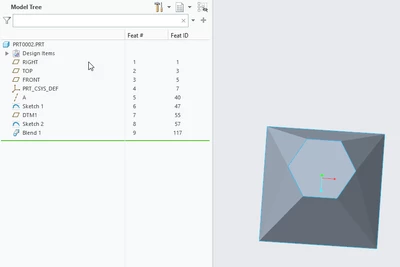
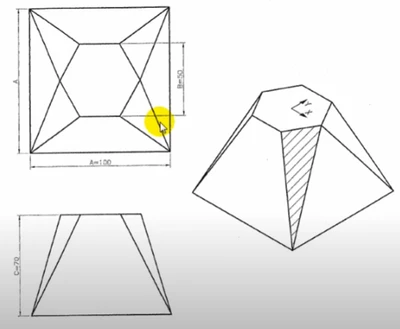
It can be made using a single blend. Attached is a Creo 8 file. On the Options menu, set the blended surfaces to Straight to get sharp edges. The key is getting 1 additional blend vertex on each of the 4 corners of the square and 1 additional on the left/right points of the hexagon. And then getting the starting vertex in the correct location for both sketches so the edges of the blended shape don't cross one another.